
Configuring the agent
Setup the operatorId and collectorURL configuration parameters in the app/src/main/assets/config.properties file. You may also configure the samplingInterval or the reportingInterval, amongst other parameters. Check the documentation for additional details.
operatorId = yourOperatorToken
collectorUrl = https://collector.insight-stats.com/api/v1/
samplingInterval = 10
reportingInterval = 30
Running the reference application
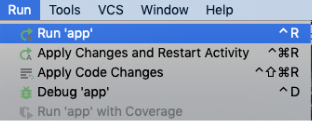
In AndroidStudio, open the reference-app project. Configure a virtual device using the AVD manager to run the application; then in the Run menu, click Run ‘app’
When started, the application should look like this:
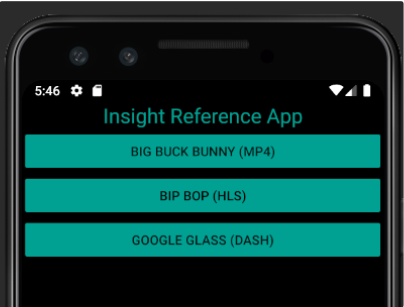
You will have the choice to play different contents:
-
An MP4 content without adaptive streaming.
-
A content using the HLS protocol.
-
A content using the DASH protocol.
Viewing the raw report
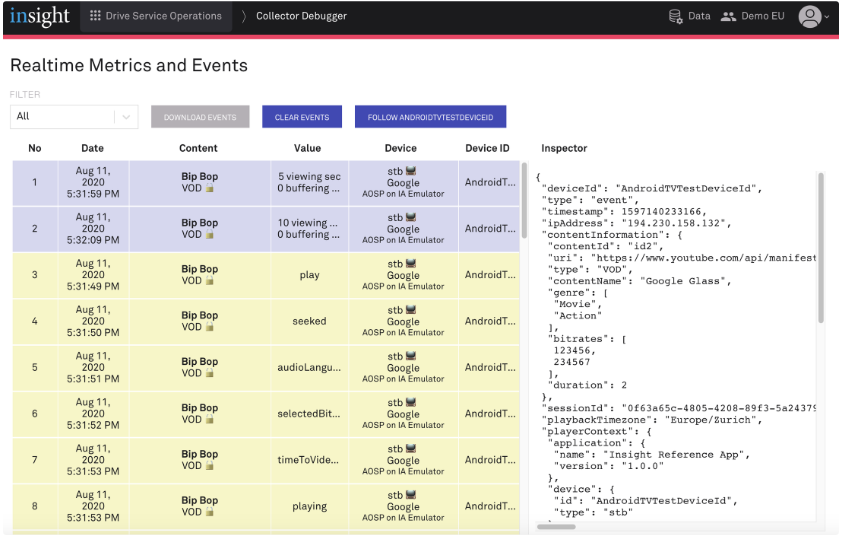
Log into the product with the URL provided. Open the Collector Debugger module; the raw Events and Metrics will be shown.
KOP4J
If you are using KOP4J as an obfuscation tool, you will need to add the following rule in your kop-rules.pro file:
kop-mask-string,disable class com.nagra.insight.agent.api.* { *; }
kop-opacity-source,disable class com.nagra.insight.agent.api.* { *;}