
To test this feature and view the example code, please see the Android SDK5 Example Code Quick Start guide.
The extension SDK provides tools for Media3 to enable playback of NAGRA Persistent Rights Management (PRM) encrypted streams using NAGRA Connect – the hardware implementation of NAGRA PRM.
Handling of PRM-encrypted content requires the device hardware, for example PRM-enabled Android TV set-top boxes, to support NAGRA Connect, and does not require a PRM-enabled version of the Media3 Nagra PRM extension .aar file. Such devices use Android's MediaDrm API, extended with the Connect Client Library (CCL).
Client code will use the NagraConnectManager provided by the Media3 Nagra PRM Extension, which in turn handles access to the CCL. A specific Operator Vault (OpVault) that matches customers' PRM-enabled license servers is required to use Connect.
For the SDK to work with PRM, Operational Vaults must be configured with the unlockJAVADescramblingForHybridMode flag set to true; see Media3 NAGRA PRM Extension Integration Guide | Prerequisites .
The NagraConnectManager also handles device provisioning which enables the device to use NAGRA Connect.
Enabling the playback of encrypted streams comprises the following steps:
-
Connect Preparation – a
NagraConnectManageris created and is configured with the appropriate OpVault and anNagraMediaDrmCallbackthat interacts with the provisioning and license servers. -
Device Provisioning status –
NagraConnectManagerdetermines if the device is provisioned for this operator. If it is not, provisioning must be performed. -
Device Provisioning (if not provisioned) –
NagraConnectManagersets up a provisioning request. Its data is sent to the provisioning server, located at the URL specified in the request. The response is then processed and stored by the CCL. -
Setting the stream token – specific for each stream – providing the token for requesting a license.
Provisioning is "per device, per operator". Provisioning must be done once for each operator's application (containing that operator's OpVault) installed on that device.
NagraConnectManager, NagraConnectMediaDrmCallback, and NagraConnectProvisionListener
NagraConnectManager handles device provisioning and license requests. It obtains provisioning and key requests, provides request data to the appropriate server (via the NagraMediaDrmCallback provided) and then uses the response, with the help of the CCL to handle licenses and decrypt the content. It is implemented as a singleton and so cannot be instantiated directly; its lifecycle is controlled through the methods createInstance(), getInstance() and releaseInstance().
The SDK provides NagraConnectMediaDrmCallback as the default implementation of the NagraMediaDrmCallback interface, which handles communication with the provisioning and license servers, and is used in the example code provided.
Rather than directly implementing the NagraMediaDrmCallback interface, NagraConnectMediaDrmCallback implements the abstract NagraCommonMediaDrmCallback class, which has a single constructor with the parameter defaultLicenseUrl.
Some license servers expect extra information from the application. This information is a blob of data in a specific data field within the key request challenge data coming from the CCL and sent to the license server. The CCL library can be configured to add that extra data by setting an option in the NagraConnectMediaDrmCallback class instance. For example, configuring the clientData and/or protectedClientData fields with application data will add this data to key requests' challenge data in the third-party data fields applicationClearData / applicationProtectedData respectively.
For more information, please refer to your license server documentation.
The NagraConnectProvisionListener interface must be implemented in client code to handle the result of each provisioning attempt, via the methods onProvisionCompleted() and onProvisionFailure(). The example code provides a basic implementation that displays the provisioning result via a toast message, and also starts playback if provisioning is successful.
Prerequisites
-
The device with built-in NAGRA Connect support
-
The Operational Vault should be configured with the
unlockJAVADescramblingForHybridModeflag set totrue. -
The OpVault file for working with the provisioning server is present.
Example code
Connect playback is implemented in the example code as follows:
-
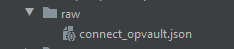
In Android Studio, the OpVault is added to the application build project as a project resource:
-
An
NagraConnectMediaDrmCallbackmust be instantiated to be passed to thecreateInstance()method ofNagraConnectManager.Javaprivate static final String CONNECT_LICENSE_SERVER = "https://licenseserverurl.com/TENANT_ID/prmls/contentlicenseservice/v1/licenses/"; private NagraConnectMediaDrmCallback mConnectDrmCallback = new NagraConnectMediaDrmCallback(CONNECT_LICENSE_SERVER); -
Set the HTTP request properties of the
NagraConnectMediaDrmCallback, which includes the stream token.JavamConnectDrmCallback.setKeyRequestProperty("Accept", "application/json"); mConnectDrmCallback.setKeyRequestProperty("Content-Type", "application/json"); mConnectDrmCallback.setKeyRequestProperty("nv-authorizations", STREAM_TOKEN); // Stream specific -
Optionally, depending on the license server set-up, set the request options of the
NagraConnectMediaDrmCallback, which may include application data (clear and protected).JavamConnectDrmCallback.setKeyRequestOption("protectedClientData", "thisIsProtectedClientData"); mConnectDrmCallback.setKeyRequestOption("clientData", "thisIsClientData"); -
Provide a method for starting playback on the UI thread. In this example it will be called immediately if the device is already provisioned, or if provisioning is required, it will be called by the
NagraConnectProvisionListenerif provisioning succeeds.Javaprivate static final String STREAM_URI = "https://cdnurl.com/mystream.m3u8"; private void startPlayback() { runOnUiThread(() -> { mPlayerView.getPlayer().setMediaItem(MediaItem.fromUri(STREAM_URI)); mPlayerView.getPlayer().setPlayWhenReady(true); mPlayerView.getPlayer().prepare(); }); } -
An implementation of
NagraConnectProvisionListenermust be created to handle the result of the provisioning operation. This displays the result in a toast message, and will also start playback if successful.Javaprivate NagraConnectProvisionListener mProvisionListener = new NagraConnectProvisionListener() { @Override public void onProvisionCompleted() { Toast.makeText(getBaseContext(), "Provision successful", Toast.LENGTH_LONG).show(); startPlayback(); } @Override public void onProvisionError(Exception error) { Toast.makeText(getBaseContext(), "Provision failed", Toast.LENGTH_LONG).show(); NagraLog.w(TAG, error.getMessage()); } }; -
The operator vault must be read from its file, so the following method is provided:
Javaprivate byte[] loadOpVault() { // Loading connect_opvault in src/main/res/raw try { byte[] buffer = new byte[1024 * 4]; ByteArrayOutputStream outputStream = new ByteArrayOutputStream(); int bytesRead; InputStream opvaultStream = getResources().openRawResource(R.raw.connect_opvault); while ((bytesRead = opvaultStream.read(buffer)) != -1) { outputStream.write(buffer, 0, bytesRead); } return outputStream.toByteArray(); } catch (IOException e) { NagraLog.e(TAG, e.getMessage()); finish(); } return new byte[0]; } -
The
NagraConnectManagerinstance is then created by passing the OpVault and theNagraMediaDrmCallbackobject to thecreateInstance()method. AnUnsupportedSchemeExceptionwill be thrown if the device does not support Connect.Now the
NagraConnectManagerhas been created, the device's provisioning status can be checked by callingisProvisioned().If the device is already provisioned, playback can be started. If the device is not provisioned, this can be done by calling
provision(), passing theNagraConnectProvisionListenerto handle the result.Javatry { byte[] opVault = loadOpVault(); NagraConnectManager.createInstance(opVault, mConnectDrmCallback); mConnectManager = NagraConnectManager.getInstance(); //Check and Provision device if (!mConnectManager.isProvisioned()) { mConnectManager.provision(mProvisionListener); } else { Toast.makeText(getBaseContext(), "The device has been provisioned.", Toast.LENGTH_LONG).show(); startPlayback(); } } catch (UnsupportedSchemeException e) { NagraLog.w(TAG, e.getMessage()); Toast.makeText(getBaseContext(), "The device doesn't support Connect PRM.", Toast.LENGTH_LONG).show(); } -
If the device supports Connect, a toast message will provide information on the device's provisioning status and the stream will start playing.