
Overview
OpenTV Platform is integrated with Bango, which allows your customers to easily subscribe to third-party services (such as Netflix and Disney+) as part of your service, either as part of a package or as an add-on to an existing service
It does this by abstracting the details of the individual third-party service providers, meaning that you only need to integrate to OpenTV Platform and not to multiple different services.
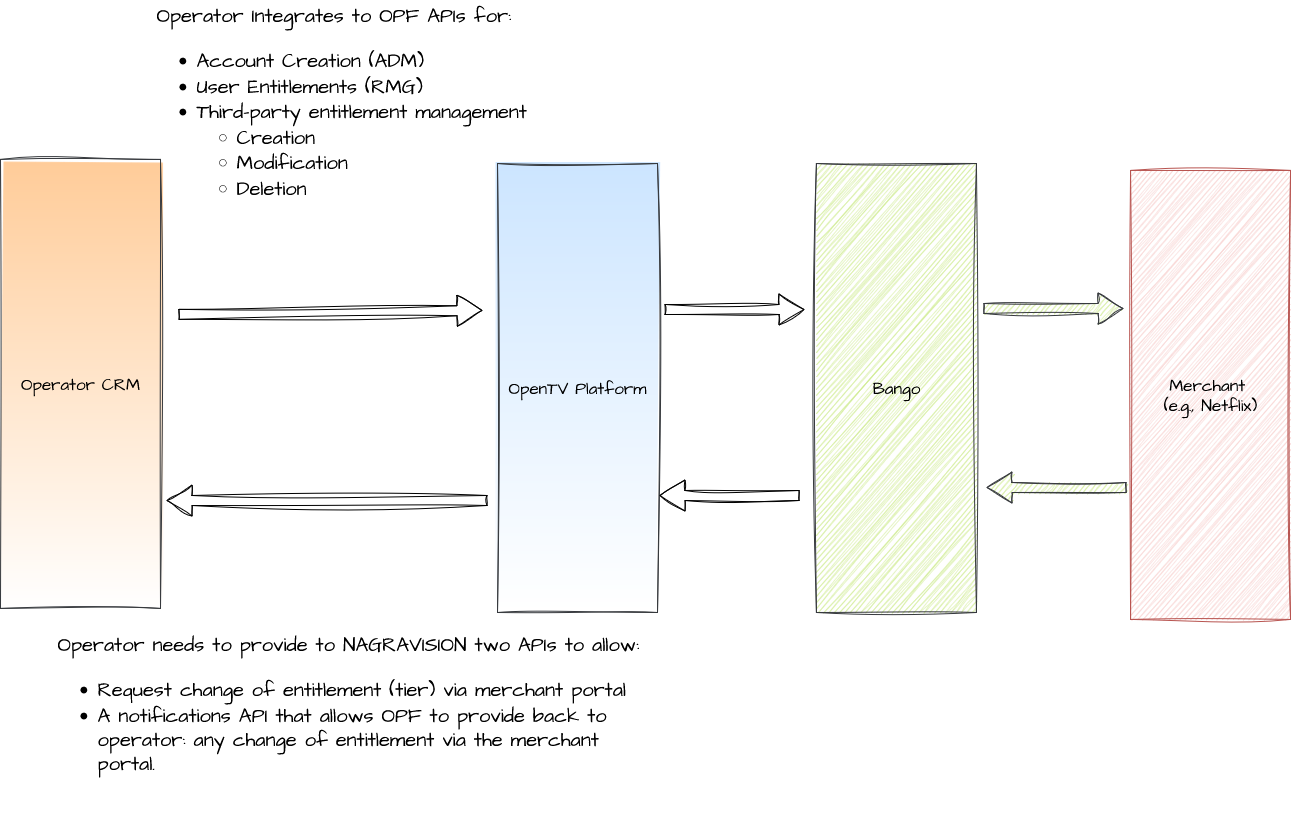
When a customer purchases a third-party product in this way, OpenTV Platform creates its own entitlement and also calls Bango to create a Bango entitlement for the product. Bango, in turn, enables the third-party service for the customer. This is illustrated in the following diagram:
Entitlement lifecycle
The lifecycle of a third-party entitlement is shown in the following diagram:
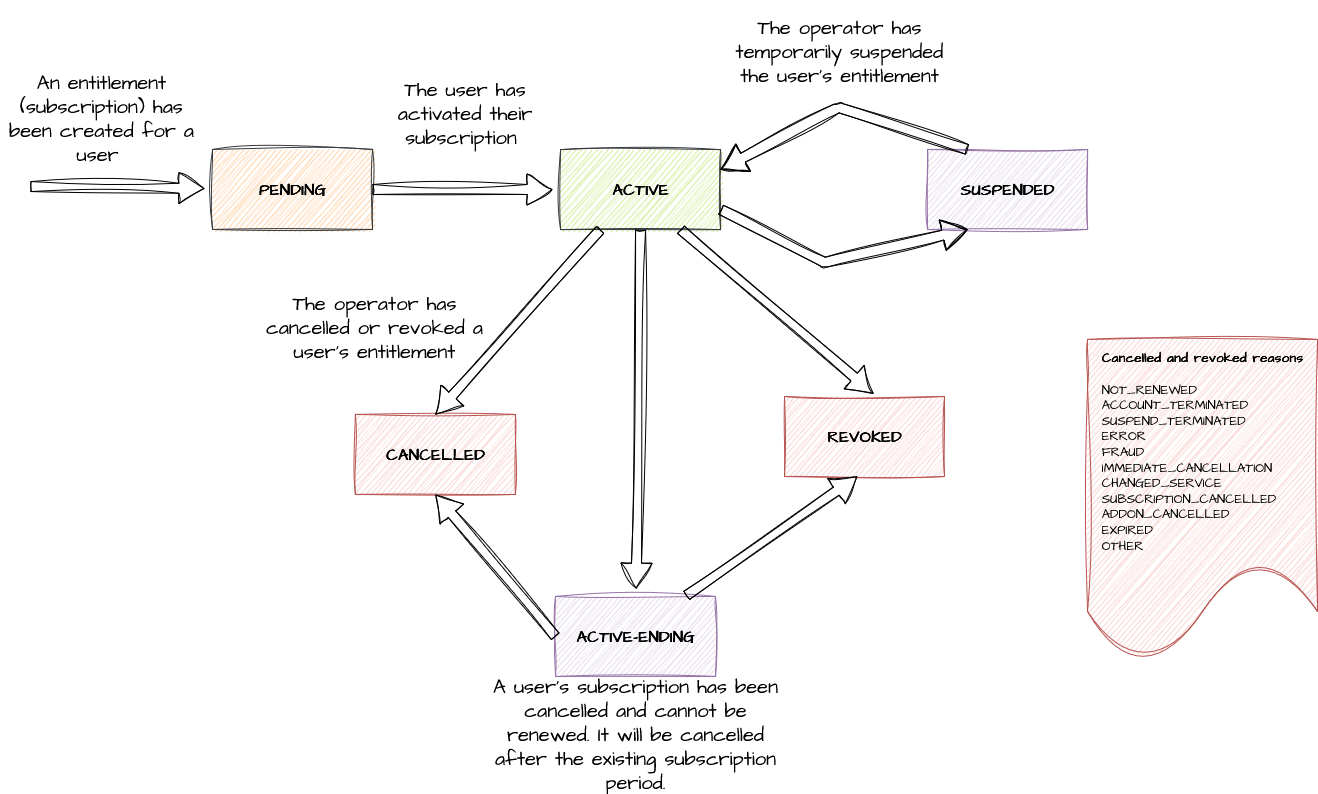
Note that when the CRM system calls OpenTV Platform to cancel or delete an account, OpenTV Platform cancels all the account’s entitlements, including third-party product entitlements.
Integration stages
CRM integration
The operator needs to integrate their CRM system with OpenTV Platform for the following:
-
Account management (ADM)
-
Working with entitlements (RMG)
-
Managing third-party entitlements, that is:
-
Creation
-
Modification
-
Deletion
-
In deployments that use NAGRAVISION’s Security Services Platform (SSP), the CRM system uses CRM Gateway instead of ADM and RMG for account and entitlement management.
This section covers the third-party entitlement piece. See:
-
Implementing endpoints to handle notification and authorisation calls from OPF
-
Integrating your CRM system to make the necessary requests to OpenTV Platform
The account and entitlement management parts are explained in the following sections:
Agreement with merchant
The operator needs to reach an agreement with the merchant regarding the offers and plans that it can offer to customers.
For example, Netflix typically offer three tiers of their package, Basic, Standard, and Premium. The packages could either be sold to customers through the operator as an add-on to an existing service or via an operator's service bundle.
To represent this, the operator should create six products in OpenTV to represent the tier and the type of commercial offer it was subscribed under:
|
Add-on package |
Part of operator bundle |
|---|---|
|
Add-on-basic |
Bundle-basic |
|
Add-on-standard |
Bundle-standard |
|
Add-on-premium |
Bundle-premium |
The exact number of products must be agreed between the operator and the merchant.
Creating such products is explained in Creating a third-party product.
Testing and certification
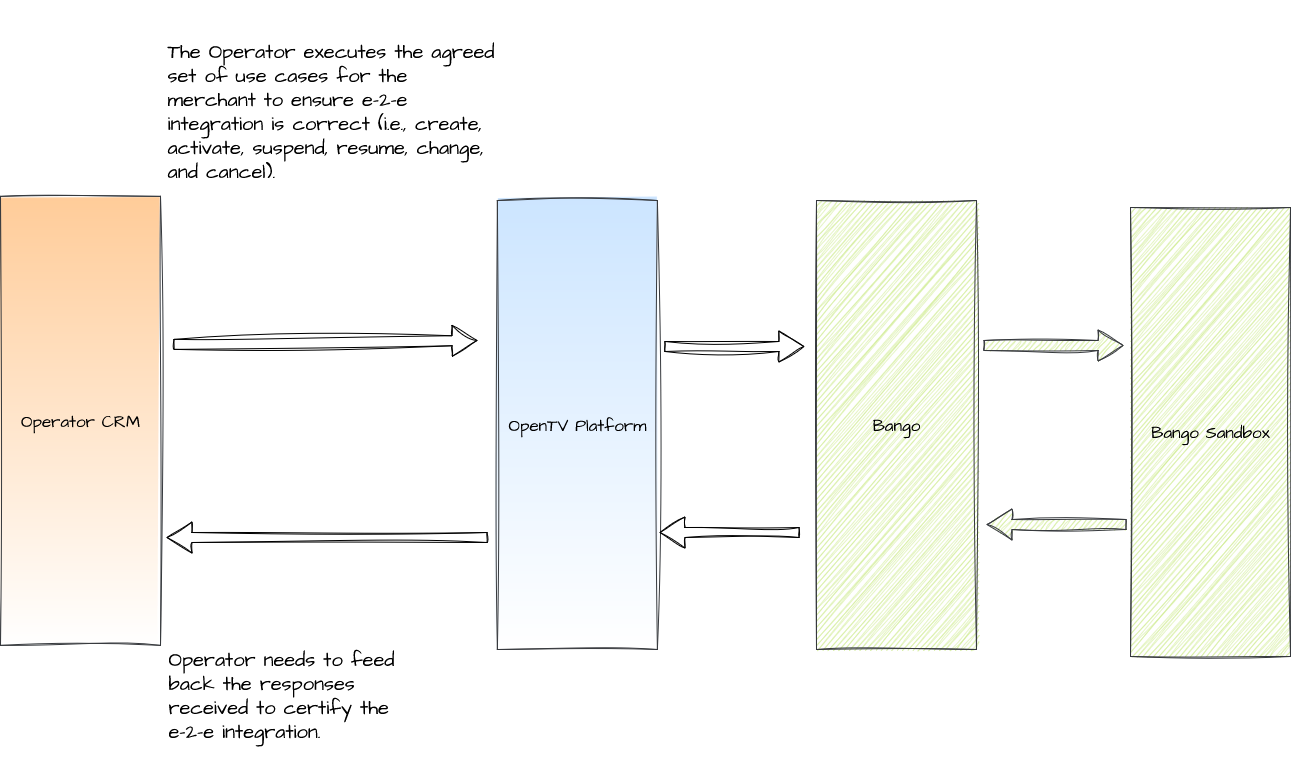
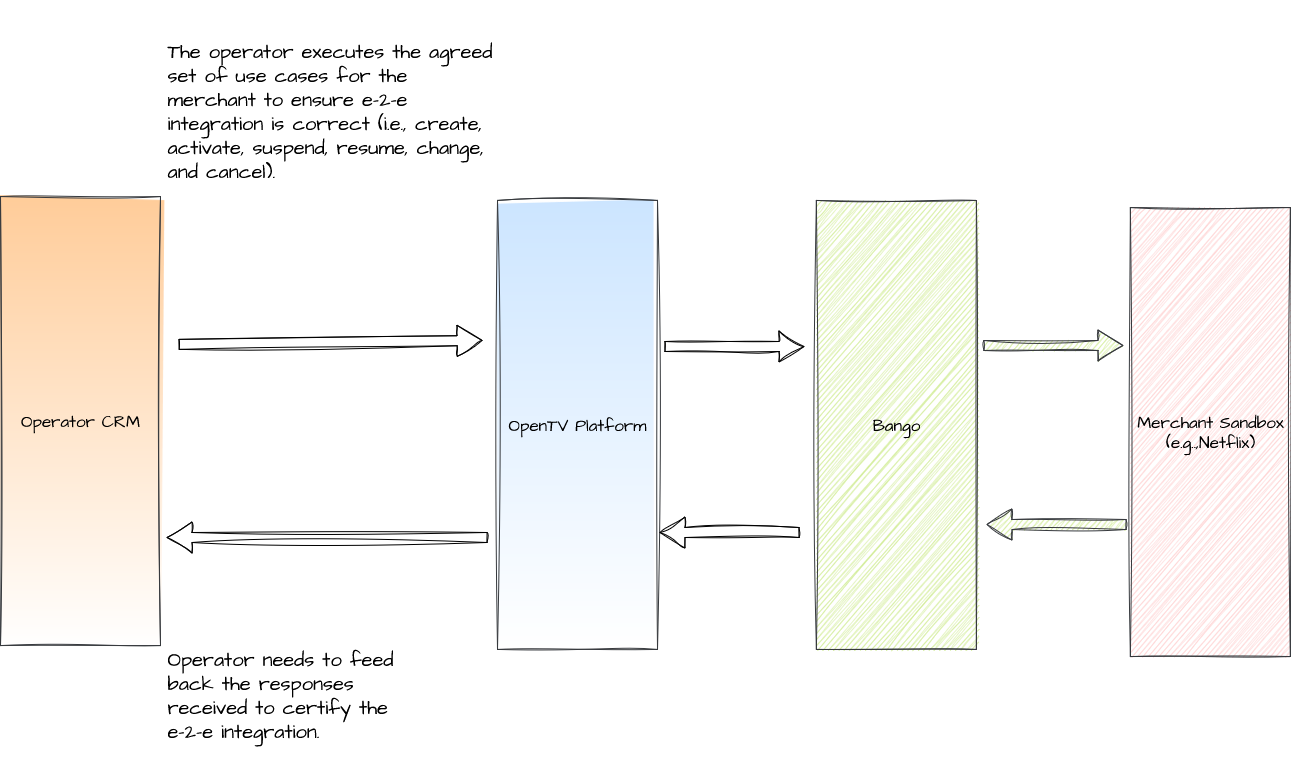
Testing and certification has two stages:
-
You must certify your integration by testing it using test cases supplied by Bango. You must then share the results of your testing with Bango.
See https://developer.bango.info/. -
You must test your integration using the merchant sandbox.
In addition, merchants may request supplementary information, such as:
-
High-level design documents
-
Details of how each product is offered to customers
-
Storyboards/screenshots of the user journeys for purchasing and managing user subscriptions
Testing with Bango sandbox
Testing with merchant sandbox
See also
-
Integrating third-party product bundling (Client integration guide)
-
Create a product (OpCon documentation)