
Missing Swift libraries
The iOS RNOTVPlayer plugin uses both Objective C and Swift code internally. Due to this, you may encounter a build issue of missing the Swift standard libraries if you do not link Swift code inside your project.
Solution 1
-
Click File and select New > File...
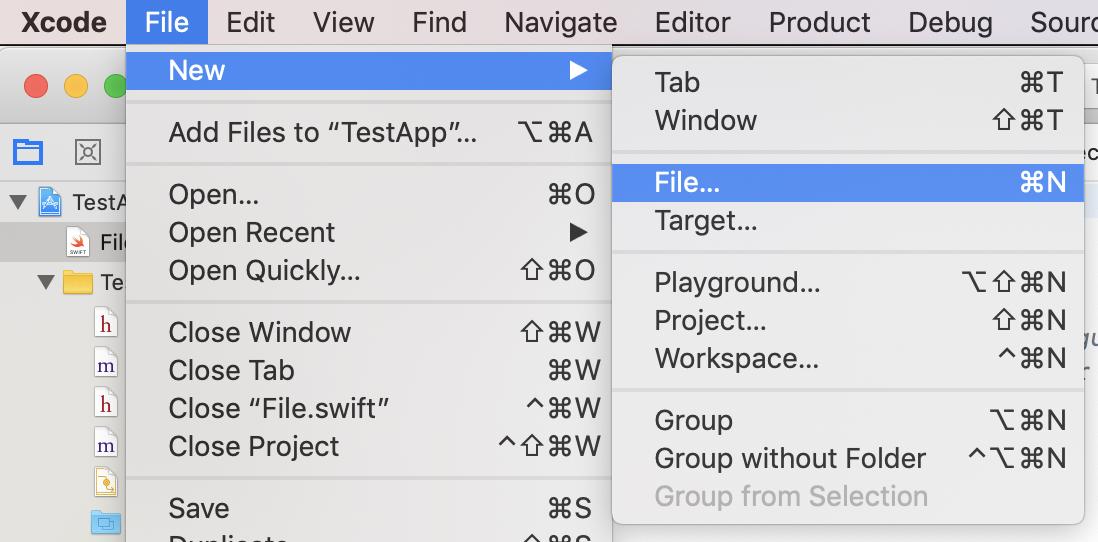
-
In the Choose a template for your new file window, select iOS and Swift File.
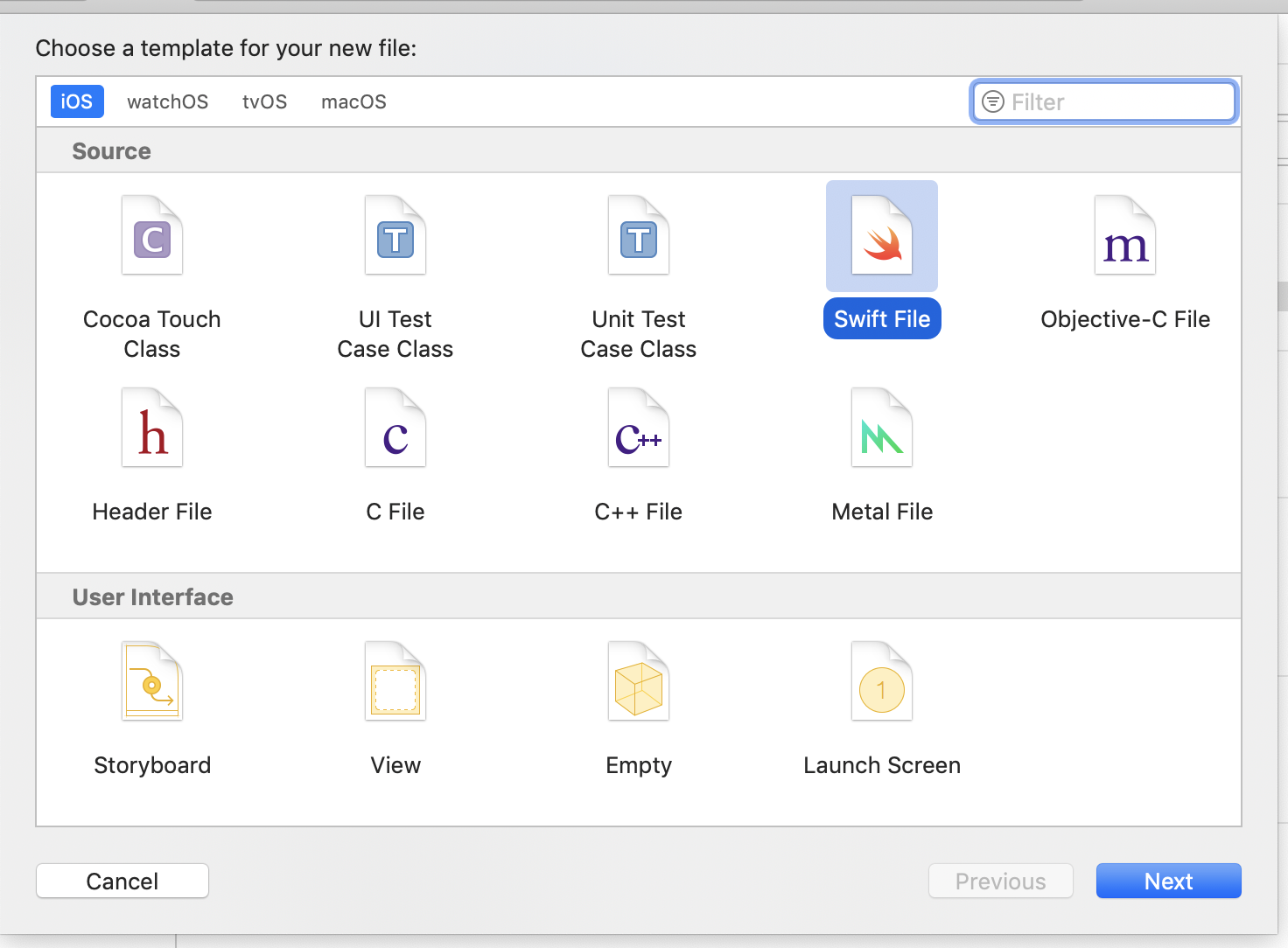
-
In the popup, confirm by clicking Create Bridging Header.
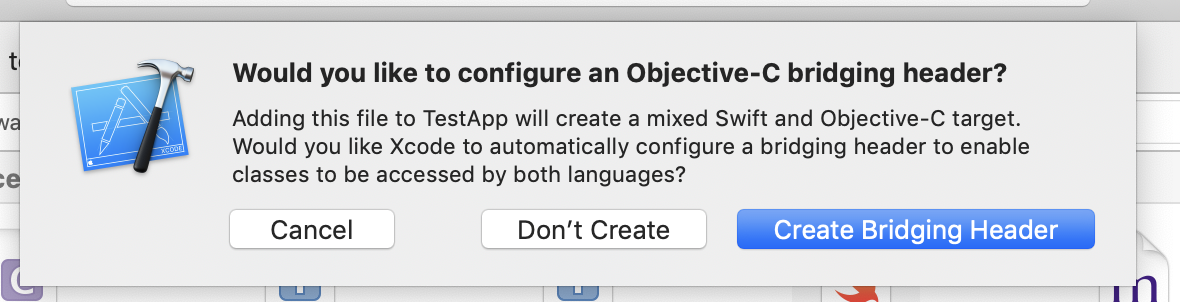
Solution 2
Go to Build Settings and set Always Embed Swift Standard Libraries to YES.
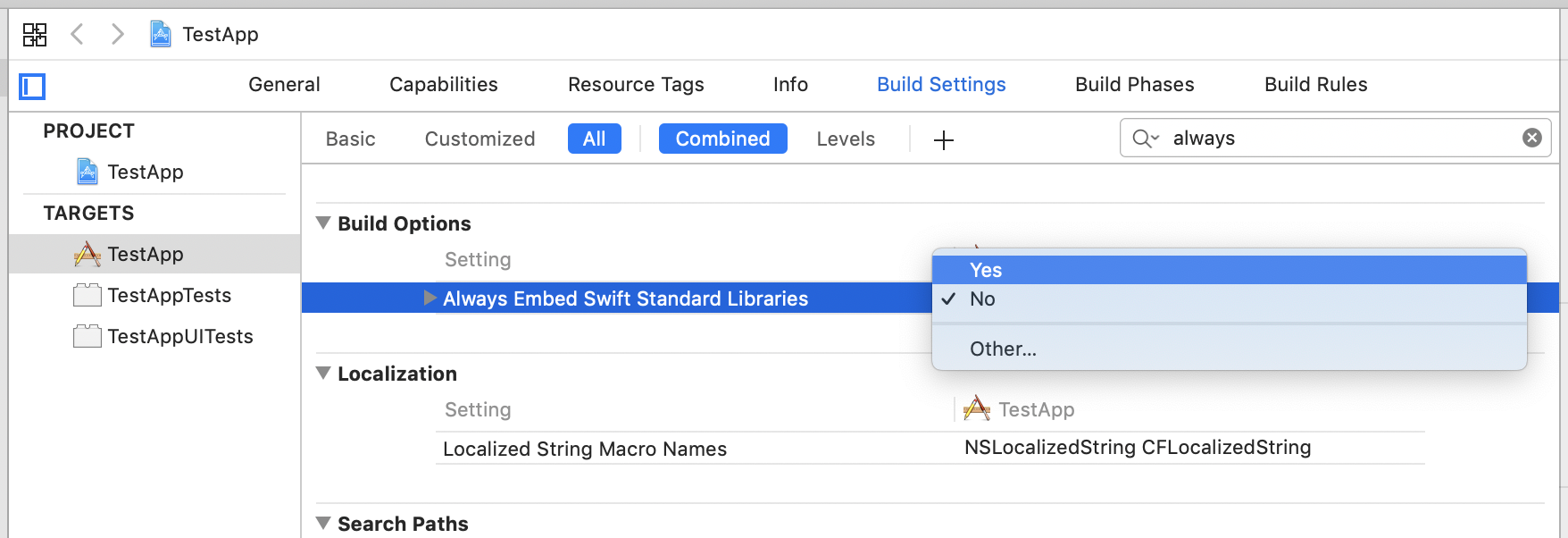
Android
For Android, include the following extra steps:
-
Open <project_folder>/android/build.gradle, and change the
minSdkVersionto21.buildscript { ext { ... minSdkVersion = 21 ... -
Before building for Android, define your Android SDK path by:
-
Setting ANDROID_SDK_ROOT in your environment, or
-
Adding sdk.dir path in your project's local properties file at <project_folder>/android/local.properties.
-
-
Build and run the Android app on your device using
yarn android.
Missing Android SDK errors
Ensure that the local.properties file, which contains Android SDK install path exists in the Android path of the React plugin.
Android manifest collided
If your application uses Android Gradle plugin version 3.6.0 or higher, it may encounter the error: Entry name 'AndroidManifest.xml' collided when building the application. The application can work around this issue by adding the following into the <project_folder>/android/app/build.gradle file:
packagingOptions {
	exclude 'AndroidManifest.xml'
}