
Account Dashboard | Overview
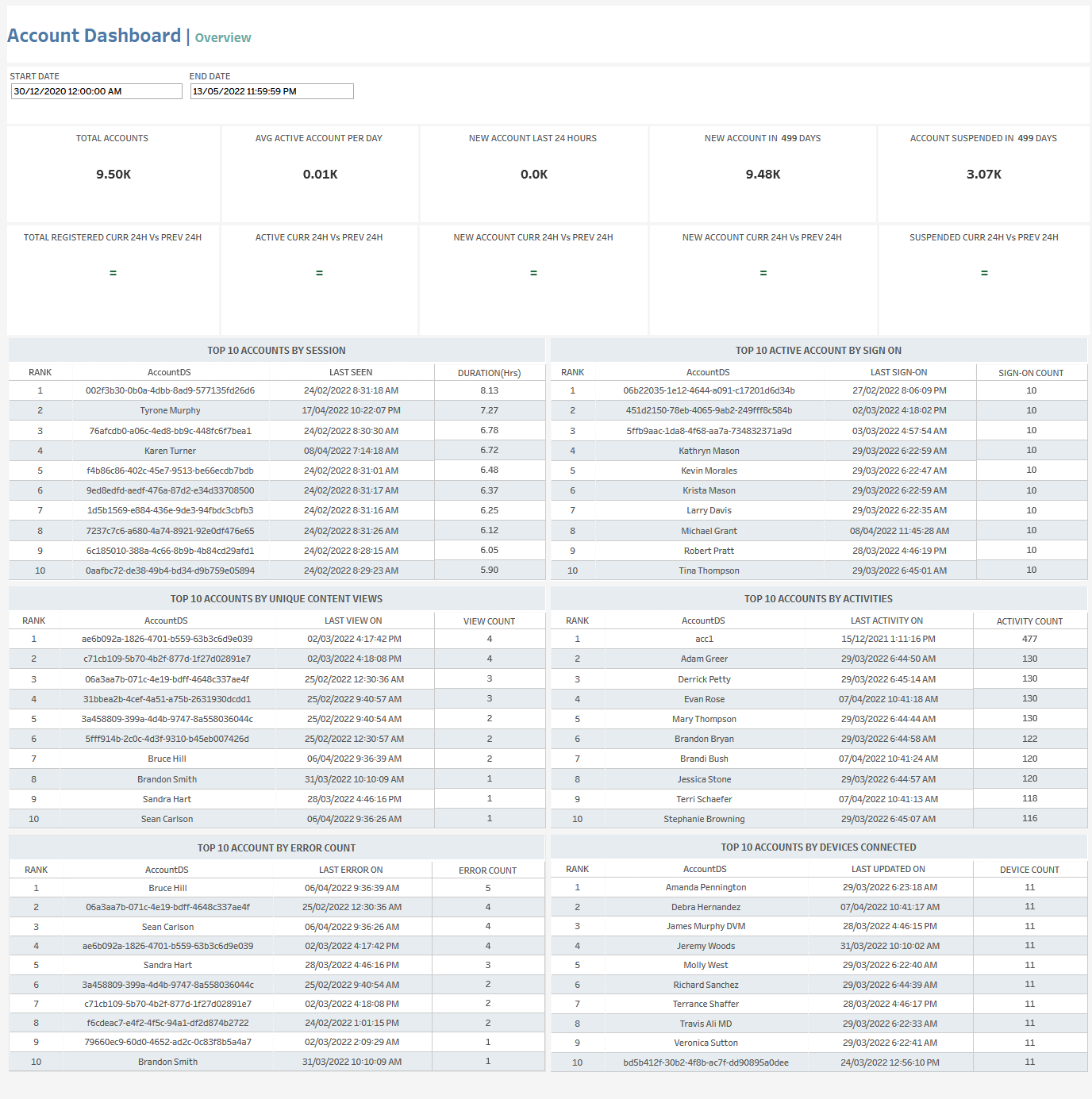
The Account Dashboard Overview tab lets you see a variety of account-related data for the selected time period, including:
-
Total number of accounts
-
Average number of active accounts per day
-
Number of new accounts (for the last last 24 hours and for the selected time period)
-
Number of account suspensions in the selected time period
-
Comparisons of the following between the current 24-hour-period and the previous 24-hour period:Total registered accountsActive accountsNew accountsSuspended accounts
-
Top accounts by:Session durationNumber of sign-onsNumber of unique content viewsNumber of activitiesNumber of errorsNumber of connected devices
At the top of the page, you can:
-
Change the date range
In the overview section, for each tile, you can:
-
Hover over or click the tile to see exact numbers.
-
Click the tile and then click

In this window, you can:See more detailed data, including (for some categories) a list of the accounts that comprise the total shown in the tile.Change the sort order.Show and hide fields.Change the number of rows displayed.Download the data.
In the top accounts sections, you can click on a row to open the Account Details tab.
Account Dashboard | Details
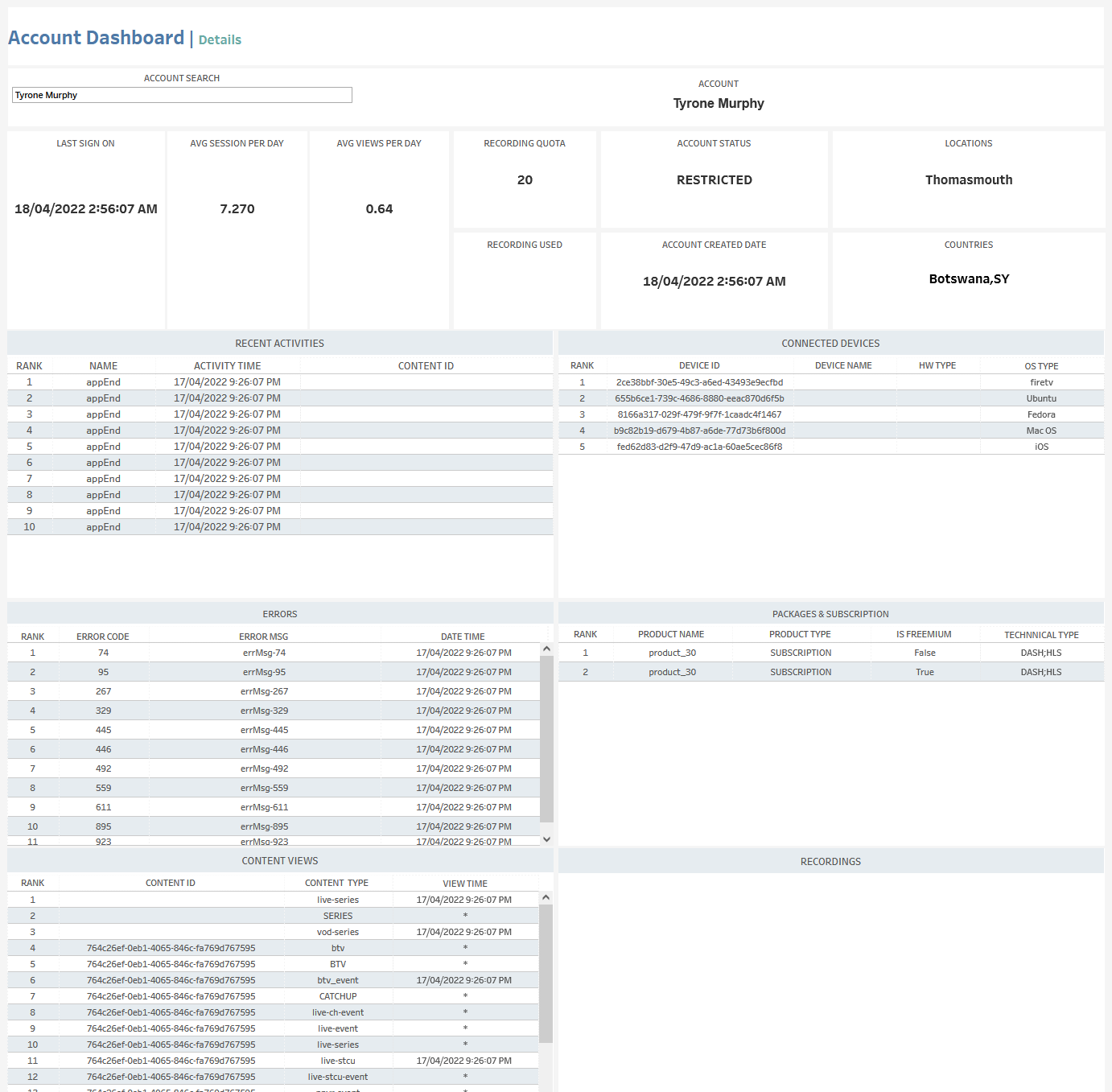
The Account Details tab shows detailed data for the selected account, including:
-
Last sign-on time
-
Average number of sessions per day
-
Average number of views per day
-
Recording quota size and usage
-
Account status
-
Account creation date
-
Location
-
Countries
-
Recent activities
-
Connected devices
-
Errors
-
Packages and subscriptions
-
Content views
-
Recordings
As in the Account Dashboard | Overview tab, you can click on any of these to open the View Data window, which shows more detailed data (see above).