
Content is displayed in the catalogue under nodes. These are configurable containers that you can create based on the type of content; for example, genre, trending, news and so on.
To display the catalogue, select CONTENT and CATALOGUE from the top menu.
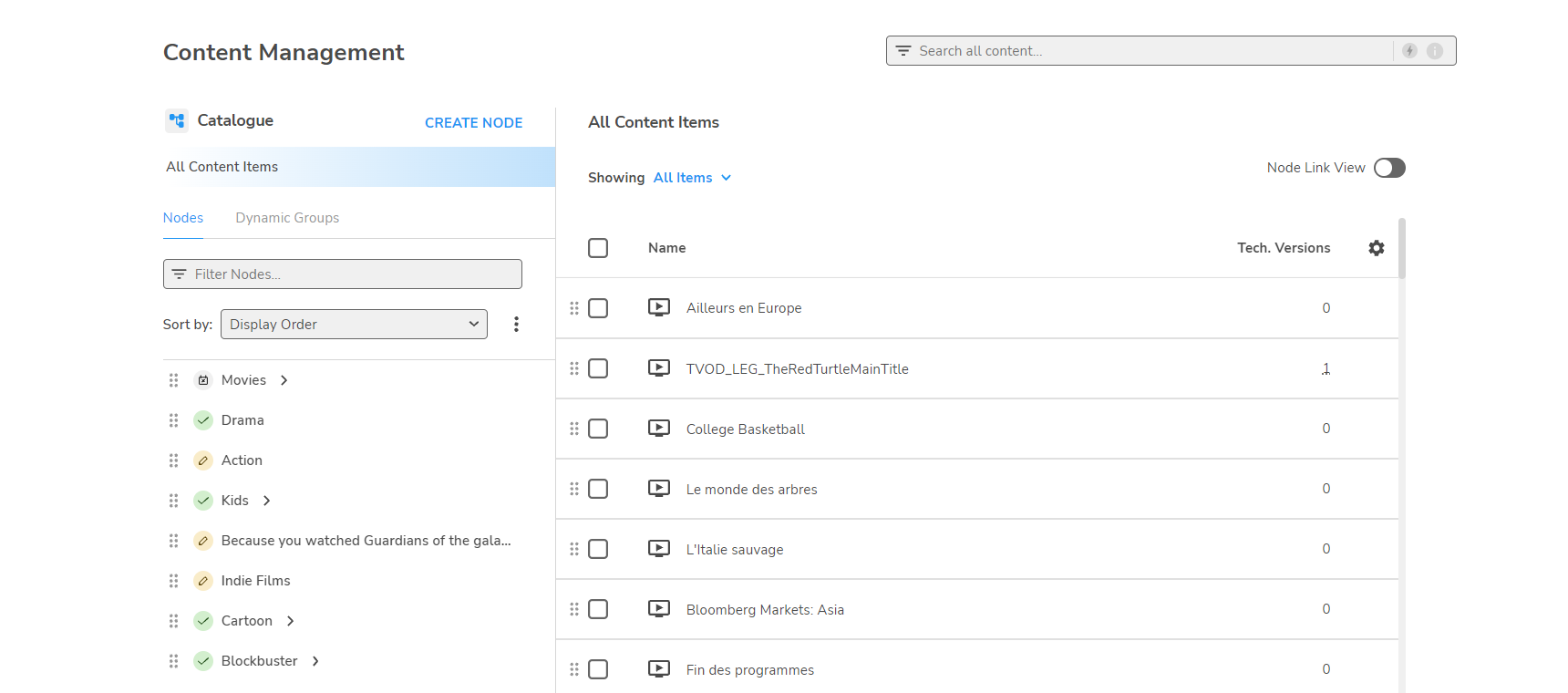
Nodes
Nodes are displayed in the left-panel Nodes tab. Clicking a node displays the content for that node, and also shows any child nodes.
Node status is indicated by the following icons:



To create new nodes, edit node details, or delete a node, see Configuring nodes.
Node Link View
This is an alternative view featuring the Node link details.
Content
When a node is selected, its content items are displayed in the right-panel; click an event to view the details.
In the events panel, you can choose which fields are displayed by selecting Table preferences... from the Settings 
In addition, you can list the events by status, apply filters and sort the columns.
-
The Showing menu enables you to display by: all content items, series, season, dynamic group or editorial content.
-
To add or remove content to or from a node, see Adding and removing content items.
-
To change the properties of content items within a node, see Editing Editorial content.
Running your mouse over the number of Technical versions field displays a popup showing the status of the configured Technical versions.
In Node Link View, the node link ID and validity dates are displayed; see Node link.
Dynamic content groups
You can also create groups based on search criteria rather than associating individual items directly; see Configuring dynamic content groups.