Search by name
To search for a product by name:
-
Open the Product Management app to view the product list.
-
Type your search term into the search box at the top right of the page.
-
Press Enter.
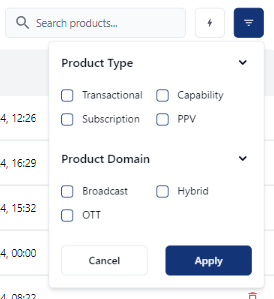
Filter search by product type or domain
To filter the search by product type or domain:
-
Click the filter button at the top right of the page.
-
Select the required search criteria.
-
Click the Apply button.