
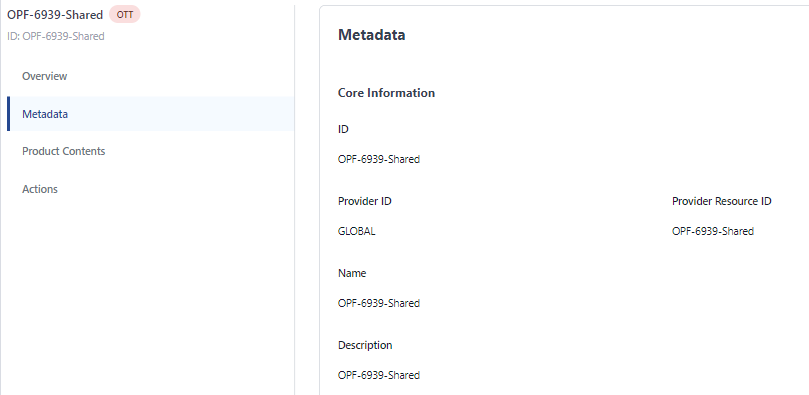
Product details are grouped under the following headings:
-
Core Information
-
Locale Fields
-
Product Type Information
-
Preview Configurations
-
Product Features
-
Entitlement
-
Product Validity
-
Purchase Validity
-
Download to Go
-
Freemium
-
Export Information
-
Locale Custom Fields
-
Non-locale Custom Fields
To edit the details of a product:
-
Open the Product Management app to see the product list.
-
Select the required product from the list.
-
Select Metadata from the sidebar menu to display full details.
-
Click the Edit Product button at the bottom of the page.
-
Make the required changes.
-
When you are ready to save the changes, click the Save Changes button.