This release includes a large number of new features and enhancements, including enhanced trailer support (series and season trailers, trailer upload in OpCon, and trailers in rails and media cards), recommendation enhancements, personalised reviews, Rails Builder usability improvements, blueprint image handling improvements, head-end binge watching support, rails stats in OpCon, server-side enforcement for parental control PINs, time travel in Rails Builder’s Preview mode, webapp hosting for app vendors, and more.
Ateme packager integration for VOD
Ateme encoders (Titan File) and the Ateme packagers (NEA DVR) are two separate disjointed systems at the moment.
This feature is for packaging of assets using Ateme packager via a new Ateme Adapter that has been developed.
Multi-app support in DMM
This feature is to facilitate OPF platform to send messages to multiple apps belonging to different tenants.
Provides a solution in DMM to be able to configure multiple apps for both ADM and Firebase devices and hence all devices registered to these apps get messages irrespective of tenants.
Provide a solution in DMM to configure for multi-app if IoT has the same problem as ADM or any other problem.
NPVR – CIM TiVo – SeriesID bound to channel
Several changes have been made to CIM-TiVo to address issues faced and support new use cases being introduced.
SeriesId needs to be channel specific.
Series/season/rails trailers
This feature adds support for series trailers and season trailers, and support for trailers in OpCon (including upload), support for trailers in rails, and support for trailers in media cards (series and season – already covered for EditorialContent).
Device details update/sync
This feature resolves the problem where operators were not able to update a device once it had been created.
This feature supports the ability to update all device details from the client. Key cases are app upgrade and device upgrade.
Recommendation enhancements – activities
This feature reviews and improves the OpenTV Platform integration with Ncanto with respect to the existing activities that are being sent by clients.
This is to make recommendations more accurate by avoiding scoring all activities equally.
Blueprints – localised field support
This feature is to handle the localised field type separately from the rest of the UX improvements.
Personalized reviews – phase 1
The purpose of this feature is to use an AI approach to enable reviews, descriptions, and text to be personalised to individual users or groups of users. The intent is to increase user engagement by personalising the text.
Notify consumers of next best offer – phase 1
This feature is to build a system based on AWS to promote an offer to a user.
The offer will be the one that best matches (fits) the user. The user data and offer data will be available.
Offer data will not be limited to OPF data, it will also include operator service and physical products.
AI was used to achieve this and it is a joint exercise with AWS.
Blueprint image handling
This feature addresses several improvements:
Image service file upload size too small, image upload progress bar, image upload error
Remove display images for image blueprints, Images sorted with newest at the top, picking an image is clunky
Unify image upload screen in Rails Builder with the channel logo one
Any image "manually uploaded" to OPF should be available in Rails Builder as an internal image.
Show number of instances of the image in the image picker screen (e.g., for a picture of can of Coke, "2 image configurations reference this image" – click to see the filtered instances that you can CRUD), show external images on the same images screen
Move image blueprints into the single image screen.
Pick existing image -> use existing instance (pick or auto select if just one instance) or create new instance (new instance will need a name and sensible defaults) for internal/external/channel
Image shown is not the one that was added.
Internal image should pre-populate standard/light/dark images.
Fine-grained control over the layout (pattern, of a rail)
Ability to switch between instances of the same type
Ability to switch between instances of different type
Custom rails – should be possible to add new fields
Binge-watching - support for cues
Binge watching provides the capability for a client to promote content from a series that the user has already commenced watching.
As part of this experience a user will be offered the ability to skip start/end credits via the use of cue-points within the content metadata.
Rails stats screen in OpCon
This feature is the screen in OpCon to document A/B testing results:
Comparison of rail performance with A/B tests
Metrics / per period (Views (from Rails), Views (Globally), Clicks (from Rail), Clicks (Globally), Plays (from Rail), Plays (Globally), Completions (from Rail), Completions (Globally), Purchases (from Rail), Purchases (Globally), Engagement Time (from Rail), Engagement Time (Globally))
Drill down by Rails Tests (A/B/Both), Device (Group/Model/Platform), Form Factor (Big Screen, Mobile, Desktop), Products Entitled / Not Entitled, Segments, Time, Country, App Version
Range of visual presentation (graphs, tables)
Conversion funnel (Visit, View, Click, Play)
Tables of data: graphs
Compare periods (compared to last day/week/month)
Aware of TV peaks, e.g., compare this Saturday to last Saturday
High performance
Binge watching API on head-end
Binge watching provides the capability for a client to promote content from a series that the user has already commenced watching.
ION already provides some binge watching support. This feature will deliver a binge-watching capability from the head-end.
User recording requests from CDVR to DWH
This feature is to have the source of user recording requests stored in the DWH be the head-end service rather than the client sending a activity.
Ateme STCU URL generation
STCU URLs generated from the URL template at the service level understand a fixed list of templates that are per encoder/transcoder. In the case of Ateme, the following URL needs to be supported to be at service level and STCU generation use cases.
The following list of use cases are supported for:
DASH and HLS variants
Template regex parsing for startTime and endTime
Key recognition if required for begin and end
Timestamp formatting for yyyy-mm-ddThh:mm:ssZ or epoch
Hostname translation (if required from encoder to CDN)
Adapter for NPVR spec adoption for Ateme / LTCU validation
For NPVR functionality to work with an Ateme system, we have created an adapter that maps the NAGRA PRI interface which has the APIs below to Ateme’s NPVR APIs:
GET /cxf/pri/v1/capturedassets/{id}
POST /cxf/pri/v1/capturedasset
PUT /cxf/pri/v1/capturedassets/{id}
DELETE /cxf/pri/v1/capturedassets/{id}
POST /cxf/pri/v1/packagedassets
Separate content auth and OPF access token signing keys – IAS based solution
This feature separates the signing/encryption key used by OPF to generate access tokens and contentAuthZ tokens.
Rails trailers – completion
This feature is for extended trailer support for series and season content types, enabling trailer linking, display priority management, Operator Console administration, media card retrieval, and optional trailer delivery within RAILs responses – bringing trailers into modern, front-and-centre UX experiences.
Parental control PIN server side enforcement
This feature enforces mandatory PIN checks for nominated OPF service endpoints, such as changing a client user's user profile or purchasing a product. Deployment configuration enables PIN validation per API; when disabled, the service API skips PIN checks, allowing existing behavior to continue.
Productised webapp hosting solution for app vendors
The purpose of the feature is to deliver a productised and reusable website hosting solution for apps vendors.
Approved device limits on device groups
This feature is for the operator to upsell based on device groups. It also allows the operator to manage approved playout limits at a more granular level.
OPF’s current config allows operators to limit the number of concurrent approved devices. This feature extends this functionality to allow the limits to be set on device groups.
Non-UI locale support for metadata
This feature enables the next available locale to be displayed instead of blank titles.
Customer notifications from Grafana
This feature sends OPF service status (up/down) email notifications to customers, based on the "[UD01] Service API Status Dashboard" Grafana dashboard.
Outbound link to customers self-care with SSO
This attaches the user's device or account identifier to the outbound link sent to the self-service portal to enable automatic login.
This feature supports operators who want users to be auto‑logged in.
This feature simplifies blueprint configuration with support for composite (reusable "super") blueprints, banner caption/title text on promotional and advertisement banners, circle tile styles with configurable image fallback, relevance-based filtering of blueprint selections, improved information visibility, and removal of the unique name constraint on blueprints and instances.
Preview output – time travel
This feature is to allow the operator to set a date and time in Preview mode in OpCon.
The Preview displays rails and rail sections as per the scheduling at the selected date and time.
Trailer upload
This feature is to enable the operator to upload a trailer physically to an S3 location.
Caching, removal of snippets
The snippets approach to caching via values in the token causes issues for clients, especially those using browser caching, because the cache isn't cleared when the token changes but the URL stays the same.
This means that sometimes when a user switches profiles, the rails don't update to reflect the change, even when switching from an adult to a child profile.
This feature fixes this issue.
Audit logs – self-service OPF application audit logs for customers and security compliance (OpCon apps audit headers propagation)
This feature collects and shares OPF application audit logs with customers. Collecting these logs is a security requirement.
For forensic analysis, troubleshooting, and contractual purposes, we must collect logs of all operator actions that can modify OPF systems.
This feature will:
Inventory all operations to be traced in audit logs.
Define and implement application audit logs using a common format to enable routing and collection.
Collect audit logs in the centralized self-service logging stack.
Store them in an S3 bucket with tenant segmentation.
Degradation in performance between the RCs. Discussed and decided to increase the number of PODs of IAS as there are minor vulnerability changes and some changes to the 3rd party libraries that might have caused this degradation.
This is for CLB. CLB was not known to use UIC channel screen & so issue is not considered as GA blocker.
List of open issues
Issue Type
Key
Description
API changes
Component
Deprecated
Changed
New
Deprecated in release
Supported until
OpenTV ION
Version 26.26.060
Release Summary
ION 26Q2 GA release, 26.26.060 includes the following features and bug fixes. This release is targeted for all TV Devices (SEI Launcher, Android Standalone, Fire TV and SEI Dongle). This release is targeted for all customers.
New Product Features
The features included as part of this release are:
Outbound link to customers self-care with SSO
Supported in TV devices only.
Enable automatic login when a user opens the operator’s self‑care portal inside an app webview, without re‑entering credentials.
The webview is launched with an identity token issued by the IAS which can be validated by the operator backend to identify the account and derive user context for login and upsell.
Determines how the id_token is passed to the WebView
customHeaderIdToken
Custom request header that carries the user's ID token for authentication
sendIdTokenInQuery = true
The id_token is sent as a query parameter:
https://example.com?id_token=xyz
Parameter
Description
id_token
Authentication token used for authorization on the web page
sendIdTokenInQuery = false
The id_token is sent in the request headers. The header used is defined by customHeaderIdToken:
JSON
"customHeaderIdToken": ["id_token"]
[CLC] Anonymous usage mode
Applicable for Dongle launcher device only.
The Anonymous Access feature allows users to launch and use the app without signing in, so they can immediately browse publicly available content and core app experiences. This reduces entry friction for first-time users, supports faster time-to-value, and improves discoverability before account creation.
The feature lets users enter the app in Anonymous Mode and start exploring immediately with a limited-access token, while authenticated-only capabilities such as Profiles, Favourites, Bookmarks, Continue Watching, and nPVR (where supported) remain locked until full sign-in is completed.
A new platform configuration, enableUserLevelNpvr, has been introduced to support enabling or disabling the NPVR feature at the individual user level.
When enableUserLevelNpvr = false, the application follows the existing behavior. NPVR availability is determined only by the platform feature flags (NPVR and NPVR_SERIES), and the Accounts API pvrStatus is ignored.
When enableUserLevelNpvr = true, the application checks the user's Accounts API response:
pvrStatus = "ENABLED" : The application overrides the runtime NPVR feature flag to enabled (updateNpvrFeatures(true)).
pvrStatus = "DISABLED" : The application overrides the runtime NPVR feature flag to disabled (updateNpvrFeatures(false)).
Note: User-level overrides are applied only when the NPVR feature is included in the customized build. If both NPVR and NPVR_SERIES are disabled in the platform configuration, the NPVR feature remains unavailable regardless of the value of enableUserLevelNpvr or the user's pvrStatus. The platform configuration takes precedence in this scenario.
Configuration / Condition
Behavior
Result
enableUserLevelNpvr = false
App uses the existing behavior. NPVR availability depends only on the NPVR and NPVR_SERIES feature flags. The Accounts API pvrStatus is ignored.
NPVR is controlled only by platform configuration.
enableUserLevelNpvr = true and pvrStatus = ENABLED
Runtime override enables NPVR by calling updateNpvrFeatures(true).
NPVR is enabled for the user.
enableUserLevelNpvr = true and pvrStatus = DISABLED
Runtimeoverridedisables NPVR by calling updateNpvrFeatures(false).
NPVR is disabled for the user.
Platform configuration disables NPVR
Platform configuration takes precedence over user-level account settings.
NPVR remains unavailable.
Platform configuration
JSON
"cdvrConfig": {
    "enableUserLevelNpvr": true
}
Key
Description
Example
cdvrConfig.enableUserLevelNpvr
Enables user-level NPVR control. The application checks the user's pvrStatus from the Accounts API and updates the NPVR feature at runtime.
true
OPF Dependencies
Main Menu Icon (“Anonymous Sign In Icon”)
The following Key-Value Pair (KVP) must be added to enable the Sign In menu icon in Anonymous mode:
Key
Value
screenId
29
icon
icon_menu_anonymous_login
alignment
end
The Sign In option can also be displayed as an advertisement banner or a rail item. To configure the image and text for the Sign In item, make the following changes in OpCon:
Sign In Item As a Advertisement Banner
The following Key-Value Pair (KVP) must be added:
Key
Value
signInRailItem
true
bannerText
signin_banner
Internal Image
SignIn_background_Image
Sign In Item As a Rail Item
The following Key-Value Pair (KVP) must be added:
Key
Value
signInRailItem
true
bannerText
signin_railitem
Internal Image
SignIn_background_Image
Note: The Sign In Now item must be configured as a promotional banner only. It is not supported as any other tile type (for example, a simple tile or a circular tile).
Scrub behavior enable on player
The Fast Scrub feature is a TV playback improvement that replaces the old, stepped fast-forward/rewind behavior with a smoother, continuous scrubbing experience while the user holds the remote-control key.
End user experience
While the user holds the FF/RW key on a TV remote, the player enters a continuous scrub mode instead of jumping in fixed 2x/4x/8x increments.
The scrub speed accelerates over time, starting from a minimum value and rising toward a configured maximum.When the key is released, the player performs one final seek to the latest position reached. The behavior is designed to feel more natural and precise, especially for long-form VOD, catch-up, and recording playback
ION platform config
Value
Description
enableLongPressScrubbing
FALSE
Disables the continuous fast-scrub mode. When off, the TV uses the legacy stepped trick-play behavior instead of smooth long-press scrubbing.
showSingleThumbnail
False
Single thumbnail is not supported in scrub mode, Scrub and Thumbnail combination works well with Image sprites.
pausePlaybackOnScrub
FALSE
Keeps background playback running while scrubbing instead of pausing on scrub start.
minScrubSpeed
4
Starting speed of the scrub action. The scrub begins gently and accelerates from this value.
maxScrubSpeed
256
Upper limit for the continuous scrub speed.
thumbnailMinScrubSpeed
4
Minimum scrub speed when thumbnail-based preview is active.
thumbnailMaxScrubSpeed
16
Maximum scrub speed allowed during thumbnail preview to keep the preview usable and controlled.
Important constraints
Thumbnail preview is limited to supported content types; it does not apply to plain live streams. And Thumbnail configuration must be Image sprites.
If enableLongPressScrubbing is off, the original behavior remains unchanged.
In Settings add request notification permission
Added an Allow Notifications option in the Settings menu that opens the native OS notification settings. The app also re-checks notification permission on launch and when returning to the foreground and only shows alerts/notifications when the OS permission is granted.
End user experiance
Adds an “Allow Notifications” option under Settings.
Tapping it opens the native OS notification settings screen for the app.
On app launch and when the app returns to the foreground, the app checks the actual native permission state and syncs to application
Notification alerts and subscription messages are only displayed if the OS-level permission is granted.
Platform behavior
Applies to Android Mobile / Tablet and iOS Mobile / Tablet.
TV platforms are excluded; the helper returns true on TV to avoid unnecessary notification-permission checks.
The logic is guarded in a shared helper so non-handheld devices are not impacted.
Remote Control button Rules for Content
Applicable for TV devices only
Configurable remote control key behavior for TV devices. When a user presses OK/Select or Play key on rail content, the action (Play, open Mediacard, etc.) is resolved from a rails-key-config block in platformconfig.json rather than being hardcoded.
Applicable screens: Discover, Live, and all screens using CommonScreen component.
Applicable platforms: TV devices only (Android TV, FireTV, Apple TV, Tizen, webOS, Hisense, Vidaaos).
Timeline View replacement in Application
Circular Highlight option in ION
ION to show future TX's for content
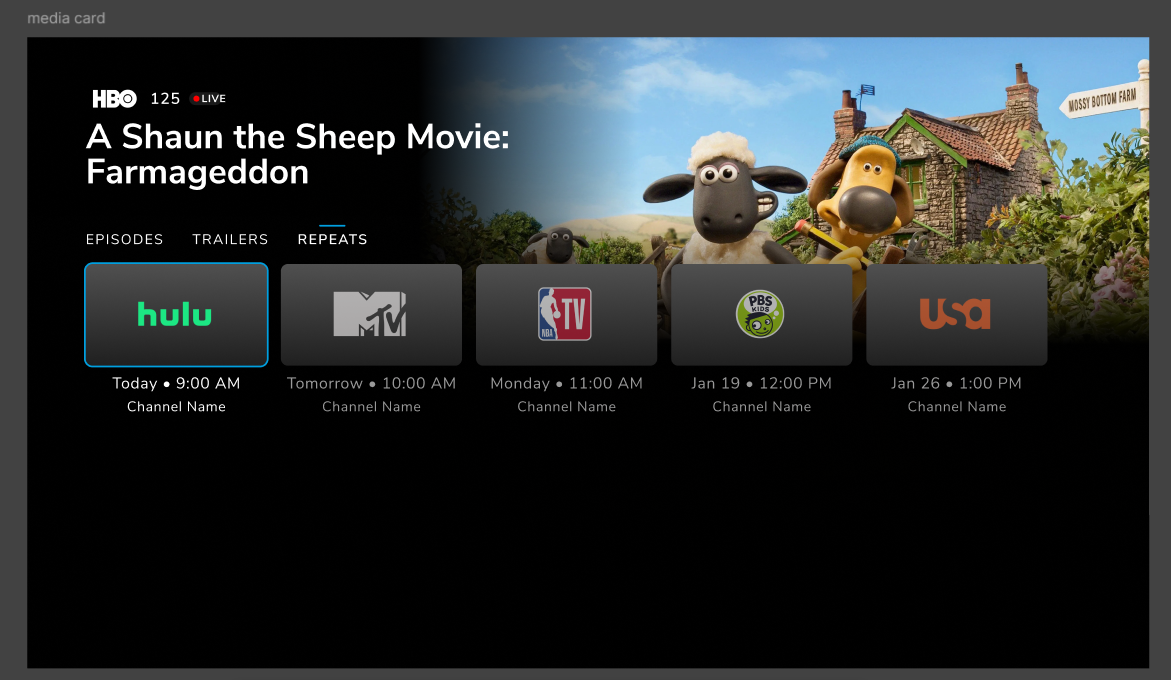
Live Mediacard of any live single/series event must have a repeat section to show the list of re-telecasted events of that event.
The repeat section is rendered as a new tab as given in the UEX design.
Rails/ION on promo images to have option to not show text
Banner / Video carousel 'movies' with video backdrop
ION display link to CRM on purchase failure
When a purchase fails ( for various reasons ) the user will be shown the error in the form of a display message as toast.
For a list of configured error codes, ( from purchase server API respose ), a pop up will be shown to the user where the user would have the following option on failure of purchase.
Webview link to outbound Self service portal
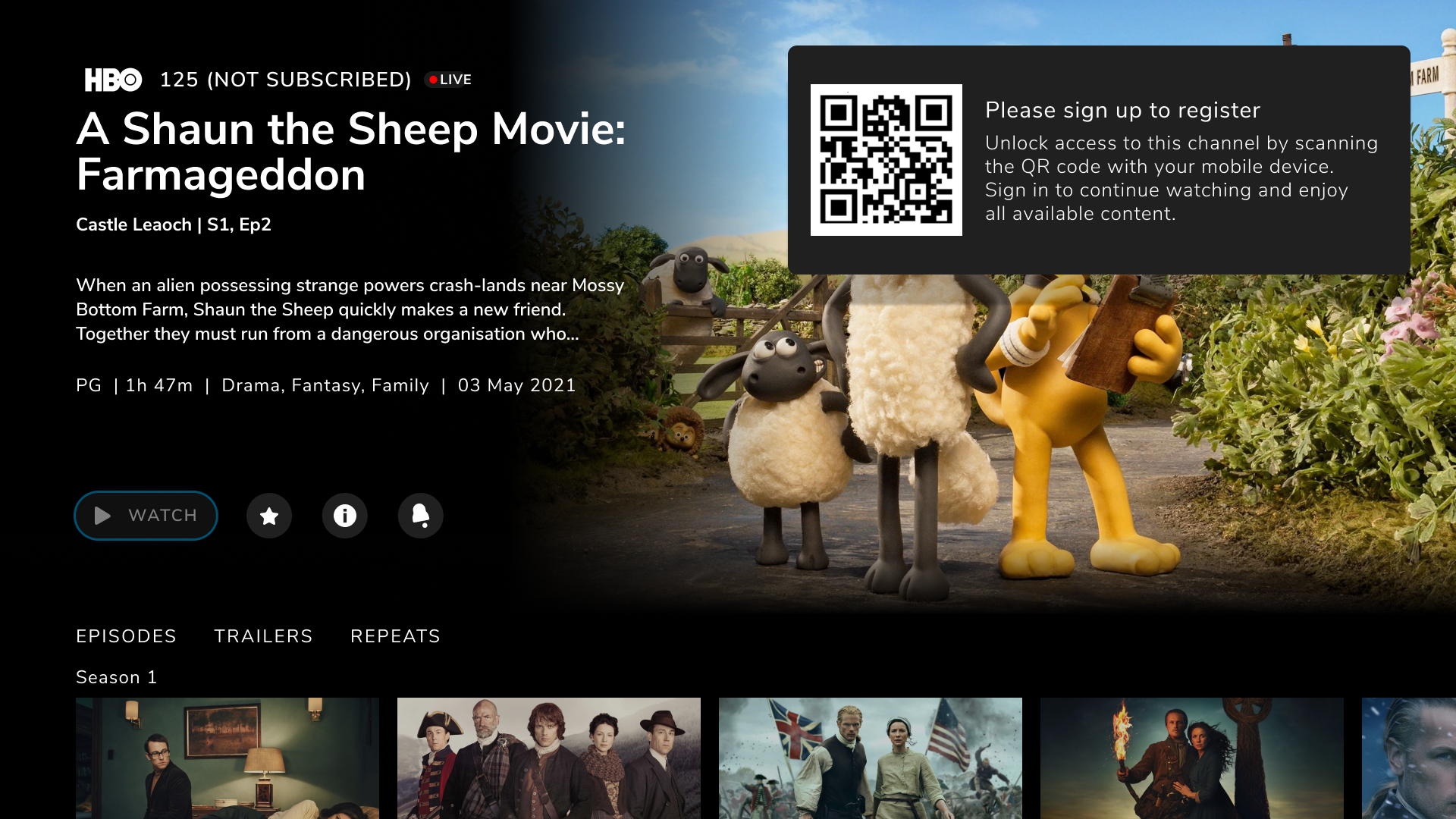
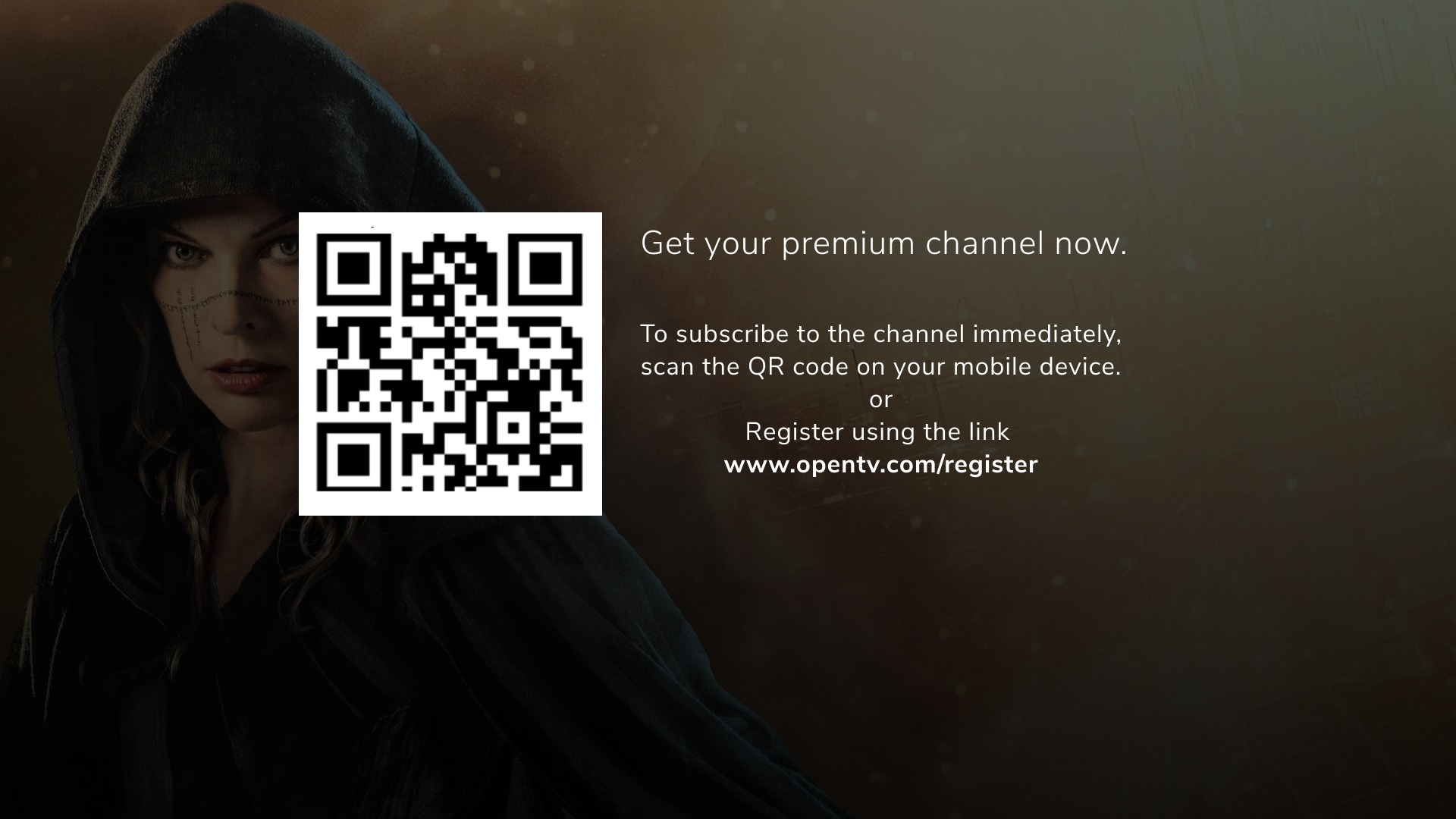
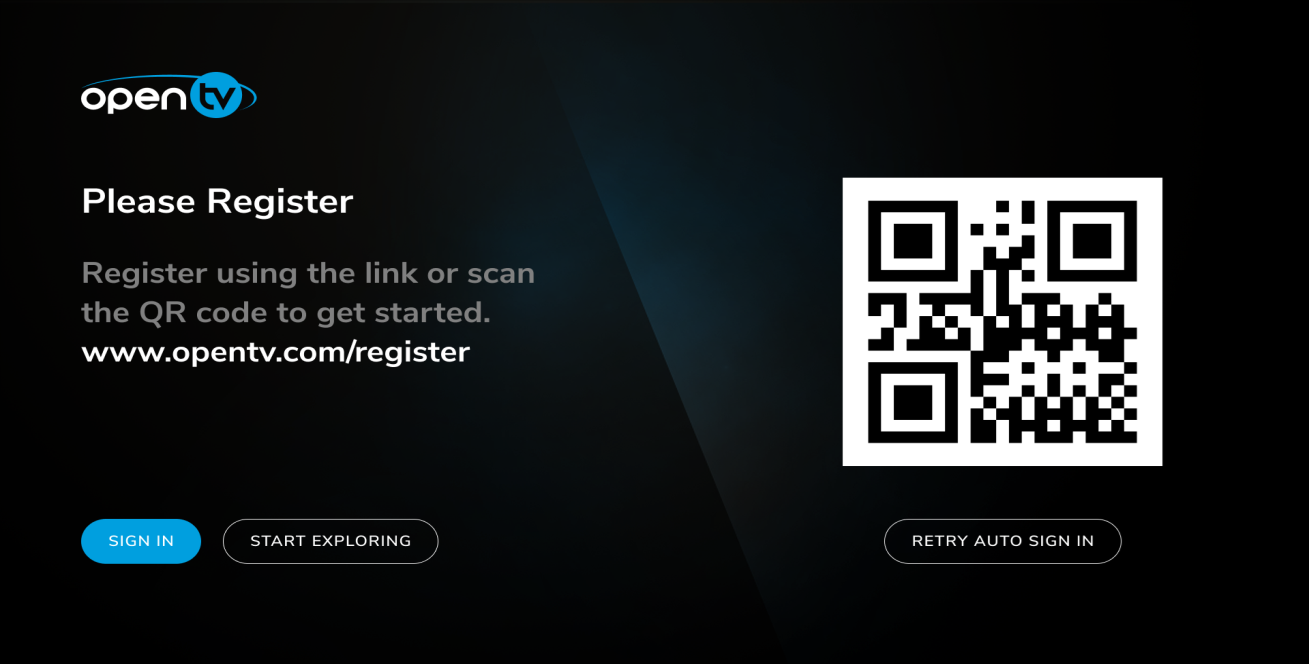
A QR code
[Enabler] Improvement in app state management
Badging for future and catchup items
Banner and Video carousal extension
Support for launch self care portal launch with product id
A new WebView type, purchasePortal, has been added to support product purchases through the operator portal. It triggers a WebView component with the specified URL and productId of the chosen pack/product passed as a query parameter. Purchase entry points have already been defined within the OpenTV ION application, allowing users to seamlessly navigate to the operator portal and complete product purchases.
URL to be loaded in the purchase portal WebView. The TV app opens this URL with the productId of the selected pack product. E.g., https://example.com/.
purchasePortal.productid
Product identifier of the chosen pack product, passed along with the configured purchase portal URL. Appends the product ID in the query params if set to true.
productId= true
The following parameters are sent as query parameters:
https://example.com?productId=xyz
Hispasat OLE integration
Introduced third-party OLE VOD playback support for Hispasat operator content. For VOD assets that include the required metadata, the app fetches the custom playback URL and DRM license information at runtime via URLBuilder, applies the derived license/certificate values to the source, and bypasses the standard SSP path for that content only.This change is asset-driven and is not controlled by a single platform-config toggle.
Once OLE VOD contents are ingested. End user discovers the OLE content 1. Rails 2 Search screen. Offline content download is not supported for OLE VOD contents. The feature is supported in all devices.
Application invokes URL builder end point for resolution Endpoint: GET {baseUrl}{playbackRedirection.contentUrl}{drmID}?redirect=false&token={token}&drmType={drmType}&playbackMode=VOD
URL builder Identifies the provider: Inspects the asset metadata's providerId field (set to OLE for Hispasat/CNT content)
Calls the OLE API on ION's behalf using backend-only credentials:
IDP-API-KEY and IDP-USER-ID headers (APP does not see these)
OLE API responds with:
playableUrl → where the actual video stream is hosted
licenseUrl → the EZDRM license server endpoint (e.g., https://widevine-dash.ezdrm.com/proxy)
certificateUrl → for FairPlay (iOS/tvOS) certificate fetch
customLicenseServer: true flag (signals ION to use custom DRM path)APP
Application prepares the player and provides the license URL and DRM challenge passing SSP flow.
Productize main menu improvement
This feature improves main menu navigation performance on TV devices. When this feature is enabled a preview screen with bare necessary User interface is rendered when user quickly change focus between the menu items. The respective screen is then fully loaded in two scenarios 1. user stay focused on a menu item for X seconds 2. User press OK/RIGH RCU and change focus to the respective screen.
The configurations for this feature are controlled from Opcon as part of main menu herarchy
Properties Name
Value
Mandatory
Description
enablePreviewMode
true or false
No
enables preview mode for main menu navigation.
When enabled, and user is navigating inside main menu, the focused screen will show minimual data as preview.
Onces user moves to screen(hidding main menu) full data will be shown.
previewModeTimeoutSecs
Number
No
the operator-configurable duration (in seconds, from main-menu properties) after which preview mode auto-expires and reverts to real content if the user hasn't navigated away.
If not defined, screen will be in preview mode until focus moved to screen from menu.
Value less than 2 secs it will always cap to 2 secs
JSON
"previewMode": {
   "railCount": 2,
   "itemCount": 6
}
Number
Yes
previewMode.railCount - number of rails to render in previewMode
previewMode.itemCount - number of items per rail in previewMode
Switching profiles - loading of discover for smooth navigation
This feature improves the profile switching experience when a user changes profile from Settings while already signed in and ensures user is not blocked in navigating the UI screens. Recommended to enable this feature only any UI block is observed after profile switch on specific TV device.
ION platform config
"fastProfileSwitch": false/ true
Carousal Playback On Main Menu Highlight
This feature is an improvement on Rail carousal feature. When Discover menu item receives focus on TV devices, the carousel on the underlying screen starts and continue to auto-cycle and display poster and playback the carousal video. When carousal playback is active the main playback is stopped. Once the user switches the focus from discover menu item to another menu item the main playback starts again.
This feature is controlled from menu hierarchy KVP’s . ION platform configuration must not be used
Configuration
Value
Description
enableCarouselOnMenuFocus
"true"
Enables carousel cycling and playback while the Main Menu is highlighted
enableCarouselOnMenuFocus
"false" or absent
Keeps carousel playback disabled while the Main Menu is focused
enablePreviewMode
"true"
Enables two-phase screen loading before carousel playback starts
previewModeTimeoutSecs
Numeric value
Defines how long the preview slice is displayed; minimum supported value is 3 seconds
When Pressing “Home”, the focus should go to the first item of the Home Screen instead of the Home button of the Menu
When the user presses the TV remote Home button, focus is moved directly to the first focusable item on the Home screen instead of remaining on the Home button in the Main Menu.
Behaviour
Pressing Home navigates to the configured Home screen, usually Discover.
Existing overlays, media cards, popups, filters, and playback UI are closed or moved to the background.
The Home screen is loaded and its first item receives focus.
The Main Menu remains closed or loses focus, preventing the Home menu button from being selected again.
This behaviour applies to launcher-based TV platforms.
On non-launcher platforms, the Home key continues to use the existing Main Menu behaviour.
Configuration
The behaviour is controlled by the MenuHierarchy property:
JSON
{
  "homeButtonLaunchMenu": "false"
}
Backward Compatibility Consideration
ION version
OPF version
26.26.xx
25Q2
26.26.xx
25Q4
26.26.xx
26Q2
List of Known Issues
The following issues are still open (not resolved) in this release, ION-26.26.060.
Issue key
Summary
IONOCB-8343
[Butterflies] Some contents in Discover are missing after a network disconnection and reconnection.
New Issues
New issues found in this release and still in the OPEN state.
Issue key
Summary
IONOCB-9347
[BUTTERFLIES] Carousel gets stuck when Parental Controls are enabled
IONOCB-8889
[ButterFlies]Parental pin popup doesn't appear on pressing okay after reboot.
IONOCB-8618
[BUTTERFLIES] Discover Screen Header is Misaligned with Rail Titles in Horizontal menu
IONOCB-8912
Live playback is happening without asking parental pin
IONOCB-8811
[Butterflies]Playback is playing from Beginning instead of Bookmarked position.
IONOCB-8807
[BUTTERFLIES] Poster is seen in between video playback after reboot when VideoPlayback time is set to -1 on item level
IONOCB-8722
[Butterflies] Keys are delayed after first launch or Reboot.
IONOCB-8678
[Butterflies] Favorite Rail remains visible as an empty rail after all favorited events have been removed.
IONOCB-8543
[Butterflies] Key Press is not working on Parental Lock
Resolved Issues
The following issues are fixed, and these bug fixes are part of this release.
Issue key
Summary
IONOCB-8878
[BUTTERFLIES] SSO Login Failure When User Profile Is Enabled
IONOCB-8787
[BUTTERFLIES] Retry Sign-In Stuck on Loading After Returning from Anonymous Mode
IONOCB-8768
[Hispasat][FTV] Search result are not displayed in New search
IONOCB-8724
[Butterflies] App stuck on Splash screen after reboot.
IONOCB-8723
[Butterflies] No internet connection popup appears after reboot. (WIFI)
IONOCB-8663
[Butterflies] Discover is going blank
IONOCB-8637
[Butterflies] Discover screen skeleton is displayed on the Due na TV screen and vice versa, causing intermittent blank screens.
IONOCB-8617
[Automation] Rails are not loading properly in Discover and ON NOW Screen, after changing to horizontal navigation.
IONOCB-8613
[Butterflies] App is crashing after pressing Apps & Games key from third party app
IONOCB-8612
[Butterflies] Navigation to Apps & Games Rails is not working.
IONOCB-8604
[BUTTERFLIES] Adult-Rated Locked Channel Plays from Carousel Rail
IONOCB-8593
[BUTTERFLIES] Carousel is not working after upgrade from 26Q1 to 26Q2
IONOCB-8562
[BUTTERFLIES] Timeline not loading on changing language from Spanish to English
IONOCB-8493
[Butterflies] Playback is happening in BG when user navigates to Claro Video strip in Discover screen & claro video shows not subscribed when "showCarouselItemIndicators" KVP is added
IONOCB-8839
[Butterflies] Progress bar is not displayed on Continue watching strip
IONOCB-8825
[Butterflies] Down key is not working on Discover rails after upgrade.
IONOCB-8821
[BUTTERFLIES] Playback Fails When Tuning to a Selected Locked Channel from the Enhanced Timeline
IONOCB-8803
[Login/Logout] Sign-in screen is displayed again after logging out and logging back into the application.
IONOCB-8802
[Automation] Crash observed in 26.26.050
IONOCB-8795
Auto Carousel video playback is not working After upgrade the application
IONOCB-8717
[Butterflies] [ZAP] EPG - unformatted / break-line - EPG Date nok
IONOCB-8702
[Butterflies] Timeline recommendations are not loading from Live screen
IONOCB-8699
[BUTTERFLIES] Carousel Below Rail UI Does Not Match Figma Design
IONOCB-8692
[Butterflies] R rating content Asking pin to playback only in New Timeline.
IONOCB-8690
[Butterflies] Info card is not updating with the latest channel & logo.
IONOCB-8679
[Butterflies] Serial/account number is seen in settings screen for auto SignIn app
IONOCB-8677
[Butterflies] [ZAP] Rail name overlaps with the logo
IONOCB-8661
[BUTTERFLIES] Playback is skipped for some channels in the Carousel rail
IONOCB-8660
[BUTTERFLIES] Loading icon is displayed and Discover screen navigation is delayed compared to build 26.26.025
IONOCB-8659
[Butterflies] Live screen is launching on pressing Guide key
IONOCB-8647
[Butterflies] [ZAP] Highlight box does not fit content correctly and rounded corners are not polished.
IONOCB-8642
[ButterFlies] Cinematic View is disappearing on navigation down
IONOCB-8636
[Butterflies] [ZAP] NPVR content shows temporarily unavailable in the continue watching strip
IONOCB-8634
[Butterflies] [ZAP] Favorite, Info, filter, PIN, What's new pop-ups are displayed in blue instead of grey.
IONOCB-8632
[Butterflies] [ZAP] Main menu and icon background use the same color
IONOCB-8629
[ButterFlies] Start over playback is tuning to live from enhanced timeline.
IONOCB-8623
RMG entitlement refresh is not happening after product purchase from web portal
IONOCB-8619
[Butterflies] Flicker seen when navigating from carousel rail to non-carousel rail.
IONOCB-8618
[BUTTERFLIES] Discover Screen Header is Misaligned with Rail Titles in Horizontal menu
IONOCB-8608
[Butterflies] Icon BG circle is missing in Main Menu
IONOCB-8590
[SEI] Skip is not happening and user need to press multiple times to perform skip Rewind and forward
IONOCB-8587
After launching Recents from playback in landscape mode and pressing the Left key twice, the focus remains on the second channel instead of moving to the third channel.
IONOCB-8585
Buy icon is displayed after login the application for the first time in carousel strip
IONOCB-8576
[BUTTERFLIES] [LLA] Application Crashes When Selecting "No Info Available" Search Result on SDMC Device
IONOCB-8575
[Butterflies] Favorite is available for the Guest User when user does the favorite in Free/Premium user.
IONOCB-8564
[ButterFlies] Playback Starts without asking for a pin after BG/FG
IONOCB-8561
[Butterflies] Focus is seen on start-over option in surfer instead of progress bar.
IONOCB-8560
[ButterFlies] Cancel Record Popup appears on the playback screen instead of surfer when pressing OKAY.
IONOCB-8559
[Butterflies] Playback switches to live channel when the user BG/FG the app from the NPVR popup.
IONOCB-8550
[ButterFlies] Same channel tunes when we do google assist.
IONOCB-8547
[Butterflies] Focus lost on confirmation popup and it doesn't exit on pressing back key
IONOCB-8539
[ButterFlies] Playback Scrub is not working for a content that is played via binge watch popup
IONOCB-8529
[ButterFlies] Black Screen is seen in the carousel when focus is on the Discover menu
IONOCB-8527
[Butterflies] [Long run] Not able to launch surfer, Timeline & Recent.
IONOCB-8523
[Butterflies] Poster is stuck when switching from recorded content to recording live content.
IONOCB-8519
[BUTTERFLIES] Carousel Stops Working After Tuning to an Unsubscribed Channel in Fullscreen
IONOCB-8513
[ButterFlies] Media card is seen instead of recommendation strip when played any event from enhanced timeline
IONOCB-8512
[BUTTERFLIES] ION Audio is Heard After Standby Wake-Up While Using Netflix
IONOCB-8510
[BUTTERFLIES] Carousel Rail Skips Video Playback After Upgrade and Displays Only Posters
IONOCB-8500
[Butterflies] Timeline doesn't show information for Netflix, Claro video & Prime video.
IONOCB-8499
[BUTTERFLIES] Playback Shows Black Screen After Long Run on Discover Screen
IONOCB-8496
[BUTTERFLIES] Channel Logo Is Displayed on Live Carousel Rails When showChannelLogoForLiveEvent Is Set to false
IONOCB-8494
[BUTTERFLIES] Claro TV+ icon & new timeline rails are cut
IONOCB-8457
[Butterflies]Search suggestions are not displayed after entering 3 chars in TV & Website
IONOCB-8449
[CLC] Being able to change the height and size from Prime Video recommendation in the rails
IONOCB-8404
[CNT] Channel posters are shown as blur images
IONOCB-8272
[TV][FTV][ATV] Changing from a channel without EPG to another channel without EPG plays first channel content.
IONOCB-8245
[LLA] Blank content shown on empty rail
Version 26.12.210
Click to expand...
Release Summary
ION 26Q1 GA release, 26.12.210 includes the following features and bug fixes. This release is targeted for all Web Devices (Samsung Tizen, LG WebOS, and Desktop Web). This release is targeted for all customers.
Note: The list of supported features and backward compatibility on 26.12.050 is also applicable to 26.12.210.
List of Known Issues
The following issues are still open (not resolved) in this release, ION-26.12.210.
NONE
New Issues
New issues found in this release and still in the OPEN state.
Issue key
Summary
IONOCB-8445
[Butterflies] Alignment is not proper in Version page
IONOCB-8430
[Butterflies] On Confirmation popup Unfavoriting the content is not reflected
IONOCB-8424
[Butterflies] [UMB] After Refresh, App is returning to Default Language in Desktop
IONOCB-8421
[Butterflies] After opening and closing deep-linked content from the Catch Up screen, the focus moves to Discover, where the content does not load
IONOCB-8432
[Butterflies] Searched series results not showing play icon in Web OS
Resolved Issues
The following issues are fixed, and these bug fixes are part of this release.
Issue key
Summary
IONOCB-8365
[ButterFlies] Icons are not updating in the application (Menu/Mediacard/Filter etc.,)
IONOCB-8294
[LiveTV] PAUSE in liveTV only works for some minutes, then it resumes automatically.
IONOCB-8425
[Butterflies] Uneven spacing between menu icons when the menu is collapsed with more than four options.
IONOCB-8397
[Butterflies] [Desktop] Search is not working on customer deployments.
IONOCB-8395
[ButterFlies] "Entitlement Banner " text on the promotional banner rail is overlapping in Discover.
IONOCB-8389
[BUTTERFLIES] STCU playback continues after long run instead of switching to Live
IONOCB-8374
[ButterFlies] Live Screen Events will not load after bg/fg
IONOCB-8373
[ButterFlies] Recents and Timeline will not launch on Bg/fg
IONOCB-8367
[ButterFlies] Filter Icon on Guide is hidden when "All channels" Filter is applied
IONOCB-8243
[SO] SO features should not be available in channel that don't have SO enabled.
IONOCB-8149
[Butterflies] [RTL] Secondary Strip Season Text Misalignment and Header Overlap Issue
IONOCB-8137
Blank screen is displayed after kill and relaunch of app after deleting the device from opcon
IONOCB-8123
Multiple playbackStart events on FAST channels
IONOCB-8110
[Butterflies] Language change from Spanish to English updates only the Settings screen; menus remain unchanged.
IONOCB-8085
No playbackStart activity is triggered, when we select any content from LIVE Screen
IONOCB-8419
[Butterflies] [UAV] PlayOutURL is sent empty in playbackstart during event transistion.
IONOCB-8406
[Butterflies] Back ground & Alignment is not proper in My list Screen.
IONOCB-8399
[Butterflies] [Desktop] Image borders are not proper & dot is not seen for live tag in the discover screen.
IONOCB-8398
[Butterflies] [Desktop] Deeplink to another rails template & saved tab are overlapping in the discover & saved screen.
IONOCB-8396
[Butterflies] [Desktop] focus is not highlighting on search icon
IONOCB-8366
[ButterFlies] Screen is Flickering When we exit the keypad in the manage linked devices screen
IONOCB-8198
On First Launch, Pressing down key on Menu stops at My List instead of navigating to other screen
IONOCB-8177
[ButterFlies] After Exit and Relaunch, Default Profile is showing "Predeterminado".
IONOCB-8166
[Butterflies] Pack Purchase isn't working in 25.50.220 release
IONOCB-8158
[Butterflies] Back key not working on Elastic search.
IONOCB-8155
[Butterflies] Pressing back key from My List folder, focus moves to My List menu instead of SAVED tab.
IONOCB-8148
[ButterFlies] Pause icon is not persisting if we startover from the media card.
IONOCB-8147
[ButterFlies] Playback is paused when we invoke keypad from the parental lock event
IONOCB-8144
[Butterflies] [RTL] In the Mylist Screen, the filter icon is overlapped with recorded text
IONOCB-8140
[Automation] Failed to display "On Now" text for search live Event.
IONOCB-8131
[Butterflies] [Tizen] Recent & Timeline is not launching when played parentally locked content via Play key.
IONOCB-8107
[BUTTERFLIES] Flickering is seen while fast navigation in Discover
IONOCB-8105
[Butterflies] Overlap is seen on Preview Exhaust Message on Playback screen
IONOCB-8091
Info not displayed to identify episodes of a series in related and recommended
IONOCB-8079
[Butterflies] Not able to launch Timeline & Recent in the playback screen
IONOCB-8076
Press down is not working
IONOCB-8068
[Butterflies] When tuning to a non-subscribed channel via the timeline, the focus shifts to the first channel in the EPG grid [ch 1797]..
IONOCB-7705
[Butter Flies] Focus lost on Fav popup for a currently recording Content
IONOCB-8194
REPLAY Screen header is not available in Tizen
IONOCB-8156
[Butterflies] Focus lost on Live product purchase on LG web OS
IONOCB-8135
[Butterflies] Exit popup overlapping with pipwindow on Web devices
IONOCB-8086
No railsView is getting triggered in the Discover screen when user navigate from different screen to Discover
IONOCB-8048
[Butterflies] No focus on surfer on doing start over same content twice.
IONOCB-7854
[TrickMode] Trick Mode does not work in LiveTV event with SO enabled.
Version 26.12.110
Click to expand...
Release Summary
ION 26Q1 GA release, 26.12.110 includes the following features and bug fixes. This release is targeted for all Mobile Devices (Android Mobile and iOS). This release is targeted for all customers.
Note: The list of supported features and backward compatibility on 26.12.050 is also applicable to 26.12.110.
List of Known Issues
The following issues are still open (not resolved) in this release, ION-26.12.110.
NONE
New Issues
New issues found in this release and still in the OPEN state.
Issue key
Summary
IONOCB-8444
[Butterflies] [ZAP] Live thumbnails overlay not covering the entire image in Discover
IONOCB-8387
[Butterflies] Live screen scroll isn't smooth in Low end device
IONOCB-8370
[Butterflies] Screen name showing in default language in Firebase dashboard irrespective of language screen
Resolved Issues
The following issues are fixed, and these bug fixes are part of this release.
Issue key
Summary
IONOCB-8294
[LiveTV] PAUSE in liveTV only works for some minutes, then it resumes automatically.
IONOCB-8270
[ButterFlies] Airplay is not working
IONOCB-8264
[iOS][amob] When poster corners are rounded the gaps between the posters are very big.
IONOCB-8254
[iOS] Sometimes ion crashes while switching from Live Menu
IONOCB-8407
[BUTTERFLIES] [AMOB] [IOS] Rounded corners are not proper in Discover screen
IONOCB-8386
[Butterflies] [IOS] Device (cast) icon is missing in IOS playback layout after casting
IONOCB-8371
[Butterflies][AMOB] Menus are loading when there is no internet.
IONOCB-8350
[Butterflies] Flicker in Play backing live content on IOS
IONOCB-8334
[amob] Conflict with same name channels when changing accounts
IONOCB-8313
[Butterflies] After enabling dynamic config, all screens are displayed in English instead of the supported language.
IONOCB-8276
[iOS] Main menu language does not change when changing language on Settings.
IONOCB-8263
[iOS][Android] Gaps between posters in INICIO menu are too big
IONOCB-8248
Images are not seen in IOS device after customisation
IONOCB-8235
CU search results cannot play
IONOCB-8137
Blank screen is displayed after kill and relaunch of app after deleting the device from opcon
IONOCB-8123
Multiple playbackStart events on FAST channels
IONOCB-8103
[ButterFlies] Audio is heard from the playback..even though the mute is enabled on the player
IONOCB-8085
No playbackStart activity is triggered, when we select any content from LIVE Screen
IONOCB-8390
[Butterflies] [IOS] Double icon is seen if we tap on the playback layout in iPhone after Airplayed.
IONOCB-8351
[Butterflies] Series searched results don't have play icon on IOS.
IONOCB-8343
[Butterflies]Some contents in Discover are missing after a network disconnection and reconnection.
IONOCB-8323
[ButterFlies] Event names in Discover are overlapping with the Posters.
IONOCB-8320
[AMOB][iOS] Rails covers do not apply a darkening effect to highlight the channel logos
IONOCB-8317
[Butterflies] Extra circular highlight is seen on Parental control screen during first launch.
IONOCB-8316
[Butterflies][UMB] Related strip contents with the fallback poster are blinking
IONOCB-8314
[Butterflies] ION App will crash we do third party navigation from chromecast device list POPUP.
IONOCB-8297
[Notifications] Notification text is not correct.
IONOCB-8287
[Butterflies]Back icon is missing on Parental Rating screen on userprofiles
IONOCB-8281
[ButterFlies] Live icon is seen out of the poster in Discover Screen
IONOCB-8280
[ButterFlies] Cast icon shifts up when set for casting
IONOCB-8255
[Butterflies] Filter icons are shown with green color in IOS
IONOCB-8118
[Butterflies] [iPad] Image is shifted to right in Media card
IONOCB-8117
[Butterflies] Thumbnail timer is displayed in Negative numbers on scrubbing to start
IONOCB-8116
[ButterFlies] App stuck on default poster after seeing error 2001 if we play expired downloaded content
IONOCB-8104
[ButterFlies] Download percentage is not updating properly
IONOCB-8096
[Butterfllies] Fire TV is stuck in No Internet screen after long run sometimes
IONOCB-8091
Info not displayed to identify episodes of a series in related and recommended
IONOCB-8022
[ButterFlies] [Long Run] App stucks on "No internet Connection" screen after keeping long run on Guide Screen.
IONOCB-8018
[Automation]Replay filter is not giving proper results on Explore screen
IONOCB-8012
[Butterflies] Playback Not Initiating After Cancelling Parental PIN Popup via Startover in Medicard
IONOCB-8002
[ButterFlies] Media card Bottom Header is not changing when live screen resets to all channels after removing the favorites
IONOCB-7993
Bookmark is displayed for the future event as well
IONOCB-7825
[Butterflies] No synopsis is shown in Mediacard description after unfavouriting the channel/content in Live Favourite Filter
IONOCB-7704
[Butterflies] Time format in GUIDE time bar is always displayed in 12 hours format
IONOCB-7595
[BUTTERFLIES] Black screen along with loading icon is seen for few sec then playback starts after BG/FG
IONOCB-7487
[ButterFlies][Long Run] Black screen is seen, and app becomes unresponsive after Overnight Playback long run.
IONOCB-7374
[iOS] Thumbnails do not show progress time
IONOCB-8388
[Butterflies] Crash seen on fast scrolling on LIVE screen on AMOB
IONOCB-8380
Internet Disconnected message is not seen after turning off wifi
IONOCB-8318
[Butterflies] Events Name getting cropped in secondary screen on Handheld device
IONOCB-8226
[FTV][AMOB] FTV shows "No Internet" message permanently after changing network connection
IONOCB-8086
No railsView is getting triggered in the Discover screen when user navigate from different screen to Discover
IONOCB-8009
[Butterflies] Thumbnails not dismissing after event transition through Binge watching
IONOCB-5904
[Amob][iOS] Unwanted auto-PLAY when pressing PAUSE and -10/+10 in CU, SO and LiveTV Pause
Version 26.12.050
Click to expand...
Release Summary
ION 26Q1 GA release, 26.12.050 includes the following features and bug fixes. This release is targeted for all TV Devices (SEI Launcher, Android Standalone, FireTV, and SEI Dongle). This release is targeted for all customers.
New Product Features
The features included as part of this release are:
ION Device Management – Manage devices of an account
ION provides a new user interface screen in settings to manage devices linked to the account. Managed and Open devices list is presented to user. End user can delete (except current device) or rename a device linked to the account.
ION Diagnostics Screen
ION has improved diagnostic information details. On launcher STBs, ION provides a screen to run a network speed test. Below are the details of improved diagnostic information.
Account Number
Device Model
MAC Address of the STB
App Version
IP Address of the Box
Android Version / OS Version
ION Font Caption Size Settings: Subtitles
ION provides a new user interface to manage subtitle font size and subtitle background style selection at run time. The settings are applied per profile, and user can manage it during playback and from settings.
Move DCE channel box to corner
ION shows direct channel entry user interface within playback screen in a corner of screen instead of center of screen. This change allows end user to continue viewing playback screen without any hindrance.
Aspect ratio to be added to the IMDS outgoing URLs
ION improves the display of images by rendering the most apt images that fits in the view. This is achieved by ensuring the most suitable aspect ratio is requested to image server. Issues like images not rendered with correct aspect ratio in rails gets resolved with these changes.
Profiles picture selection
ION improves user profile management by providing a user interface to select and update profile picture of a profile from a list of profile pictures presented to user.
Rounded Items in Rails
ION now has the ability to display rail items with rounded corners.
Up, down key mapping for Timeline screen for Zap (AOSP Device)
On certain devices like AOSP devices the RCU does not include Ch+/CH- keys. To support channel zapping behavior an improvement is done to allow user to quickly zap channel using timeline screen.
Product Branding Enhancement ( Font, Color, etc)
ION improves font, color, and icons in certain screens.
Support for custom Key code mapping for Remote Control
Support for screen saver driven by a rail
ION shows screen saver pictures when the TV device is idle, and when user is not in playback screen. The pictures to be displayed are configured from rails. This feature enables operator to suitable and meaningful images for end user in full screen mode.
Support to continue playing live after SO playback is finished
ION improves the playback experience. Enables a live channel viewer to continue playing using start over playback URL without tuning to new live playback URL. The feature is enabled when user enters catchup playback from EPG screen (TV devices).
Support to show ‘What’s New' to the user
ION shows a what’s new popup when an application is upgraded. The contents of the popup can be managed by operator and typically consists of details of features included in new release.
ION improves onboarding experience by playing back an onboarding video when application is in first installation mode. The video to be played back is configurable.
Backward Compatibility Consideration
ION version
OPF version
26.12.xx
25Q2
26.12.xx
25Q4
List of Known Issues
The following issues are still open (not resolved) in this release, ION-26.12.050.
Issue key
Summary
IONOCB-8046
[Butterflies] Focus is always switch to live content on guide grid.
New Issues
New issues found in this release and still in the OPEN state.
Issue key
Summary
IONOCB-8439
[Butterflies] [UMB] Discover loading twice after login in Umbrella Launcher.
IONOCB-8343
[Butterflies] Some contents in Discover are missing after a network disconnection and reconnection.
Resolved Issues
The following issues are fixed, and these bug fixes are part of this release.
Issue key
Summary
IONOCB-8344
[Butterflies] App is stuck on splash screen after upgrade
IONOCB-8294
[LiveTV] PAUSE in liveTV only works for some minutes, then it resumes automatically.
IONOCB-8291
[Butterflies] [HM & VM] Focus is set to the Menu item instead of first content on the Discover screen after standby/wakeup/reboot
IONOCB-8225
[Butterflies] [Zap] App crashes after remaining idle on any screen for approximately 5 minutes.
IONOCB-8341
[Butterflies] Cinematic view poster disappeared while navigating through discover rails
IONOCB-8327
Channel shows Not subscribed after reconnecting ethernet cable, On clicking QR code Launches Netflix app
IONOCB-8325
[ButterFlies] Events mismatch is seen in Cinematic View after long run
IONOCB-8324
[Butterflies] icon_menu_live_focused Icon is seen in Green in Main menu screen
IONOCB-8313
[Butterflies] After enabling dynamic config, all screens are displayed in English instead of the supported language.
IONOCB-8300
[Butterflies] UI flickers between “No Internet Connection” and fallback poster during network disconnection in playback
IONOCB-8293
[Butterflies] [HM] Apps & games screen appears & Audio is heard after rebooting the STB
IONOCB-8290
[Butterflies] [Horizontal Menu] Guide is not loading properly on first install/reboot scenarios.
IONOCB-8285
[Automation] Menu is not opened after pressing the MENU key during playback.
IONOCB-8258
Deeplink to apps is opening the Store instead of going directly to the app, even if it's installed
IONOCB-8257
Apps logo icon from customer is not taking the image from the bundle, meanwhile over Netflix and Prime yes
IONOCB-8243
[SO] SO features should not be available in channel that don't have SO enabled.
IONOCB-8240
[ButterFlies] Catchup playback is switching to live on disabling parental lock
IONOCB-8239
[ButterFlies] Startover playback starts without asking pin after catch up playback ends.....
IONOCB-8237
Multiple V2 template view calls are triggered while navigating within Discover, despite cache-control being set
IONOCB-8235
CU search results cannot play
IONOCB-8231
[ButterFlies] Timing on the surfer is not updating as the playback progressing for a catch up content
IONOCB-8221
Thumbnails are not working
IONOCB-8208
[ButterFlies] Subtitles are getting cut on the top of the screen.
IONOCB-8205
Event details are missing in playback screen for Some Live & STCU events
IONOCB-8199
[BUTTERFLIES] Discover home icon colour is seen as green instead of white
IONOCB-8180
Events saved as favorites are not displayed in "My Content" menu
IONOCB-8169
[Automation] After performing a search, the focus is moving to the filter icon.
IONOCB-8126
SSO login screen is displayed on pressing back key discover
IONOCB-8085
No playbackStart activity is triggered, when we select any content from LIVE Screen
IONOCB-7891
[Automation] Focus is flickering between Search input bar and Search Result [Keyboard is invoked].
IONOCB-8349
[Butterflies] No internet Pop up is not seen on Disconnecting network while continuous zap
IONOCB-8342
[Butterflies] DCE Option is not on Guide on enabling "isLauncher" : true
IONOCB-8326
[Butterflies]Channel change via Google Assist is not working on Alternate times after network disconnect and connect.
IONOCB-8292
[Butterflies] [HM] Sometimes playing back channel is different from default channel when user do force stop.
IONOCB-8266
[Butterflies] Filter icon is seen green in color inside Replay screen.
IONOCB-8252
[BUTTERFLIES] Playback does not recover after Ethernet disconnection while in Android Settings despite Wi-Fi being available
IONOCB-8220
[ButterFlies] Tutorial playback surfer changes when we navigate to playback screen by exiting the menu
IONOCB-8215
[Butterflies] App goes blank on pressing back key from Saved Media card.
IONOCB-8206
[ButterFlies] Subtitles text is not seen.
IONOCB-8140
[Automation] Failed to display "On Now" text for search live Event.
IONOCB-8091
Info not displayed to identify episodes of a series in related and recommended
IONOCB-8070
[BUTTERFLIES] Last previously played channel instead of default channel after standby wakeup in Netflix
IONOCB-8056
KEYBOARD IS VISIBLE IN NOKIA AT EXPLORE ONCE FILTER IS APPLIED
IONOCB-8053
[BUTTERFLIES] Space between "Play" and "Episodes" text is too small.
IONOCB-8046
[Butterflies] Focus is always switch to live content on guide grid.
IONOCB-8044
[Automation] After pressing back Key from Saved Media card, focus is moving to saved option.
IONOCB-7984
[Automation] Failed to search LTCU Content
IONOCB-7964
[Butterflies] Focus is moving to previous content Delete option instead content
IONOCB-7950
The media card with the saved filter launches when the right key is pressed in the Favorites list under My List
IONOCB-7944
[Butterflies] Guide always loads from the starting channel when applied a filter but focus will be on background playing channel.
IONOCB-7943
[Butterflies] LIVE tag is shown for all contents in the See More Section of the Search Results screen.
IONOCB-7942
[Automation] Focus is stuck in filter option in REPLY Screen, Failed to Navigate to strips
IONOCB-7941
[Butterflies] Parental pin popup overlap with playback full screen for binge watching content
IONOCB-7939
[Automation] After Favorite channel focus is moving to surfer bar in playback screen.
IONOCB-7936
[Butterflies] Static configuration is not being overridden by the dynamic configuration for IoT Core push messages.
IONOCB-7922
[Butterflies] Initially error is seen & then poster & playback starts when user tunes from error channel to playable.
IONOCB-7912
[Butterflies] Media card blinks twice on opening event from secondary strip
IONOCB-7705
[Butter Flies] Focus lost on Fav popup for a currently recording Content
IONOCB-7704
[Butterflies] Time format in GUIDE time bar is always displayed in 12 hours format
IONOCB-8261
[Butterflies] Light border outline is present around the subtitle popup text.
IONOCB-8226
[FTV][AMOB] FTV shows "No Internet" message permanently after changing network connection
IONOCB-8086
No railsView is getting triggered in the Discover screen when user navigate from different screen to Discover
IONOCB-7951
RTL alignment is not proper in Explore and Discover few magazine strip
Version 25.52.020
Click to expand...
Release Summary
ION 25Q4+ GA release, 25.52.020 includes the following features and bug fixes. This release is targeted for all TV Devices (SEI Launcher, Android Standalone, FireTV, and SEI Dongle). This release is targeted for all customers.
New Product Features
The features included as part of this release are:
Cinematic View
The banner will appear only when the user navigates within the first rail.
The banner will not be displayed on the second rail or any subsequent rails.
When the focus is on the second rail, it auto scrolls to the beginning of the page.
Rounded Borders
Menu items are enabled with rounded borders.
Backward Compatibility Consideration
ION version
OPF version
25Q4
25Q2
25Q4
25Q4
Version 25.50.220
Click to expand...
Release Summary
ION 25Q4 GA release, 25.50.220 includes the following features and bug fixes. This release is targeted for all Smart TV devices (Samsung Tizen & LG Web OS) and Desktop Browser. This release is targeted for all customers.
Note: List of features supported on 25.50.030 are supported on 25.50.220 also.
Backward Compatibility Consideration
ION version
OPF version
25Q4
25Q2
25Q4
25Q4
Version 25.50.130
Click to expand...
Release Summary
ION 25Q4 GA release, 25.50.130 includes the following features and bug fixes. This release is targeted for all Mobile devices (Android & iOS). This release is targeted for all customers.
Note: List of features supported on 25.50.030 are supported on 25.50.130 also.
New Product Features
The features included as part of this release are:
ION User Profiles
The User Profile enables personalized viewing experiences within a single account by allowing multiple profiles with customized settings, parental controls, and content filtering. Each profile ensures that users see content aligned with their preferences and appropriate rating levels.
Profile Management
User is allowed to
Create Profile
Adult profiles
Kids profiles (with restricted content access)
Delete
Profiles can be deleted successfully with proper confirmation.
Restrictions apply for:
Kids profiles (based on parental control rules)
Currently active profile
Default profile (cannot be removed)
Profile-Based Content Personalization
When a profile is selected, the following sections dynamically adapt based on the profile’s rating and preferences:
Discover
Guide
Search
NPVR (Network Personal Video Recorder)
Profile Lock
A global profile lockmechanism ensures restricted access to protected profiles.
Lock status remains synchronized across:
Settings screen
Profile Add new/edit screen
Additional Behavior
Session Persistence
On app relaunch, foreground/background transitions, or standby wake-up, the last used profile is automatically logged in.
Single Profile Experience
If only one profile exists, users bypass the profile selection screen and are logged in directly.
Download to Go
Goal is to have D2G within ION so users can watch content when not connected to the internet. This feature is supported on Android Mobile and Android Tab only. This is not supported on iOS devices.
Backward Compatibility Consideration
ION version
OPF version
25Q4
25Q2
25Q4
25Q4
List of Known Issues
The following issues are still open (not resolved) in this release, ION-25.50.120.
NONE
New Issues
New issues found in this release and still in the OPEN state.
Issue key
Summary
IONOCB-8119
Orientation transition from potrait to landscape is not smooth when we play the downloaded content in AMOB
IONOCB-8094
Screens scrolls to the top and guide shows "Loading...." until we tap on the screen.
IONOCB-8012
Playback Not Initiating After Cancelling Parental PIN Popup via Startover in Medicard
Resolved Issues
The following issues are fixed, and these bug fixes are part of this release.
Issue key
Summary
IONOCB-7995
Black screen appears and application hangs after tapping on Sign-out button [Only in iOS]
IONOCB-7864
[BUTTERFLIES] App crashes after upgrade from 2.x Rating to 3.x Ratings
IONOCB-8039
[ButterFlies] Airplay icon in the ios device shifts down when we do airplay for any event.
IONOCB-8024
[Butterflies] SSM error is not shown on the playback screen
IONOCB-8006
[Butterflies] No synopsis message is seen on the Live screen for the first time.
IONOCB-7997
[BUTTERFLIES] 2306 DRM license request failed with Audio Playing in Background on Live Screen
IONOCB-7991
Navigation keep reloading repeatedly in discover screen
IONOCB-7973
[Airplay] Channels with SO enabled show different bullets when casting sometimes.
IONOCB-7878
[CICADAS] Test id's are missing
IONOCB-7877
Inconsistent screens are displaying when Global PIN is enabled
IONOCB-7863
[CICADAS] Favourited events are not seen under MY_LIST screen
IONOCB-6981
[ButterFlies] Series events are not playing when searched via explore screen
Version 25.50.030
Click to expand...
Release Summary
ION 25Q4 GA release, 25.50.030 includes the following features and bug fixes. This release is targeted for all Android TV devices (SEI Launcher device, ATV Standalone, Fire TV 4K, and SEI Dongle). This release is targeted for all customers.
New Product Features
The features included as part of this release are:
Live Product Purchase
An event ( live, CU ) would be linked to a service and the technical of the service is linked to subscription products.
The list of products would be displayed to the user as part of product integration.
The user / event flow would be as below:
User launches media card of an event ( live, CU )
App calls Media card API to retrieve metadata of the event
Media card API returns products to be used with the event for purchase. <- already exists.
Products are displayed to the user as purchase options to the user.
User chooses an option from purchase options and enters a pin when prompted
Purchase server will respond with status that is shown to the user.
Rails Blueprint Definition Adaption
Blueprints are predefined designs and settings that enable operator to add rails and components quickly and efficiently. ION has adapted to these blueprint definitions. Below categories are covered as part of Blueprint adoption
Classic Strips
Promotional
Magazine
Channels
Apps
Promotions
Feature banners
QR Code X-Device Sign on Flow
This feature allows users to securely and quickly log into TV devices using three methods: scanning a QR code, entering an alphanumeric code in the ion app or following a direct browser link.
When the TV app is not logged in, it displays all three login options prominently on the screen, ensuring readability from typical viewing distances.
Users can authenticate from mobile devices, tablets, or desktop browsers, with the TV responding in under 5 seconds after successful authentication.
The system ensures security through expiring QR codes and PINs, while providing fallback options like username/password login and access to privacy policies. Errors like device limits or blocked devices are clearly displayed during login attempts from mobile or web interfaces.
UEX improvements:
Main Menu: Main Menu provides new look and feels options.
Gradient highlight when the menu is expanded. Opcon config: showMenuItemGradient is set to true
Circular highlight when the menu is expanded. Opcon config: activeOptionBorderRadius which is a number from opcon such that the configured rounded border will appear for the main menu. You must disable showMenuItemGradient to false to view rounded borders.
circular highlight when the menu is collapsed.
PIP window in Guide screen: PIP Window in EPG is a Overlay on the EPG Screen so that the user can continue watching the video, while surfing the EPG Channels
From Platform config enable enableMiniPlayerInEpg flag which is a Boolean value as true, this will reflect the pip window in EPG Info card
Media card: The viewing experience is improved. Darker Gradient is applied for better text reading. The area of the text is also reduced to give more room for the poster. The gradient on the poster is reduced. With the current changes we have a classic look and feel that is easier to read.
Short term preview products with limited availability
This feature requires 25Q4 version of OPF
The core functionality of this feature is to provide users with up to X minutes of daily access to selected premium channels.
Key operational mechanics are as follows:
At the start of each predefined period (e.g., daily), users are allocated a viewing quota of X minutes.
When a user initiates playback, a content license is generated with a session maximum of X minutes.
The license is valid for a duration of X minutes and includes an expiry timestamp of current time + X minutes, potentially extended by a 1-minute buffer to accommodate latency or startup delays.
DRM enforcement ensures playback is restricted to whichever comes first: the 10-minute duration or the license expiry time. A new license must be obtained once this limit is reached.
If the user stops playback or a session heartbeat (SSM) is triggered, the actual viewing time consumed (Y) is subtracted from the remaining quota (X).
On the next playback attempt, as long as the remaining quota (X) is greater than zero, a new license is issued reflecting the remaining available time.
ION does not manage the preview time quota calculation. It's managed by SSP, when the preview limit is reached ION receives a playback error and user is notified with appropriate message.
Discovery entitlement presentation across Live, TVOD and SVOD
This feature requires 25Q4 version of OPF
Discovery and purchase of following product type are supported. A unified purchase flow enables user to discover, purchase and enable entitlements within open TV video platform.
SVOD - Subscription
TVOD - Transaction
Live events/channels - Subscription
Discovery of purchasable content
Unsubscribed contents that belong to one or more purchasable product are discoverable in following screens
Rails supported screen (Example: Discover) - The purchasable contents are badged with purchase icon.
Media card - Purchasable contents are also discoverable from Media card of the content. A buy button signals user that the content is purchasable.
Purchase options
Operator can link multiple products to a content and there by provide flexibility to present multiple price option to the user. User can view multiple price options by clicking on buy button.
End user is prompted to enter a PIN to confirm the purchase of a specific purchase option. Currently the PIN is same as parental PIN.
Product entitlement refresh.
The purchase flow is currently integrated with OVP purchase server.
The device that triggered the purchase refreshes the entitlements as soon as purchase API call is successful. User can playback the content(s)linked to product immediately.
Other devices logged in using same account refreshes the entitlements when an entitlement refresh notification is received or on access token expiry.
A purchased transactional type products such as TVOD are listed under Mylist->purchased screen along with expiry details.
On handheld/Mobile devices user can view and playback purchased contents. purchase flow is not available
A purchased live channel is accessed from all existing screen listing events or channels.
Rails supported Search results including personalized ( ION) via search results
This feature requires 25Q4 version of OPF
The enhanced search interface in ION provides users a way to discover content across multiple devices with better clarity and avoids duplicate search results. Users can begin typing a query, and once they enter 3 or more characters, the system presents real-time suggestions fetched via APIs, excluding duplicates. The input experience is enhanced by auto-focusing the keyboard (if configured) and providing multilingual support.
Once a query is submitted, results are:
Displayed in template-driven rails for clarity
Grouped by content type (Live TV, Catchup, VOD, Apps, etc.)
Clearly badged with labels such as “Live”, provider logos, and source tags
The results are actionable—users can play media, launch an app, or tune to a channel.
Additionally, search history is stored per profile and can be managed (viewed, deleted).
Old Search : screen id 17 and local_template should be true
New Search : Screen id 27 and local_template should be false
Support for Packs Blueprint
This feature requires 25Q4 version of OPF
The feature enables end user to discover and purchase a package product promoted by operator on a rail supported screen. Examples of a pack product are “sports pack”, HD channel pack” etc. ION identifies rail item as a pack product and when user opens the pack item user views the details of the pack and purchase of the pack.
Listing of packages in a rail supported screen. Enables upselling of packs in home screen
View the details of package. Operators choose which pack products and contents to be linked to the package. Title, pack image, description, price and contents are configurable.
Different price options are available for user to choose. Its configurable
Once purchases is successful user can playback the contents from same device or another device using same user account.
The pack purchase flow is only enabled on TV and Website. But user can playback the purchased contents on handheld devices.
Backward Compatibility Consideration
ION version
OPF version
25Q4
25Q2
25Q4
25Q4
List of Known Issues
The following issues are still open (not resolved) in this release, ION-25.50.030.
NONE
New Issues
New issues found in this release and still in the OPEN state.
Issue key
Summary
IONOCB-8129
Localization is not working properly
IONOCB-8096
Fire TV is stuck in No Internet screen after long run sometimes
IONOCB-8046
Focus is always switch to live content on guide grid.
Resolved Issues
The following issues are fixed, and these bug fixes are part of this release.
Issue key
Summary
IONOCB-8037
[BUTTERFLIES] Live Playback Switches to Catch-up After Event Transition
IONOCB-8030
[Butterflies] Discover related transactions are not listing in Sentry dashboard.
IONOCB-8029
[Butterflies][UAV]Multiple Playback start calls seen on Standy-Wakeup
IONOCB-8026
[BUTTERFLIES] Surfer is not updating in PIP window after event transition
IONOCB-8025
[BUTTERFLIES] Binge watching pop-up is seen for Live Playback
IONOCB-8020
[Butterflies][UAV] Duplicate playback start calls are going on doing start over from Mediacard.
IONOCB-7986
[ButterFlies] Saved Filter is opening inside the series folder in my list screen
IONOCB-7979
[ButterFlies]Menu is not seen and we can't navigate between screens if we change language in offline mode
IONOCB-7959
[BUTTERFLIES] Discover rail items do not load completely after app upgrade from Q3 (25.40.060) to Q4 (25.50.010)
IONOCB-7956
[Butterflies] Some recorded content posters are displayed in a 4:3 aspect ratio.
IONOCB-7938
[Butterflies] Channel logo and number not seen when we launch guide after doing force stop.
IONOCB-7937
[Butterflies]Sometimes Playback stuck observed after pressing Back key when Binge-Watching popup is displayed
IONOCB-7933
[Butterflies] QR Code login load twice after approving code from Mobile
IONOCB-7928
[Butterflies] Initially default 4x3 layout is seen & then refreshed to actual layout provided in the console.
IONOCB-7927
[Butterflies] flicker is seen while navigating in Discover screen. (Common screens)
IONOCB-7926
[Butterflies] Vertical spacing between SAVED menu header and Quota progress bar is more in Mylist screen.
IONOCB-7924
[ButterFlies] Preview Limit Exceeded message in pip window is overlapping the Guide Screen
IONOCB-7911
[Butterflies] Discover is not dismissing after Standy-Wakeup.
IONOCB-7907
[Butterflies] Error is not displayed in PIP window.
IONOCB-7878
[CICADAS] Test id's are missing
IONOCB-7877
Inconsistent screens are displaying when Global PIN is enabled
IONOCB-7864
[BUTTERFLIES] App crashes after upgrade from 2.x Rating to 3.x Ratings
IONOCB-7863
[CICADAS] Favourited events are not seen under MY_LIST screen
IONOCB-7848
[CICADAS] App crash is seen on opening any mediacard from ION APP
IONOCB-7804
[QR] QR login is showing success in amob even when then code has changed in the TV device.
IONOCB-7761
[Butterflies] After BG/FG the playback switches to a different channel instead of resuming the current one.
IONOCB-7301
[CICADAS] VOD series episodes count is wrongly calculated in Explore/Discover screen
Version 25.40.110
Click to expand...
ION 25Q3 GA release, 25.40.110 includes the following features and bug fixes. This release is targeted for all Mobile Devices ( Android Mobile / tab, iPhone/ iPad ). This release is targeted for all customers.
New Product Features
The features included as part of this release are:
16 KB Page Size support.
Version 25.40.100
Click to expand...
ION 25Q3 GA release, 25.40.100 includes the following features and bug fixes. This release is targeted for all Mobile Devices ( Android Mobile / tab, iPhone/ iPad ). This release is targeted for all customers.
New Product Features
The features included as part of this release are:
Support Trailers - VOD
Support for binge watching for mobile, tablet
Version 25.40.050
Click to expand...
ION 25Q3 GA release, 25.40.050 includes the following features and bug fixes. This release is targeted for all Android TV devices ( ATV Standalone, SEI Launcher, Fire TV 4K, SEI Dongle). This release is targeted for all customers.
New Product Features
The features included as part of this release are:
[ZAP][AOSP] Pause playing video with OK button.
16 KB Page Size support.
Version 25.40.040
Click to expand...
Release Summary
ION 25Q3 GA release, 25.40.040 includes the following features and bug fixes. This release is targeted for all Android TV devices (SEI Launcher device, ATV Standalone, Fire TV 4K, and SEI Dongle). This release is targeted for all customers.
New Product Features
The features included as part of this release are:
Support Trailers - VOD
User profiles - UX review (internal) feedback
Claro Video Support in Guide / Timeline
Backward Compatibility Consideration
ION version
OPF version
25Q3
24Q4
25Q3
25Q2
List of Known Issues
The following issues are still open (not resolved) in this release, ION-25.40.040.
NONE
New Issues
New issues found in this release and still in the OPEN state.
Issue key
Summary
IONOCB-7823
VOD event switches to LIVE and bookmark is not getting reset during auto-play in mediacard
IONOCB-7819
Playback struck after performing BG/FG
IONOCB-7797
Focus is moving to previously played channel in Guide screen.
IONOCB-7704
Time format in GUIDE time bar is always displayed in 12 hours format
Resolved Issues
The following issues are fixed, and these bug fixes are part of this release.
Issue key
Summary
IONOCB-7740
[HSP][Netlife][CNT] Sometimes Parental Lock has no effect for Series Episodes
IONOCB-7680
[CLC]Claro Video deeplink contents are not going to the mediacard, only opening Claro Video Discover
IONOCB-7631
[Butterflies] Playback stuck with no recovery on doing trick modes on Live event.
IONOCB-7759
App is crashing after clicking on "Continue" in the language selection screen in Umbrella build
IONOCB-7755
[CLC][SEI] Blurred poster after exit standby
IONOCB-7750
[Butter Flies] Media card and Media card bottom header are blinking continoulsy on event transition
IONOCB-7742
Desktop ION not respecting Umbrella Config
IONOCB-7739
Parental Ratings not applied in Umbrella build
IONOCB-7736
[Butterflies] The app gets stuck with the loading screen after the Parental Controls page during the first-time login.
IONOCB-7733
[ButterFlies] [SEI Long Run] Screen Stucks on fall back poster after waking up from standby mode
IONOCB-7732
[Automation] Orientation / enlarge video shows media card
IONOCB-7730
[ButterFlies]App Exits when pressed back key from Guide Screen.
IONOCB-7729
[CICADAS][Desktop] Parental pin is not asked when the next parentally locked event starts
IONOCB-7728
[CICADAS][Desktop] Mediacard details are not updated during event transition
IONOCB-7726
Duplicate channel is coming in search result in iOS
IONOCB-7719
[Butterflies] ION App will crash if we enable OS-Notification flag in platformconfig
IONOCB-7718
[Butterflies] Filter is resetting in Guide screen when we come back from Live screen
IONOCB-7710
[Chopin] Playback stopping after 7 minutes
IONOCB-7703
[Desktop]_Parental pop up is asking twice When enter the pin on media card with autoplay.
IONOCB-7701
[Butterflies] Deeplink icon is seen for claro contents.
IONOCB-7693
[Butterflies]Not able to tune to any channel from Timeline
IONOCB-7641
Discover data is not updated after switching profiles
IONOCB-7636
[CICADAS] Recent search is not updating in desktop for the first time
IONOCB-7624
[CICADAS][DESKTOP] Playback starts from the beginning for a bookmarked VOD content
IONOCB-7604
[Butterflies] On first-time login, RTL umbrella screens are loading in LTR instead of RTL.
IONOCB-7575
[CLC][ATV] Sometimes the EPG browsing does not allow to reach many days in the future
IONOCB-7571
[CICADAS][HOT] Minimise and Maximise icons are not seen in preview playback of Anrdoid phone
IONOCB-7555
[Automation] we are seeing 2 api calls solr and search facade on explore screen which is leading to duplicate serach results
IONOCB-7527
[Automation] Failed to Create Bookmark in VOD Content
IONOCB-7515
[CICADAS][Desktop] Clicking on second level saved event takes user to previous screen for the first time
IONOCB-7496
The default global topics are not appearing in the ODM call for non-IoT devices
IONOCB-7477
Third party content are coming inside deeplink content
Version 25.25.040
Release Summary
ION 25Q2 GA release, 25.25.040 includes the following features and bug fixes. This release is targeted for all Android TV devices (SEI Launcher device, ATV Standalone, Fire TV 4K, and SEI Dongle). This release is targeted for all customers.
New Product Features
The features included as part of this release are:
Binge watching series: VOD and catchup
Deeplink to another Rails Template
RN upgrade to latest version Android. The ION app has been upgraded to the latest React Native version 0.77.2.
ION RTL support all platforms
Support consent management for all devices using Didomi SDK.
Red button – feature applicable only for ZAP customer
TVOD/SVOD payments and in-app urchase (Purchase Server) with support for purchase credit
Support for generic deeplink structure to handle deeplinks – requires OPF Q2-2025 version
[ION] Secure CAS or serial number backed sign on – requires OPF Q2-2025 version
CR’s implemented
Schedule recordings
IONOCB-6949: Add serviceId parameter to requestSeriesEpisodes and related methods.
IONOCB-7329: [Butterflies] Instead of multiple ring icon shows as single after setting the recording for all episodes from playback.
UAV
IONOCB-7472: [UAV] Playbackpause activity not reported for live-event content type.
IONOCB-7463: [PlaybackStart] client shall send editorialContentId for npvr playback in editorialID key.
Randomization of playback start in event boundary
Backward Compatibility Consideration
ION version
OPF version
25Q2
24Q4
25Q2
25Q2
List of Known Issues
The following issues are still open (not resolved) in this release, ION-25.25.040.
Key
Summary
IONOCB-6136
After waking up the STB from standby, only the Claro key is working none of the other keys are functional.
New Issues
New issues found in this release and still in the OPEN state – none.
Resolved Issues
The following issues are fixed, and these bug fixes are part of this release.
Issue key
Summary
IONOCB-7482
[CICADAS] App crash is seen on TV devices
IONOCB-7462
[BUTTERFLIES] Adult-rated channels playing without parental PIN from Live menu
IONOCB-7381
[OPEN-DEVICES] SignOn call is not made sometimes causing sometimes that user couldn't login into the app
IONOCB-7378
Progress bar color and status is not updating
IONOCB-7198
[CICADAS] App crash is seen on pressing UP key in Login Screen
IONOCB-7471
"deeplinktrigger" activity is not reflected in UAV
IONOCB-7458
Epoch values are sent as the "position" value for bookmarks in LIVE-SO content type
IONOCB-7457
No "playbackPause" UAV call in the LIVE-SO events, when user pauses the content
IONOCB-7435
A deleted device from Opconsole cannot login again in the same account
IONOCB-7432
[Butter Flies] 2305 playback error is seen when we play through live screen and search screen
IONOCB-7420
[Butterflies] Playback throwing 2305 error when played live content from live screen.
IONOCB-7416
On first launch, the Privacy Policy consent on the main page automatically redirects to the Learn More page or second page without the user selecting that option.[With User profile Case]
IONOCB-7413
Discover timeout is not working after standby wakeup as per the config time [It takes almost 18 secs to exit]
IONOCB-7407
[CICADAS] App crash is seen while navigating to LIVE screen
IONOCB-7391
[BUTTERFLIES] Playback Blink observed at the start of channel zap
IONOCB-7377
[CICADAS] All the episodes are not seen under episodes strip
IONOCB-7370
[BUTTERFLIES] Menu dismisses after performing actions on Discover
IONOCB-7350
[Butterflies] Default channel playback started & then Discover launched as a launch screen after reboot.
IONOCB-7334
Play icon is greyed out in the secondary media-card after creating a bookmark for the first time when play a CU content from anywhere in the app
IONOCB-7322
[BUTTERFLIES] Blank screen seen twice for STCU/NPVR Playback
IONOCB-7317
Playback is not working when select the any catchup content from relate strip (This issue is reproduced only related stripe display time)
IONOCB-7306
[Automation] EPG Grid IDs are Changed.
IONOCB-7305
[Automation] Not Subscribed toast message is seen on clicking play icon in series mediacard
IONOCB-7281
[Automation] Subscribed events are shown as NOT SUBSCRIBED
IONOCB-6752
Focus lost seen in search
Version 24.50.080
Click to expand...
Release Summary
ION 24Q4 GA release, 24.50.080 includes the following features and bug fixes. This release is targeted for SEI Launcher, Android TV, Fire TV and SEI Dongle.
New CR’s Added
Launch screen should highlight first item on screen and should hide main menu.
Clock and date on the top right corner for the vertical menu version
Toast message for Bitmovin player errors
Hide vertical main menu when guide and explore is launched.
Retry implemented on Auto Sign-in failure screen.
UAV Playback error reporting.
Backward Compatibility Consideration
ION version
OPF version
24Q4
24Q2
24Q4
24Q4
List of Known Issues
The following issues are still open (not resolved) in this release, ION-24.50.080.
Key
Summary
IONOCB-6136
After waking up the STB from standby, only the operator-specific key is working – none of the other keys are functional.
New Issues
The following are the new issues found in this release and are still in the OPEN state.
None
Resolved Issues
The following issues are fixed, and these bug fixes are part of this release.
Key
Summary
IONOCB-7091
[Butterflies] Crash is seen on ATV after reboot
IONOCB-7085
Playback metrics is reported on event change.
IONOCB-7065
[playback_metrics] playbackprogress reported is not correct
IONOCB-6959
[-1357:0] Playback Error -1357:0 increase drastically once 24Q3 ATV reach the field
IONOCB-7106
[Butterflies] Background audio is heard on putting the App in Background.
IONOCB-7094
[Butterflies] Surfer is not dismissing after Bg/FG
IONOCB-7082
[BUTTERFLIES] [SEI] SSM Error is seen after Stand-by & Wake-up followed by Network Disconnect/Reconnect
IONOCB-7070
[playbackSkipAhead/playbackSkipBack] Instead of startposition/stopposition, starttime/endtime key is used
IONOCB-7064
[playback_metrics] bufferedDuration should be an integer represented in seconds
IONOCB-7058
An error toast is displayed when do performing a fast zap
IONOCB-7044
SDK is reporting data every 1 minute instead of reporting interval ( 5 mins )
Version 24.50.050
Click to expand...
Release Summary
ION 24Q4 GA release, 24.50.050 includes the following features and bug fixes. This release is targeted for SEI Launcher device.
New Product Features
The features included as part of this release are:
Support for Bitmovin Player for Android TV Devices
Analytics support for Bitmovin on Android Launcher
Zapping optimization for Bitmovin Implementation
Error messages for Suspend / Cancelled accounts
Productizing customizable Main menu from Callstack ( Vertical / Horizontal)
Optimize logic for handling STCU/SO urls with different transcoders
NPAW integration with Bitmovin player
NPAW integration: In App analytics, custom events integration
IP Auto Login
Backward Compatibility Consideration
ION version
OPF version
24Q4
24Q2
24Q4
24Q4
List of Known Issues
The following issues are still open (not resolved) in this release, ION-24.50.050.
Key
Summary
IONOCB-6136
After waking up the STB from standby, only the operator-specific key is working – none of the other keys are functional.
New Issues
The following are the new issues found in this release and are still in the OPEN state.
None
Resolved Issues
The following issues are fixed, and these bug fixes are part of this release.
Issue key
Summary
IONOCB-6948
[Android Mobile] Landscape playback is seen half screen.
IONOCB-6945
[Android Tab]_After Background to Foreground Player screen is cropped .
IONOCB-6941
[Tizen, WEBOS] Favourite is not working, event fav is not adding to Saved, channel Fav is not not available in Guide filter
IONOCB-6939
[Tizen, WEBOS] Many filters are missing in Guide filter screen
IONOCB-6936
[Android Mobile] App getting Crashed when select casting and swaps backward from surfer.
IONOCB-6881
[Automation] App Crash when we open the Application in iPad
IONOCB-6830
[Butterflies] Default channel playback is not tuning after standby/wakeup the STB.
IONOCB-6827
[Automation] Crash is seen on launching Discover Screen
IONOCB-6754
Multi audio is not switching to secondary language
IONOCB-6747
Surfer is displayed instead of timeline with the timeout of 12 seconds(timeline config)
IONOCB-6744
Focus lost during the menu navigation
IONOCB-6739
[ATV][Netlife] Sometimes playback does not start and posters are show after zapping
IONOCB-6736
[WebOS][Netlife] Video blinks on sofast channels.
IONOCB-6730
[CICADAS] Crash observed when launching Live menu
IONOCB-6628
Partial Recordings unplayable in FTV & ATV
IONOCB-6487
Remotes becoming unresponsive after random amount of time
IONOCB-7037
[Butterflies] Playback is not happening after enabling parental lock.
IONOCB-7016
[Automation] Failed to Play Series Event
IONOCB-7015
[DWH] CPM data is resolved as NULL or unknown
IONOCB-6987
[Butterflies] Tuning to the Default channel instead of last played channel after reconnecting the internet.
IONOCB-6981
[ButterFlies] Series events are not playing when searched via explore screen
IONOCB-6980
[ButterFlies] Live playback is happening for a future media card in Live Screen
IONOCB-6978
[Butterflies] User is unable to delete/ edit the entered credentials in the Login page.
IONOCB-6977
[Butterflies] On the first time, autologin failure is fallback to the normal login page instead of the operator-specific login page.
IONOCB-6973
Parentally locked event is not playing after providing pin with event transition
IONOCB-6971
Parentally locked channel is not playing back and it shows the DRM licence error 2003
IONOCB-6966
[Desktop] settings icon is displayed in bigger size
IONOCB-6963
Subtitle/cc, is getting enabled after doing SO followed by Jump to LIVE
IONOCB-6950
[BUTTERFLIES] Channel Zap Not Working After Start-Over from Episodic Strips
IONOCB-6935
[Tizen] Agreement url is overlapped with user name password form
IONOCB-6930
[BUTTERFLIES] Two times Poster Blinks then Playback starts when we do Start-over from Media card
IONOCB-6928
playback_metricks are not sent on Android Q2 and Q3 umbrella
IONOCB-6925
[Butterflies] Insight transactions are seen even when the STB is in standby mode for a period of time.
IONOCB-6919
[BUTTERFLIES] Not Tuning to Default Channel After Playing a Channel from Guide Filter, Followed by Standby & Wakeup
IONOCB-6911
"playbackprogress" on playback_metricks request is always around 30 on live
IONOCB-6907
[ButterFlies] Incorrect Guide List loads after applying filter and resetting it
IONOCB-6906
Default poster and Zap confirmation Pop up is seen after coming back from Stand by wake Up.
IONOCB-6901
[BUTTERFLIES] 2203 Error occurs when pausing and playing a live event
IONOCB-6899
The suspended message does not appear after rebooting the STB.
IONOCB-6898
[ButterFlies] Saved Content is shown with blank poster when did standby,wakeup on thirdparty channels.
IONOCB-6880
[ButterFlies] Parental locked content plays without asking for a pin after Bg/Fg
IONOCB-6879
[Butterflies] Surfer is not dismissed along with the 5sec tag after performing a seek backward but playback is happening.
IONOCB-6864
[Butterflies] Parental PIN is asking twice on tuning through the Binge-watching popup.
IONOCB-6861
[BUTTERFLIES] The previously played channel is not tuning after BG/FG
IONOCB-6860
[ButterFlies] Playback stucked on poster after coming back from a third party Application via google assist
IONOCB-6856
[LGWEBOS] App is getting slower after keeping long run for 1-2 hours
IONOCB-6849
[ButterFlies] Not Subscribed event media card is not correct when Searched from Explore
IONOCB-6847
[ButterFlies] Channel Logo and Channel Number is not shown for Single Recorded Contents/on-going recordings in SAVED Screen.
IONOCB-6842
[Butterflies] OTVAA Issues.
IONOCB-6841
Bottom header and genare are not loading on operator production with Media card Aggregated Enable.
IONOCB-6836
[ButterFlies] Startover and Jump to live is not proper for a live event searched via Explore/From Episode Strips.
IONOCB-6834
[ButterFlies] Launch Screen Timeout is working on other screens as well.
IONOCB-6819
The third-party ChannelZap features are not working. When tuning to the Netflix channel on the Surfer 109 channel, the video is decoding.
IONOCB-6816
Recorded content is not appearing in the Saved menu for any of the accounts.
IONOCB-6811
The EPG displays as empty after removing a favorite from the live screen and returning to the EPG screen.
IONOCB-6810
Previous channel audio is heard when zapped to an unsubscribed channel
IONOCB-6809
In the live channel, when the user presses the single skip rewind in the surfer banner box switches to the start-over URL. Live Buffer is not working
IONOCB-6806
1001 error seen randomly
IONOCB-6802
[Android TV] 2001 Player error is seen during playback
IONOCB-6801
[TIZEN] Focus lost in live playback progress bar when doing backward trick play
IONOCB-6796
Channel overlap is happening after changing the language
IONOCB-6789
[CICADAS] App crash is seen on selecting Arabic language in handheld devices
IONOCB-6784
The subtitle value resets to default after the event changes.
IONOCB-6780
[CICADAS] Media card bottom header and player id changed
IONOCB-6778
Subtitles were not decoding when skipping rewinding and switch to start over URL
IONOCB-6775
Subtitles are always displayed in the bottom section, whereas they were working properly in the previous player.
IONOCB-6774
Getting error 2003 in LGWEBOS "DRM failed licence error"
IONOCB-6770
Pin is asked on doing startover for a live event.
IONOCB-6758
LG Q2 ussage is not reported on DWH
IONOCB-6757
Parental popup is not displaying when user goes BG/FG
IONOCB-6756
General DRM error [2301] is seen during playback
IONOCB-6733
[Automation] Get premium Error does not show in Unsubscribed Channel
IONOCB-6732
Video of previously played channel is played for In-Home channel even though IP is not enabled for In-home channel
IONOCB-6720
[CICADAS] Playback error 0 is seen on TV devices
IONOCB-6716
[CICADAS] Settings and Explore menu are not proper in Desktop
IONOCB-6693
[Butterflies][AMOB]Scroll up not working after applying filters on Live screen.
IONOCB-6672
Random IID values are being generated when launching other applications in the Apps & Games menu.
IONOCB-6654
[CICADAS] No changes seen on applying filter in Explore screen
IONOCB-6626
[Butterflies] Event starts the playback from the Guard time position on doing Start Over.
IONOCB-6622
[ButterFlies] Playback stuck/loop is observed after doing startover and played content for sometime
IONOCB-6606
ION app frequently call programmes query which makes app slow
IONOCB-6605
[BUTTERFLIES] Sometimes Playback gets Struck after doing audio language change followed by Start-over
IONOCB-6591
[CICADAS] Unable to search catch-up events in all devices
[iOS][CHROMECASTING] After moving few times the timeline moment for a video, the video is blocked
Version 24.40.040
Click to expand...
Release Summary
ION 24Q3 GA release, 24.40.040 includes the following features and bug fixes. This release is targeted for SEI, ATV, FTV, AMOB, and iOS.
New Product features
The features included as part of this release are:
User agent classification for customer CDN
Backward Compatibility Consideration
ION version
OPF version
Results
24Q3
23Q2
Pass
24Q3
24Q2
Pass
List of Known Issues
The following issues are still open (not resolved) in this release, ION-23.52.040
Key
Summary
IONOCB-6136
After waking up the STB from standby, only the customer key is working none of the other keys are functional.
New Issues
The following are the new issues found in this release and are still in the OPEN state.
Issue key
Summary
IONOCB-6720
[CICADAS] Playback error 0 is seen on TV devices
Resolved Issues
The following issues are fixed, and these bug fixes are part of this release.
Issue key
Summary
IONOCB-6543
Crash issue is observed after sign to the UMB application
IONOCB-6496
App got stuck when try to favorite the channel from Live player screen surfer.
IONOCB-6491
[CICADAS] App crashes when playing inhome content.
IONOCB-6487
Remotes becoming unresponsive after random amount of time
IONOCB-6441
There is some data issue on APP for latest ION build ,we are getting wrong event streaming time and date for all channels
IONOCB-6693
[Butterflies][AMOB]Scroll up not working after applying filters on Live screen.
IONOCB-6683
[Butterflies] Not able to change the resolution from settings screen.
IONOCB-6577
Recording status is not getting updated when recording a catchup event
IONOCB-6572
Protect icon is not present in the recorded content in Saved screen
IONOCB-6561
App is getting stuck after 30-40 testcase execution in automation
IONOCB-6550
[ButterFlies] Apps and Games Screen is not loading until we pressed back key
IONOCB-6546
[BUTTERFLIES][Desktop] Episodic strips and Cast & Crew are not loading in Media card
IONOCB-6513
[ButterFlies] Random crash is seen on SEI after continuous use, issue seen only in Android 12 firmware
IONOCB-6503
Live playback do trick mode Black screen is appear.
IONOCB-6497
Start Over is not working From live playback.
IONOCB-6494
[Butterflies] [Android 12] Playback stuck is seen after ON/OFF the Wi-Fi setting.
IONOCB-6493
[BUTTERFLIES] Not able to Delete the Recorded contents in saved
IONOCB-6458
[iOS] Sometimes black screen with audio of another content is displayed after return from BG
IONOCB-6424
[CICADAS] App crash is seen on applying filter in Explore screen
IONOCB-6414
[iOS] Message does not get the device on foreground
IONOCB-6410
Message title is not displayed.
IONOCB-6391
[Butterflies] Playback stuck after switching from ethernet to Wi-Fi.
IONOCB-6358
[ButterFlies] Able to play the not-subscribed content.
IONOCB-6065
Menu overlap is seen Playback screen
IONOCB-5341
[WEB] Error 7004 after playback trick-mode
Version 24.40.020
Click to expand...
Release Summary
ION 24Q3 GA release, 24.40.020 includes the following features and bug fixes. This release is targeted for LG Web OS and Desktop Web.
New Product features
The features included as part of this release are:
Bitmovin Player Integration for Web Devices (Tizen, LG Web OS, Desktop Web )
Promotional Banner in Rails - OPF integration And Website
Discover/'Rails driven' common component for Desktop
User agent classification for customer CDN
Backward Compatibility Consideration
ION version
OPF version
Results
24Q3
23Q2
Pass
24Q3
24Q2
Pass
List of Known Issues
The following issues are still open (not resolved) in this release, ION-23.52.040
Key
Summary
IONOCB-6136
After waking up the STB from standby, only the customer key is working none of the other keys are functional.
New Issues
The following are the new issues found in this release and are still in the OPEN state.
Issue key
Summary
IONOCB-6622
[ButterFlies]Playback stuck/loop is observed after doing startover and played content for sometime
IONOCB-6605
[BUTTERFLIES] Sometimes Playback gets Struck after doing audio language change followed by Start-over
Resolved Issues
The following issues are fixed, and these bug fixes are part of this release.
Issue key
Summary
IONOCB-6575
[BUTTERFLIES] App goes blank when we Navigate to User profile menu
IONOCB-6658
Menu overlap on media card screen.
IONOCB-6623
[BUTTERFLIES] Playback is not working from search screen
IONOCB-6606
ION app frequently call programmes query which makes app slow
IONOCB-6605
[BUTTERFLIES] Sometimes Playback gets Struck after doing audio language change followed by Start-over
IONOCB-6597
[ButterFlies] Unsubscribed channel Shows DRM Error after entering the parental pin
IONOCB-6586
[ButterFlies] Posters are not seen for NPVR playback
IONOCB-6573
[Butterflies][LG web OS]1200 "Source Error" playback error on LG web OS
IONOCB-6570
Play icon is not seen for Recorded/Recording content immediately in Saved Screen
IONOCB-6554
[BUTTERFLIES] QR Code seen on Live Playback for Locked event
IONOCB-6526
[BUTTERFLIES] Surfer is not dismissing after event transition
IONOCB-6525
[BUTTERFLIES] Playback struck after Fast Zap followed by BG/FG
IONOCB-6499
Routing through the live screen , not able to navigate through another menu
IONOCB-6443
[BUTTERFLIES] Timeline Not Launching After Successful Recording Set Toast Message
IONOCB-6429
[BUTTERFLIES] Playback struck after performing BG/FG on login screen
IONOCB-6423
[ButterFlies] App is crashing when we set reminder through episode strip or related strip
IONOCB-6154
After trickmodes, Start over is not working properly for Live Events
Version 24.30.020
Click to expand...
Release summary
ION 24Q2 GA release, 24.30.020 includes the following features and bug fixes.
New product features
The features included as part of this release are:
New Guide for handheld devices – we’ve rolled out an entirely new guide experience, fine-tuned for handheld devices. Expect a smoother and more intuitive interface that’ll enhance user engagement across mobile platforms!
Full support for Android 14 (API level 34) – we’ve got you covered with Android 14 compatibility, ensuring our platform stays ahead with the latest OS updates, performance enhancements, and security standards.
Dynamic Main Menu configured by Rails in OpCon – flexibility is key! You can now arrange and customize the main menu dynamically from OpCon, and add new Rails-driven screens on the fly. This is a game-changer for delivering personalized experiences faster.
Promote third-party content with ease – leverage our Rails-driven screens to promote third-party content like Discover, Apps, and Games. You now have even more control to highlight content that drives value for our users.
Unified component architecture for handheld devices – we've implemented a common component architecture for Rails-driven screens on handhelds. This simplifies the development and deployment process, making it easier to roll out new features across devices!
Interactive promotional banners with deep links/QR codes – drive engagement with our new promotional banner capabilities! Add banners with deep links, QR codes, or standard links, whether as a full rail promotion or a single banner within content rails. It’s all about giving you more flexibility in delivering impactful promotions.
Backward compatibility consideration
ION version
OPF version
Results
24Q2
23Q2
Pass
24Q2
24Q2
Pass
List of known issues
The following issues are still open (not resolved) in this release, ION-24.30.020
Key
Summary
IONOCB-6136
After waking up the STB from standby, only the customer-specific key is working none of the other keys are functional.
New Issues
The following are the new issues found in this release and are still in the OPEN state.
Issue key
Summary
IONOCB-6423
[ButterFlies] App is crashing when we set reminder through episode strip or related strip
IONOCB-6422
Common component do not have logo support for rails template
Resolved Issues
The following issues are fixed, and these bug fixes are part of this release.
Issue key
Summary
IONOCB-6357
[BUTTERFLIES] Crash on Android mobile after opening any series folder from search
IONOCB-6337
App is stuck loading when logging with account that reached device number limit
IONOCB-6312
Crash is seen on mobile.
IONOCB-6305
App is not launching after killing app from Sign-in screen
IONOCB-6303
[Butterflies] Blank screen and only audio is heard if playback from Replay on internet reconnection
IONOCB-6279
[Cicadas] Failed to load the web Application.
IONOCB-6233
[ButterFlies] App is crashing when any toast message appears in the application
IONOCB-6187
Hosted App: Navigation is not working in Discover once it launched as Default screen
IONOCB-6174
Sentry is not working on Q2 build for Web devices
IONOCB-5892
Discover have no information
IONOCB-6390
[BUTTERFLIES] ION App crashes after switching from one Wi-Fi to another Wi-Fi
IONOCB-6373
[BUTTERFLIES] ION App Crashes on Android Mobile When Playing Unsubscribed Channel from Search Results
IONOCB-6371
Additional menu screen metadata is not loaded
IONOCB-6363
[BUTTERFLIES] ION User profile menu is not seen in UI if we enable Hierarchy API
IONOCB-6359
[Butterflies] App get stuck and responds very slow on selecting an event with no event info and Audio is heard in Background
IONOCB-6356
EPG is reloading on going to reverse epg from timeline
IONOCB-6346
[BUTTERFLIES][USER PROFILES} Splash screen flicker observed on logout and login
IONOCB-6318
[Butterflies] Playback Blank Screen when we search and play the content through discover
IONOCB-6316
Not able to launch third party apps.
IONOCB-6315
[ButterFlies] Catch up events that are not having catch up tag or play icon are not blocked or not greyed out in reverse EPG
IONOCB-6304
[BUTTERFLIES] Episodic strips are overlapping with player screen after performing Orientation
IONOCB-6302
[BUTTERFLIES] Time is not updated in Guide after Long run
IONOCB-6288
Page up/down is not working using +/- remote key in NOKIA
IONOCB-6283
[BUTTERFLIES] Playback Stuck After doing Standby with Ethernet removal scenario
IONOCB-6282
[BUTTERFLIES] Playback Stuck After doing Start-Over Followed by Launching Netflix App
IONOCB-6266
Dual Focus displayed in SAVED screen during the scroll
IONOCB-6255
Favorite list is not updating in live screen, When we delete or remove the favorite from live screen
IONOCB-6243
[iOS] Playback error after send app to background/foreground while in SO playback
IONOCB-6238
App is crashing on pressing back key from language selection screen
IONOCB-6204
PlaybackProgress received in float for one operator
IONOCB-6183
Playback is Not happening in Channel No :- 109
IONOCB-6172
Discover screen is refresh for every 3 minutes
IONOCB-6171
Apps&Games menu option is not visible in main menu
IONOCB-6170
Discover/Live menu is jumping, When we press back from inside discover/Live menu
IONOCB-6165
[Butterflies][Tizen] 6001 Setup error is seen after standby and wake up after event transition
IONOCB-6163
Program Info unavailable is displayed for few services after switching profile multiple times
IONOCB-6161
Continue button is not aligned properly in language selection screen
IONOCB-6146
Unable to invoke surfer after navigating to settings screen and coming back to playback screen
IONOCB-6114
[Chromecast] Sometimes the Chromecast receiver app closes, using Galaxy A50
IONOCB-6105
[ButterFlies] Parental pin is not asking for previously played locked channel after deleted the recorded content.
IONOCB-6097
If we enable DAI, the Ad is not loading on the video
IONOCB-6091
Sentry all playback load time is not proper
IONOCB-6089
[CICADAS] User navigates to Saved screen post entering invalid pin while deleting protected recorded series events
IONOCB-6082
[BUTTERFLIES] [TIZEN] Timeline and Recents are not invoking from search
IONOCB-6068
Wrong video is decoding , When do BG and FG
IONOCB-6066
Media card displayed wrong rating information, When we launch from surfer ( Info)
IONOCB-6061
[Chromecast] Sometimes Chromecast fails to start
IONOCB-6042
Autoplayback is not happening
IONOCB-5989
[Butterflies] Guide got blank on doing FG/BG on AMOB & IOS
IONOCB-5908
[Tizen] NKM2 Model 1000 error is seen during channel zap with 10 seconds gap
IONOCB-5810
Android TV Nokia Crash issue observed
IONOCB-5804
App is rebooting every time after opening 3rd party app from apps and games
IONOCB-3913
Preview poster is not loading while doing Startover.
IONOCB-2133
Scrolling up in guide screen shows "loading" icon frequently which takes more time for user to select desired event
Version 24.12.040
Click to expand...
Release summary
ION 24Q1 GA release, 24.12.040 includes the following features and bug fixes.
New product features
The features included as part of this release are:
Rework Guide on Smart TV Devices (LG Web OS and Samsung Tizen) to be more performant.
Introduce Android Channels API integration into OpenTV Launcher devices – content from installed third party apps can now be included in the OpenTV Launcher Rails for apps that publish content to the Android Channels API.
Override event posters – content posters can be overridden using attributes in Rails Builder to select the desired poster.
Recent screen performance improvement – improve the time to select the channel item in recent channel list so that tuning to channel is faster.
Enable dynamic updates of Tizen apps.
Enable dynamic updates of WebOS apps.
Adjustments for caching data for all devices.
Support showing "DISCOVER" screen as initial view on sign-in, reboot, and standby/wakeup scenarios instead of live video on TV devices. However, there are some limitations to this feature on LG, Tizen wherein devices put application to background and then bring to foreground on standby on-off . The ION product behavior on BG/FG case is to retain the previous application state as it is. Hence in standby case, launching default screen as discover OR default channel behaviour is not supported.
Updated OpenTV Launcher notifications to meet Google certification requirements.
Enable user to change to live channels using CH+/- while watching recorded content.
Enable additional application logging remotely.
Backward compatibility consideration
ION version
OPF version
Results
24Q1
23Q2
Pass
List of known issues
The following issues are still open (not resolved) in this release, ION-24.12.040
Key
Summary
IONOCB-4765
[Web] Posters are disappearing on reloading the page.
New issues
The following are the new issues found in this release and are still in the OPEN state.
Issue key
Summary
IONOCB-6189
[Android] Series folder is unavailable after cancelling entire series in Saved screen
IONOCB-6181
[LGWEBOS][OLED_2023] Sometimes Playback stuck or 6001 setup error is seen after internet removed and connect playback
IONOCB-6136
After waking up the STB from standby, only the customer-specific key is working none of the other keys are functional.
IONOCB-6091
Sentry all playback load time is not proper
IONOCB-6068
Wrong video is decoding, when do BG and FG
IONOCB-5994
Numeric keys are not seen in the DCE keyboard pop-up in Guide
IONOCB-5989
Guide got blank on doing FG/BG on AMOB & IOS
Resolved Issues
The following issues are fixed, and these bug fixes are part of this release.
Issue key
Summary
IONOCB-6144
Tizen Playback sometimes does not start after exit Standby
IONOCB-6139
fiveg-emerge - UAV - In complete Playbackmetrics for Android Device Playbacks
IONOCB-6103
Surfer,Timeline,recents are not invoking after cancelling a ongoing recording from saved screen
IONOCB-6092
Transparent Parental lock is seen on the playback screen.
IONOCB-6085
Discover screen is not launching on doing Standby Wakeup from Playback.
IONOCB-6071
Start-Over/Channel zap/DCE is not working
IONOCB-6064
Unable to recover the app from the "No internet" popup
IONOCB-6052
Crash issue is observed , When apply Premium filter and navigate reverse EPG
IONOCB-6051
Discover screen timeout even if user navigate inside discover
IONOCB-6010
Blank screen is seen on playing content from the Episodic strip.
IONOCB-5985
Guide is Re-loading after BG/FG
IONOCB-5970
Web build loads a blank screen
IONOCB-5892
Discover have no information
IONOCB-5856
[Tizen] Video Freeze after selecting Subtitle and multi audio option from surfer with channel zap, recovery: Only reboot
IONOCB-5854
Unable to perform any actions once user navigates through the action items in playback.
IONOCB-5823
[Automation] Application got hang on opening mediacard of parental locked event.
IONOCB-5821
[Automation] Full screen poster overlay is seen in media card
IONOCB-5727
Default channel is set on the last row once the user click on guide
IONOCB-4388
EPG grid is blank completely when we select Date picker and Right/Left Navigation
IONOCB-6151
[WebOs][Tizen] WebOs build for LG and Tizen build are not reporting to Firebase
IONOCB-6146
Unable to invoke surfer after navigating to settings screen and coming back to playback screen
IONOCB-6131
[LG WebOs] After a long run doing playback, the app show an error 5006 and get stuck
IONOCB-6125
[Tizen] 5005 error seen on channel zapping to ch no 305,
IONOCB-6123
If the the user tries to record all the available episodes, the past event are not appearing as recorded
IONOCB-6122
[TIZEN] Playback Fails After Start-Over and BG/FG Switching
IONOCB-6120
Black screen with loading icon is seen after continuous channel zap.
IONOCB-6117
[Google Assist] Tuning to channel is not working from other screens except Guide screen.
IONOCB-6113
[TIZEN] Playback Stuck After 8 Hours in Background
IONOCB-6111
Ion app is crashing when we did sudden navigation to Live screen.
IONOCB-6101
[Long run] Overlay issue in playback.
IONOCB-6096
Blank Screen/Poster struck on NPVR After Applying Trick Modes and Performing Background/Foreground Operation
IONOCB-6095
Apps and Games Screen is Exiting by itself in offline mode after standby,wakeup and Reboot
IONOCB-6094
[Long run] Discover screen data is not loaded.
IONOCB-6087
[UMBRELLA] User is unable to navigate to the About Device option inside Settings
IONOCB-6084
Default channel playback started & then Discover launched as a launch screen after reboot.
IONOCB-6078
On playing channel 109, the Guide shows from 1001.
IONOCB-6077
[Longrun] [Tizen] Playback struck and no metadata available after 12 hours of playback
IONOCB-6076
[Long run] Discover doesn't launch after Long run in Playback.
IONOCB-6074
Live badge & Progress bar are not seen in Discover recommendations for Live content.
IONOCB-6072
Discover is not launching after standby/wakeup the STB
IONOCB-6063
Dual navigation in live screen
IONOCB-6056
Perform SO and wait event to finish-> do trickmode w/ 256x -> after tickmode finished LIVE is not switched
IONOCB-6055
Live indicator is not shifting after 1.5 hours
IONOCB-6053
Focus missing in guide , When apply Premium filter and do up/down navigation
IONOCB-6049
Parental popup is not exit while entering invalid pin
IONOCB-6047
Fallback Poster Display After Router input source Disconnection and Reconnection
IONOCB-6045
Poster stuck after coming out of Stand-by Following Ethernet Disconnect and Reconnect
IONOCB-6043
No internet popup is seen twice.
IONOCB-6034
[Tizen 2019] Stuck in Poster on doing BG and FG in Tizen 2019 model..
IONOCB-6032
[Tizen][LG Web OS] Trick play on Startover content(turned Catch up) displays 7004 error
IONOCB-6030
Poster is not seen for Netflix channel as per Figma.
IONOCB-6028
Pressing OK launches Netflix after coming out of Standby.
IONOCB-6026
Playback is struck after continuous channel zapping (+/-)
IONOCB-6006
None keys will work after navigating to multiple third party apps.
IONOCB-5999
Poster is not seen on Startover/Jump to Live after event transition
IONOCB-5997
Poster Stuck is seen on Bg/Fg and invoked google assist
IONOCB-5990
On Surfer Paused time is overalped with actual time when paused during SO Playback
IONOCB-5973
Discover screen menu overlap is observed
IONOCB-5956
Playback does not resume on reconnecting internet after event transition
IONOCB-5950
Internet error popup is seen in Discover screen after lock and unlock
IONOCB-5944
QR CONTINUE SHOWING IN DISCOVER, GUIDE & OTHER CHANNELS
IONOCB-5888
TIZEN ERROR 5005 VERSION 25.52.050
IONOCB-5885
Problem with cast.
IONOCB-5875
Playback is not happening when do disconnect and connect the network.
IONOCB-5863
App is re-launching in Explore/Search screen.
IONOCB-5860
Playback stuck is observed after clicking on "Keep watching" popup from the secondary media-card.
IONOCB-5858
Live is playing instead of Catchup/NPVR for parentally locked events
IONOCB-5847
Future events are displayed in reverse epg screen
IONOCB-5843
Font size is smaller compared to the previous build
IONOCB-5840
Live indicator is not updating in EPG after event transition
IONOCB-5839
[Tizen] Navigation is stuck on Guide.
IONOCB-5827
Guide Screen is Blank when we force stop the application.
IONOCB-5822
Live page does not display any content
IONOCB-5819
Focus is seen on forward EPG on pressing left key from fav icon
IONOCB-5818
Navigation in Guide is not smooth in handheld devices
IONOCB-5815
"No internet" popup appears frequently in the Web platforms
IONOCB-5812
Guide Blank seen after long run.
IONOCB-5811
Subtitle is not disabled/enabled from settings an surfer
IONOCB-5805
Some time Focus is moving to DCE icon in grid menu
IONOCB-5800
Locked channel message is not displayed and black screen is seen on diff scenarios
IONOCB-5773
Able to perform trick modes for live channel when start over is not enabled
IONOCB-5772
Channel list is coming blank
IONOCB-5735
[Tizen/Webos ] Playback error is coming on channel zap (6004, 5006 , 5005, 9001)
IONOCB-5705
In Spanish language gap b/w mediacard action items in not proper.
IONOCB-5700
[UMBRELLA] Posters are not displayed properly in the media card episodic strips
IONOCB-5689
All devices are not registered in ODM/DMM
IONOCB-5222
Blocked channels, and unsubscribed content can be played by searching for channel and clicking on channel search result.
IONOCB-5170
EPG scrolling bad performance
IONOCB-2614
[IONSIT] Surfer flicker is seen for "No Information available" channels in full screen video playback
Version 23.52.040
Click to expand...
ION Q4 GA release, 23.52.040 includes the following features and bug fixes.
New product features
The features included as part of this release are:
Umbrella support for responsive web – umbrella support for responsive web enables hosting the same website for multiple operators and rebranding the same after the sign on is successful.
Backward compatibility consideration
ION version
OPF version
Results
23Q4
22Q4
Pass
23Q4
23Q1
Pass
23Q4
23Q2
Pass
List of known issues
The following issues are still open (not resolved) in this release, ION-23.52.040
Key
Summary
IONOCB-4765
[Web] Posters are disappearing on reloading the page.
IONOCB-3088
[TVKey][Tizen] Focus is stuck on single EPG screen.
New issues
The following are the new issues found in this release and are still in the OPEN state.
Key
Summary
IONOCB-5560
[Web UMB] EPG blank and text overlap seen after reloading the webpage when locale is set to Polish language
IONOCB-5648
[WEB] StartOver is not working as expected
IONOCB-5473
Black screen observed on Network disconnection and connection
IONOCB-5587
Playback error 7026 seen when attempting trick modes continuously
IONOCB-5650
[WEB] RW operation is not working in live playback
Resolved issues
The following issues are fixed, and these bug fixes are part of this release.
Key
Summary
IONOCB-5739
Live vertical bar in GUIDE shouldn't move further than 50%.
IONOCB-5728
Once the user is doing the focus on the live event. if they click the button to go to the below item, is taking them to a catch up event.
IONOCB-5471
Surfer is zoom in and zoom out while navigate between progress bar and surfer options
IONOCB-5324
App crashes when unfavoriting the channel from media card
IONOCB-5168
[TVKEY] After the error 7026 appear, all channels except 1001 are showed as unsubscribed
IONOCB-5223
Old search query results are displaying for the subsequent search queries after the 1st search
IONOCB-5588
JUMP TO LIVE option fails to display post start over of currently recording event.
IONOCB-5328
Timeline is not getting updated
IONOCB-5499
App Crash seen on channel zap
IONOCB-5474
Blank screen / Crash observed on playback of catch up content from Related strip
IONOCB-5336
CU is playing during channel zap
IONOCB-5314
Menu is not loading during the first launch
IONOCB-5483
[LG] Clicking on live icon, It is going to discover screen
IONOCB-5555
Crash issue is observed, When we remove and connect the network
IONOCB-5537
Menu data is not loading after reboot the application
IONOCB-5615
Recording content clicking rewind during Fast forward is taking the player point to beginning of the content instead of 2x rewind
IONOCB-5606
Mediacard Navigation between Episodes, watch next, Related on Bottom header is not working - Issue is seen only with new MainMenu
IONOCB-5614
Sentry is not working in iOS, build is crashing
IONOCB-5629
Guide is blank while launching from timeline after changing UI language
IONOCB-5545
[Long run] Timeline, Live, recent are not updating.
IONOCB-5616
Trick-play is not working in iOS
IONOCB-4321
Many devices recently reported playback metrics event is still generating a lot of null data.
IONOCB-5355
Focus is not maintained in main menu, When press Up key in Live menu
IONOCB-5354
Terms and condition link is opened when clicked on "Help" option
IONOCB-5325
Different Media card details are showing once we unfavorite a channel in live screen
IONOCB-5198
Parental Pin Popup is exiting when we enter wrong pin for channel zap.
IONOCB-4412
PlaybackStart event with empty and NULL accountId. Creationdatetime in future
IONOCB-5348
Clear content is not playing, black screen is observed for a while [20-30 secs], then app is crashing
IONOCB-5322
Media card details are not loading after deleting recorded content from discover screen and opening the same mediacard again.
IONOCB-5485
The title disappears when we focus the content in the REPLAY screen in SEI
IONOCB-5454
[Mob] Wrong progressbar displaying when startover content casting
IONOCB-5437
Bookmark is not showing outside of the media card in saved screen for continue watching events.
IONOCB-5361
App don't allow you to see more than 25 recordings in your account.
IONOCB-5356
Focus is switching to EPG icon in live menu
IONOCB-3023
[TVKEY] Navigation is not smooth on Discover, Live and Explore screen.
IONOCB-5334
[WebOS] Blackscreen while zapping sometimes lasts more than 10 sec
IONOCB-5609
Help text is not displayed on ON now screen when the LIVE_EPG_Header is true
IONOCB-5397
Casting is stuck in OpenTV Logo when we cast content before playback starts
IONOCB-5602
Unable to select menu options through hover
IONOCB-5367
Episodes are not seen for a series content when launched from Guide screen
IONOCB-5508
Info card is blank on EPG grid
IONOCB-5202
Episode strip is not displayed in MediaCard
IONOCB-5352
Failed to unfavorite the event
OCB-3690
When press back key in DCE pop up only keyboard is exiting, pop up remains
IONOCB-5469
Padlock icon is not seen on saved screen
IONOCB-5463
Bookmarked Recorded content is playing from starting after reconnecting ethernet
IONOCB-5448
After cancelling the Recording live content it will be not removed from saved screen
IONOCB-5395
Log out is not happening on Umbrella variant
IONOCB-5327
All Channels filter in GUIDE is not showing all the channels when we unfavorite all the favorite channels from LIVE Screen
IONOCB-5163
There is an inconsistency in displaying between "SERIES" or "XX EPISODES".
IONOCB-5475
[Tizen] Focus moves on Media card action items instead of Related strip
IONOCB-5413
Exit key is not seen in LG WEBOS TV
IONOCB-4334
Discover screen is showing No content available after clearing data
IONOCB-5398
Event duration in TV is shown as 0 0
IONOCB-5432
Video keeps freezing during playback after the event transition
IONOCB-5387
Focus is moving to last selected Menu & Seen blank in Apps & Games menu
IONOCB-3228
[Tizen][TV Key][LG Web OS] Continuous forward/rewind 7004 error will display.
IONOCB-2627
Duplicate Genre is added after updating the GENRE in channels via OPCON
IONOCB-3301
11800 error is seen instead of "device limitation" error for SSM
IONOCB-5486
Crash observed while navigating between live playback and info multiple times
IONOCB-5412
After Event Transition Live badge is not seen and playing the catch-up event and progress bar is not updating in Recents.
IONOCB-5385
[LG WEB OS] [Tizen] DCE is tuning to Catch up instead of LIVE for some channels
IONOCB-3657
Playback is tuning from starting when BG/FG.
IONOCB-4872
The surfer timeline pointer [Round dot] is slightly overlapping with the content time during trick-play
IONOCB-4741
[Web] Delete/Protect icon is not displayed for recorded content when launched from guide
IONOCB-5313
Not subscribed text is seen for a second before playback starts.
IONOCB-5151
Unable to Scroll in SAVED list on selecting Recordings Filter
IONOCB-3257
Series Folder Poster missing.
OCB-836
Clone of issue with summary: [Google Analytics][iOS] Issues related to google Analytics
IONOCB-5234
Session expires
IONOCB-5493
Playback with locked channel message while app relaunch [ Reboot ]
OCB-5680
Blank screen with loading icon is displayed when we keep playback screen for more than 3hours
IONOCB-3829
Episode strip disappeared on the saved screen.
IONOCB-5180
Reverse EPG shows empty grid after locking/unlocking device.
IONOCB-5421
Unable to navigate back when help url is selected from settings page
IONOCB-5392
Favorites strip in live screen is blank.
IONOCB-3648
Unable to launch recent and timeline after pressing up key from progress bar.
IONOCB-5559
Enabling sentry for mobile device, build is crashing
IONOCB-5573
Navigating through the menu, video overlay is seen
OCB-3541
Channel zap performance is degrading after 15 mins of channel zapping on SEI
IONOCB-5362
[WebOS] Sometimes error 1000 is show when tuning parental locked channel
IONOCB-5680
CSP headers are missing in hosted application
IONOCB-3607
[FireTV] Audio/video resume on Live after long pause.
IONOCB-5653
[WEB] Unable to invoke surfer on playing the live event after toggling b/w info and media card
IONOCB-5608
Guide menu is displayed empty , When move the focus to main menu and click on LIVE icon
IONOCB-5439
Focus lost on saved screen on applying a filter which has no content.
IONOCB-3700
Cancel Recording is giving "Title cannot be Recorded."!.
IONOCB-5560
[Web UMB] EPG blank and text overlap seen after reloading the webpage when locale is set to polish language
IONOCB-5415
Duplicate Episodes in Episodic strip
IONOCB-5509
Customer Video logo is not seen
IONOCB-4027
No content available message is displayed in GUIDE and Live screen after Network Disconnect and Reconnect
IONOCB-5368
Catch Up playback is happening Behind unsubscribed error.
IONOCB-5544
Not able to do favorite ongoing recordings content.
IONOCB-5351
Media card is overlapping with menu by using mouse Hover
IONOCB-5511
Unsubscribed text is seen out of the Popup
IONOCB-5601
Focus lost in exit popup
IONOCB-5556
Media Card Aggregated API is not showing any poster images when IMDS is set True
IONOCB-5436
When we Apply Favorites and continue watching filter in saved,only continue watching events are listing.
IONOCB-5554
Guide filter is overlapped with Saved screen filter
IONOCB-5620
The time is decrementing into negative values after pause the ongoing live recorded content from Saved screen
IONOCB-5510
Guide, Search and Saved menu's are not loading after first launch
IONOCB-5592
On Going Recording Content is not showing the correct information in saved screen.
IONOCB-5455
For the parentally locked catchup content on Reconnecting the internet switching to live.
IONOCB-3602
[Load Test] App stuck on loading icon / Screens are empty
Version 23.52.030
Click to expand...
Release summary
ION Q4 GA release, 23.52.030 includes the following features and bug fixes.
New product features
The features included as part of this release are:
ION Performance Benchmark outcome (NPVR) – optimized UI rendering, loading time on SAVED screen for all TV devices. Optimised management of recording data stored in ION and API calls to reduce the memory usage and network load.
ION Performance Benchmark outcome (menu navigation) – optimised menu navigation on all TV devices. This feature allows the user to navigate between menu items without blocking.
Performance optimisation of playback from Media Card / Discover / Live / Guide – improved time to playback from Media Card on Smart TV devices as per KPI definitions mentioned in ION KPIs. Some of the improvements were also applied to Android TV devices and ensured the KPIs are achieved on Android TV devices as well.
UI performance improvement for the various screens – improved time to load and interact with ION main menu screens on all TV devices as per the KPI definitions mentioned in ION KPIs.
Performance improvement on the time taken to playback during the stand-by / wake-up in SmartTV devices – the time taken to start playback when the user wakes up the box from standby must be less than 18 seconds. Refer to ION KPIs for any deviations.
Backward compatibility consideration
ION version
OPF version
Results
23Q4
22Q4
Pass
23Q4
23Q1
Pass
23Q4
23Q2
Pass
List of known issues
The following issues are still open (not resolved) in this release, ION-23.52.030
Key
Summary
IONOCB-4765
[Web] Posters are disappearing on reloading the page.
IONOCB-3088
[TVKey][Tizen] Focus is stuck on single EPG screen.
New Issues
The following are the new issues found in this release and are still in the OPEN state.
Key
Summary
IONOCB-5560
[Web UMB] EPG blank and text overlap seen after reloading the webpage when locale is set to Polish language
IONOCB-5648
[WEB] StartOver is not working as expected
IONOCB-5473
Black screen observed on Network disconnection and connection
IONOCB-5587
Playback error 7026 seen when attempting trick modes continuously
IONOCB-5650
[WEB] RW operation is not working in live playback
Resolved Issues
The following issues are fixed, and these bug fixes are part of this release.
Key
Summary
IONOCB-5471
Surfer is zoom in and zoom out while navigate between progress bar and surfer options
IONOCB-5324
App Crashes when Unfavoriting the channel from media card
IONOCB-5168
[TVKEY] After the error 7026 appear, all channels except 1001 are showed as unsubscribed
IONOCB-5223
Old search query results are displaying for the subsequent search queries after the 1st search
IONOCB-5588
JUMP TO LIVE option fails to display post start over of currently recording event.
IONOCB-5328
Timeline is not getting updated
IONOCB-5499
App Crash seen on channel zap
IONOCB-5474
Blank screen / Crash observed on playback of catch up content from Related strip
IONOCB-5336
CU is playing during channel zap
IONOCB-5314
Menu is not loading during the first launch
IONOCB-5483
[LG] Clicking on live icon, It is going to discover screen
IONOCB-5555
Crash issue is observed, When we remove and connect the network
IONOCB-5537
Menu data is not loading after reboot the application
IONOCB-5615
Recording content clicking rewind during Fast forward is taking the player point to beginning of the content instead of 2x rewind
IONOCB-5606
Mediacard Navigation between Episodes, watch next, Related on Bottom header is not working - Issue is seen only with new MainMenu
IONOCB-5614
Sentry is not working in iOS, build is crashing
IONOCB-5629
Guide is blank while launching from timeline after changing UI language
IONOCB-5545
[Long run] Timeline, Live, recent are not updating.
IONOCB-5616
Trick-play is not working in iOS
IONOCB-4321
Many devices recently reported playback metrics event is still generating a lot of null data.
IONOCB-5355
Focus is not maintained in main menu, When press Up key in Live menu
IONOCB-5354
Terms and condition link is opened when clicked on "Help" option
IONOCB-5325
Different Media card details are showing once we unfavorite a channel in live screen
IONOCB-5198
Parental Pin Popup is exiting when we enter wrong pin for channel zap.
IONOCB-4412
PlaybackStart event with empty and NULL accountId. Creationdatetime in future
IONOCB-5348
Clear content is not playing, black screen is observed for a while [20-30 secs], then app is crashing
IONOCB-5322
Media card details are not loading after deleting recorded content from discover screen and opening the same mediacard again.
IONOCB-5485
The title disappears when we focus the content in the REPLAY screen in SEI
IONOCB-5454
[Mob] Wrong progressbar displaying when startover content casting
IONOCB-5437
Bookmark is not showing outside of the media card in saved screen for continue watching events.
IONOCB-5361
App don't allow you to see more than 25 recordings in your account.
IONOCB-5356
Focus is switching to EPG icon in live menu
IONOCB-3023
[TVKEY] Navigation is not smooth on Discover, Live and Explore screen.
IONOCB-5334
[WebOS] Blackscreen while zapping sometimes lasts more than 10 sec
IONOCB-5609
Help text is not displayed on ON now screen when the LIVE_EPG_Header is true
IONOCB-5397
Casting is stuck in OpenTV Logo when we cast content before playback starts
IONOCB-5602
Unable to select menu options through hover
IONOCB-5367
Episodes are not seen for a series content when launched from Guide screen
IONOCB-5508
Info card is blank on EPG grid
IONOCB-5202
Episode strip is not displayed in MediaCard
IONOCB-5352
Failed to unfavorite the event
OCB-3690
When press back key in DCE pop up only keyboard is exiting, pop up remains
IONOCB-5469
Padlock icon is not seen on saved screen
IONOCB-5463
Bookmarked Recorded content is playing from starting after reconnecting ethernet
IONOCB-5448
After cancelling the Recording live content it will be not removed from saved screen
IONOCB-5395
Log out is not happening on Umbrella variant
IONOCB-5327
All Channels filter in GUIDE is not showing all the channels when we unfavorite all the favorite channels from LIVE Screen
IONOCB-5163
There is an inconsistency in displaying between "SERIES" or "XX EPISODES".
IONOCB-5475
[Tizen] Focus moves on Media card action items instead of Related strip
IONOCB-5413
Exit key is not seen in LG WEBOS TV
IONOCB-4334
Discover screen is showing No content available after clearing data
IONOCB-5398
Event duration in TV is shown as 0 0
IONOCB-5432
Video keeps freezing during playback after the event transition
IONOCB-5387
Focus is moving to last selected Menu & Seen blank in Apps & Games menu
IONOCB-3228
[Tizen][TV Key][LG Web OS] Continuous forward/rewind 7004 error will display.
IONOCB-2627
Duplicate Genre is added after updating the GENRE in channels via OPCON
IONOCB-3301
11800 error is seen instead of "device limitation" error for SSM
IONOCB-5486
Crash observed while navigating between live playback and info multiple times
IONOCB-5412
After Event Transition Live badge is not seen and playing the catch-up event and progress bar is not updating in Recents.
IONOCB-5385
[LG WEB OS] [Tizen] DCE is tuning to Catch up instead of LIVE for some channels
IONOCB-3657
Playback is tuning from starting when BG/FG.
IONOCB-4872
The surfer timeline pointer [Round dot] is slightly overlapping with the content time during trick-play
IONOCB-4741
[Web] Delete/Protect icon is not displayed for recorded content when launched from guide
IONOCB-5313
Not subscribed text is seen for a second before playback starts.
IONOCB-5151
Unable to Scroll in SAVED list on selecting Recordings Filter
IONOCB-3257
Series Folder Poster missing.
OCB-836
Clone of issue with summary: [Google Analytics][iOS] Issues related to google Analytics
IONOCB-5234
Session expires
IONOCB-5493
Playback with locked channel message while app relaunch [ Reboot ]
OCB-5680
Blank screen with loading icon is displayed when we keep playback screen for more than 3hours
IONOCB-3829
Episode strip disappeared on the saved screen.
IONOCB-5180
Reverse EPG shows empty grid after locking/unlocking device.
IONOCB-5421
Unable to navigate back when help url is selected from settings page
IONOCB-5392
Favorites strip in live screen is blank.
IONOCB-3648
Unable to launch recent and timeline after pressing up key from progress bar.
IONOCB-5559
Enabling sentry for mobile device, build is crashing
IONOCB-5573
Navigating through the menu, video overlay is seen
OCB-3541
Channel zap performance is degrading after 15 mins of channel zapping on SEI
IONOCB-5362
[WebOS] Sometimes error 1000 is show when tuning parental locked channel
IONOCB-5680
CSP headers are missing in hosted application
IONOCB-3607
[FireTV] Audio/video resume on Live after long pause.
IONOCB-5653
[WEB] Unable to invoke surfer on playing the live event after toggling b/w info and media card
IONOCB-5608
Guide menu is displayed empty , When move the focus to main menu and click on LIVE icon
IONOCB-5439
Focus lost on saved screen on applying a filter which has no content.
IONOCB-3700
Cancel Recording is giving "Title cannot be Recorded."!.
IONOCB-5560
[Web UMB] EPG blank and text overlap seen after reloading the webpage when locale is set to polish language
IONOCB-5415
Duplicate Episodes in Episodic strip
IONOCB-5509
Customer Video logo is not seen
IONOCB-4027
No content available message is displayed in GUIDE and Live screen after Network Disconnect and Reconnect
IONOCB-5368
Catch Up playback is happening Behind unsubscribed error.
IONOCB-5544
Not able to do favorite ongoing recordings content.
IONOCB-5351
Media card is overlapping with menu by using mouse Hover
IONOCB-5511
Unsubscribed text is seen out of the Popup
IONOCB-5601
Focus lost in exit popup
IONOCB-5556
Media Card Aggregated API is not showing any poster images when IMDS is set True
IONOCB-5436
When we Apply Favorites and continue watching filter in saved,only continue watching events are listing.
IONOCB-5554
Guide filter is overlapped with Saved screen filter
IONOCB-5620
The time is decrementing into negative values after pause the ongoing live recorded content from Saved screen
IONOCB-5510
Guide, Search and Saved menu's are not loading after first launch
IONOCB-5592
On Going Recording Content is not showing the correct information in saved screen.
IONOCB-5455
For the parentally locked catchup content on Reconnecting the internet switching to live.
IONOCB-3602
[Load Test] App stuck on loading icon / Screens are empty
Version 23.43.040
Click to expand...
Release summary
ION Q3 GA release, 23.43.040 includes the following features and bug fixes.
New product features
The features included as part of this release are:
Channel zapping improvements for Tizen and LG WebOS devices
EPG Improvements – Guide loading and navigation improvements for the EPG implementation
The below features require OPF-Q2.2023 version:
New UEX improvements – search by channel number and channel name are included in this version.
Media card new aggregation API integration for all devices – the media card design of ION has an integration into different micro-services in ION for information about metadata, cast and crew, recommendations, recording status, and bookmarks.
Backward compatibility consideration
ION version
OPF version
Results
23 Q3
22 Q4
Pass
23Q2
23 Q1
Pass
List of known issues
The following issues are still open (not resolved) in this release, ION-23.43.040.
Key
Summary
IONOCB-4765
[Web] Posters are disappearing on reloading the page.
IONOCB-3088
[TVKey][Tizen] Focus is stuck on single EPG screen.
OCB-6620
Focus Lost is seen on Saved screen.
IONOCB-4765
[Web] Posters are disappearing on reloading the page.
New issues
The following are the new issues found in this release and are still in the OPEN state.
Key
Summary
IONOCB-4675
[LG Web OS] Blank screen observed (Player stuck) after 15 minute of playback
Resolved issues
The following issues are fixed, and these bug fixes are part of this release.
Key
Summary
IONOCB-4988
Failed to load Guide screen.
IONOCB-3046
[Tizen] Playback is taking time around 12-14 secs.
IONOCB-4890
[ALL] Channel Number by Geofiltering Zone is not shown as expected.
IONOCB-5046
Unable to generate the build for Android devices through Git without lms_config.json file
IONOCB-5102
App Crash observed in Saved screen when user tries to reopen Media Card multiple times
IONOCB-5044
Information is missing in Guide info card for RN EPG as true build when compare to RN EPG as false
IONOCB-5049
Jump to Live is not working in 2023 Model TV
IONOCB-5099
Media card opens in the Background post entering valid parental pin for locked content.
IONOCB-5146
Search functionality is not working
IONOCB-5139
Application crashes, when performing DCE from no channels filter
IONOCB-5058
Unable to create bookmark.
IONOCB-5154
Auto SignIn is not working and Box stuck on language selection Page.
IONOCB-5120
In TVKey 2023 model, when we try to open the player controls, subsequent control item is getting opened [Eg., If we press on "Audio", the "favorite's" control item is getting opened]
IONOCB-5157
Reverse EPG is wrongly updated after navigating from LIVE screen
IONOCB-5207
App gets frozen after used it for a mid long time
IONOCB-5201
Huge volume of ODM requests following an ION update
IONOCB-5053
[Long run] Guide is not updating when kept focus on Guide grid OverNight
IONOCB-5119
App is crashing while creating reminder.
IONOCB-5247
App Crashes on searching content and traversing back from REPLAY screen
IONOCB-5197
Unable to invoke Menus and surfer invokes automatically
IONOCB-5254
Black screen is observed after reconnecting internet.
IONOCB-4887
App Crashes when we open replay tab on explore screen and press left key
IONOCB-5255
Google Assist is not working
IONOCB-5235
SSO login is not working.
IONOCB-5147
[Long run] Guide blank is seen when kept on live playback for overnight
IONOCB-5240
[Umbrella][Bookmark] Bookmark is not working.
IONOCB-5233
[Umbrella] Unable to login to other tenant after logout/login
IONOCB-5103
DCE to the same channel number, event not tuning to the live
IONOCB-4888
After selecting filter unable to navigate in Replay screen.
IONOCB-4983
Failed to open mediacard from Guide screen.
IONOCB-4556
On Future event mediacard stuck is seen on episode text.
IONOCB-2671
[TVKEY] Video Stuck if Tv kept for Long Run
IONOCB-3701
Navigating in DCE, Filter and Live Action Items is causing the change in Event Synopsis of Guide.
IONOCB-3380
[Web] Mute / Unmute is reflecting after surfer is dismissed
IONOCB-4903
APP does not reflect RECORDED status on backend.
IONOCB-4969
Sentry: address the difference in sentry and manual readings for Discover
IONOCB-4946
[WEB] Responsive WEB does not show last event on EPG.
IONOCB-4970
Sentry: address the difference in sentry and manual readings for Live Screen
IONOCB-4918
No Focus after changing the screen on Guide Grid when No channels available.
IONOCB-4736
[Web] Last content is saved screen is cropped
IONOCB-4265
Live screen wont update after event transition.
IONOCB-3801
[Web] 6003 error thrown when device let to sleep mode
IONOCB-3529
[TVKey][2022][2020] On every Channel Zap, black screen is seen twice
IONOCB-4233
Parental pin is not asking for series recorded content, when app is in BG/FG
IONOCB-3599
MDS up - SNI Router shows "undefined" in query param
IONOCB-3793
[Long run] See more page is not loading after discover page is kept for overnight
IONOCB-3178
[TVKEY] Unable to invoke Recent/Timeline for parentally locked event
IONOCB-4972
Sentry: address the difference in sentry and manual readings for Media card screen
IONOCB-4904
[iOS][AMOB] Sometimes the channel displayed is different to the selected in the EPG
IONOCB-3925
Clone of issue with summary: [TV KEY] EPG Screen Issues
IONOCB-4155
Saved sorting is not sorted as per the correct date order
IONOCB-3621
[TVKEY] Incorrect PIN pop up appears without asking for PIN When initiating the recording or deleting of a protected event
IONOCB-4571
Focus is not getting on to first channel when filter is applied
IONOCB-5059
Focus is shifting to First Event after opening any media card in Discover screen
IONOCB-5042
Wrong Media card opening, When user open non playable content media card
IONOCB-5082
EPG is taking time to Refresh after applying filter
IONOCB-3450
[TVKey] Focus lost on pressing down navigation key from EPG Filter and DCE on 2021.
IONOCB-4112
[LongRun] Unable to play catch up content when media card is left idle for ~12 hrs
IONOCB-5041
Random future media card opened while pressing back Key in Live playback
IONOCB-5043
Tuning next/other channel from playback
IONOCB-5052
Blocked channel shows previously played channel media card & its playable
IONOCB-4886
[FireTV] Zapping stops working
IONOCB-4851
ION Reporting Many Millions of Bookmarks
IONOCB-5036
Program synopsis is not updated in guide
IONOCB-5081
Focus lost on Fav Popup in Media card
IONOCB-5083
[TVKEY] Reminders are not working on 2023 TVKEY
IONOCB-5093
Player error is seen after parental lock enabled
IONOCB-5055
Unable to navigate through the strips in Discover and Explore, LIVE Screens
IONOCB-5056
Third-party event information not updating proper
IONOCB-5085
Pin entry keypad should be shown if selecting to delete the protected event
IONOCB-5054
Catchup content switching to live by pressing Play key in RCU.
IONOCB-4674
[Circular Navigation] Channel Number not updated as you navigate down the last channel or up the first channel in the GRID Guide
IONOCB-5112
Live events are displayed in catch up page instead of showing No program information
IONOCB-5064
[TVKEY] Media card is retuning again and again, when user select on not subscribed event
IONOCB-5109
Tizen: focus is moving to surfer options after performing channel zap
IONOCB-5113
[TV] Focus is missing in media card, when do vertical navigation if media card having Only one episode strip
IONOCB-5138
EPG Data is Not Loading , when we keep long run overnight without internet.
IONOCB-5141
Removing record option from platform config is not reflecting in application
IONOCB-5117
Device id showing as null in UAV
IONOCB-5030
STB is not responding to channel change key from RCU
IONOCB-3521
[TV Key] [Tizen] Event does not play from the bookmark but plays from start.
IONOCB-5144
[TVKEY] Unable to select the Reminder Popup
IONOCB-5132
Date and time is not displayed, When press guide key from save filter menu
IONOCB-5073
[TVKEY] No Focus on Bottom Header Media Card Action Items.
IONOCB-5142
Catchup Content switching to Live by pressing Play key in RCU
IONOCB-5095
Filter is not persisting in LIVE screen
IONOCB-5090
English text is displayed instead of Spanish for "Program Info unavailable"
IONOCB-5118
[TV] Empty EPG is displayed after changing the UI language
IONOCB-5159
Focus is lost on applying filter in EPG when launched through timeline
IONOCB-5116
[TV] Not Subscribed text is displayed, When user opening "program info unavailable" event in guide
IONOCB-5065
Irregular ff timing is displaying at ff speed [2x, 4x, 8x, etc.,]
IONOCB-5161
LIVE Filter is not working in "Explore" screen
IONOCB-3547
[Tizen][TV Key] Playback freezes if user launches guide before DCE attempt finishes
IONOCB-2319
[SEI] Event Titles are not displayed in See More option for "MIS GRABACIONES" strip in Discover
IONOCB-4123
No channels are seen when changing language and login with different account
IONOCB-2619
[TV] Navigation is slow & Focus lost observed in replay second level screen
IONOCB-4711
When DCE popup is displayed and press App & Games key is opening Apps &games
IONOCB-3426
Scrolling is not smooth and got stuck while loading
IONOCB-4971
Sentry: address the difference in sentry and manual readings for Saved screen
IONOCB-2678
[TVKEY] Duplicate Episodes are seen in Series Media card
IONOCB-4811
Focus is not seen on first event on saved screen after applying filter
IONOCB-3775
Adding new node to RAILS, not displaying or taking more time to reflect in the ION.
IONOCB-4607
Navigating to the next channel for the first time, It is taking time to get focused
IONOCB-3404
[Tizen] Focus is seen on surfer, after performing action on action items.
IONOCB-5032
Delete This Episode is not working for recorded series content.
IONOCB-3759
[Tizen] Zapping takes long time.
IONOCB-5166
[TVKEY] Move back on the time is not working, is doing an Start Over
IONOCB-5177
Event name shows "Informacion del programa no disponible" in Timeline after event transition
IONOCB-5072
[Long run] Guide blank is seen When kept focus on Grid guide overnight
IONOCB-5231
Live content playback throws 1004 playback error.
IONOCB-4320
[Long Run]Guide page is not updated and Timeline showing "Program Info Unavailable"
IONOCB-4973
Sentry: address the difference in sentry and manual readings for settings
IONOCB-2936
[Tizen] Playback screen shifts up when parental pop-up keypad is launched.
IONOCB-5098
[iOS] HLS Thumbnails not displayed
IONOCB-5216
Parental lock pin is not shown for the restricted content
IONOCB-4665
Menu Over lap is observed, when user press Voice key
IONOCB-5089
[Umbrella] "Subscribed Channels Only" option is not enabled from Bindle Dynamic config
IONOCB-5015
[Umbrella] Default Spanish language is not reflected after login
IONOCB-5088
[Umbrella] Devices are created on umbrella variant on each sign-in
IONOCB-5106
DCE from Catch up event is tuning to live event of same channel.
IONOCB-5060
Not able to select progress bar using mouseover
Version 23.33.020
Click to expand...
Release summary
ION Q2 release, 23.33.020 includes the following features and bug fixes.
New product features
The features included as part of this release are:
Support for Tizen 2023 TV models
Introduce support for Tizen TV models released in 2023. This brings our support for Tizen TV models from 2020 up to 2023.
SimplifiedrRecording screen
UEX improvements to simplify scheduling and managing single and series recording
Added the options to schedule and manage "All new episodes " within new UEX improvement workflow.
Supports confirmation popups for cancellation and deletion of recording
Simplified cancellation of ongoing series of recording – only cancel series of recording is allowed now.
New UEX improvements
Replay screen can be configured to go directly to the list of channels.
Search keyboard can now be configured to show on text box entry or not.
Introduce pinch to zoom on mobile devices whose screens are not 16:9.
Support for iOS 17 ( iPhone/iPad)
Support for Android 13 (mobile/tablet) – allow upload of Android apps that work with Android 13 (target API level 33)
Support for Samsung hospitality TVs – pupporting SignOn by device identifier to mitigate the logout that occurs on hospitality devices on setting the device to standby.
Backward compatibility consideration
ION version
OPF version
Results
Comments
23.33.020
23Q1STD0
Pass
23.33.020
22Q4STD0
Pass
List of known issues
The following issues are still open (not resolved) in this release, ION-23.33.020.
Key
Summary
IONOCB-3380
[Web] Mute / Unmute is reflecting after surfer is dismissed
IONOCB-4918
No Focus after changing the screen on Guide Grid when No channels available.
IONOCB-4765
[Web] Posters are disappearing on reloading the page.
IONOCB-4595
After reboot, season number and episode number are not displaying on full screen.
IONOCB-4917
App went to loading state on reconnecting to the internet in the unprotect PIN popup.
IONOCB-3838
Parental Pin Keypad is not launching after pressing up key and focus is shifting backside of the popup
IONOCB-3088
[TVKey][Tizen] Focus is stuck on single EPG screen.
IONOCB-2936
[Tizen]Playback screen shifts up when parental pop-up keypad is launched.
IONOCB-2619
[TV] Navigation is slow & Focus lost observed in replay second level screen
IONOCB-4152
6001 setup error is seen while doing FF for saved content
IONOCB-4265
Live screen won't update after event transition.
IONOCB-4736
[Web] Last content is saved screen is cropped
IONOCB-4571
Focus is not getting on to first channel when filter is applied
IONOCB-4505
Season wise sorting doesn't sort the episodes of same season
IONOCB-4741
[Web] Delete/Protect icon is not displayed for recorded content when launched from guide
IONOCB-4556
On Future event mediacard stuck is seen on episode text.
OCB-6620
Focus Lost is seen on Saved screen.
New issues
The following are the new issues found in this release and are still in the OPEN state.
Key
Summary
IONOCB-4917
App went to loading state on reconnecting to the internet in the unprotect PIN popup.
IONOCB-4765
[Web] Posters are disappearing on reloading the page.
IONOCB-4918
No Focus after changing the screen on Guide Grid when No channels available.
Resolved issues
The following issues are fixed, and these bug fixes are part of this release.
Key
Summary
IONOCB-4545
[TVKEY] Activation Failed error is seen for all TV Key devices
IONOCB-4641
[All devices] Channel name and Saved label is missing in recorded playback
IONOCB-4316
Sentry build is not launching on TVKEY and Tizen
IONOCB-4691
[TVKEY] ABOUT DEVICE Option is hidden in General Settings Page
IONOCB-3606
Recording is not set, when we set the recording for first time
IONOCB-3881
[Tizen][FireTV] Recent list show catchup events
IONOCB-4887
App Crashes when we open replay tab on explore screen and press left key
IONOCB-4489
All ION devices reporting deviceType "Android" to UAV
IONOCB-4027
No content availabe message is displayed in GUIDE and Discover screen after Network Disconnect and Reconnect
IONOCB-2716
[TVKEY] Issues with GUIDE Infocard flags
IONOCB-3259
App crash is seen in IOS device on reconnecting the internet.
IONOCB-4623
After Cancelling Series Recording from the media card manage icon is not changing to record.
IONOCB-4424
Browser navigation keys are not working from saved screen after opening any mediacard from saved List
IONOCB-4622
On mediacard After Deleting catchup recorded content delete icon is not changing to record
IONOCB-4559
Channel number and name is not displayed in LIVE screen on focusing the event
IONOCB-4432
[WEB] Watch next strip is not loaded when single content mediacard is reloaded
IONOCB-4562
Video playback sound keeps coming even after coming out of ION app.
IONOCB-4603
Focus is seen on two elements at the same time in EXPLORE screen
IONOCB-4598
Search keyboard is not launching
IONOCB-4681
[LG WebOS] Search keyboard is not launched when "SHOW_SEARCH_KEYBOARD_ON_FOCUS": false,
IONOCB-4690
[WEB] Surfer is not invoking on playing the Live event.
IONOCB-4692
[Tizen] Sign out option not showing after disconnecting wifi
IONOCB-4731
Umbrella features are not working in hand devices
IONOCB-2781
[ION]EPG overlaps different events in some channels
IONOCB-4613
[Auto] Unexpected Netflix Channel showing up when channels filter "Gracenote" selected
IONOCB-4644
App is crashing while playing the catchup event
IONOCB-2108
Touch sensitivity of record button is very low while switching from One episode to All episodes
IONOCB-4709
[LG WebOS] clicking ok after entering DCE is not tuning to other channel immediately
IONOCB-4714
[WEB] The firebase file is not getting updated on customizing from the git branch for Desktop.
IONOCB-4703
[LG WebOS] Mouse hover selection on progress bar during trick play is not working
IONOCB-4679
Cloud storage displays 0 percentage until user deletes any recorded content
IONOCB-4768
Recording popup is seen on login screen after refresh token expired
IONOCB-4614
Focus is shifting to explore menu on clearing one letter in search bar.
IONOCB-3984
[TVKEY] Unable to Delete the entered channel number in DCE popup on EPG
IONOCB-4775
User can access primary and secondary language options even after disabling "Subtitles / Closed Captions" option from Language screen
IONOCB-4721
[Auto] Failed to unfavorite the event
IONOCB-4541
[Auto] VOD content is not playable from explore screen
IONOCB-4610
[Auto] Unable to select favorite filter option from saved screen.
IONOCB-4671
[Auto] VOD strip is not available in discover screen of latest build
IONOCB-4796
Back key is not working on parental controls screen
IONOCB-4111
[Tizen] Playback is seen with parental lock icon after coming from BG to FG
IONOCB-4634
Delete all episodes doesn't work when protect feature is disabled.
IONOCB-4748
[Tizen] Parental Pin and Buffering are show on top of video
IONOCB-4880
[Umbrella] DashIf thumbnails are not working for Umbrella variant build
IONOCB-4848
Playback stuck after triggering EAS in Login screen
IONOCB-3310
Clone of issue with summary: [Android Device] Full-screen playback does not allow you to adjust to the proportion of the device.
IONOCB-4803
Able to set the recording for failed event.
IONOCB-4735
Filter will invoke and focus is seen on background.
IONOCB-4029
FF/RW key is not performing horizontal pageup/page down on EPG screen
IONOCB-4664
Unable to delete protected series content
IONOCB-4704
Focus lost on Guide screen
IONOCB-2985
Recording Option: We should not have an option for record "None" episodes
IONOCB-4743
Not able to navigate to Related strip in discover screen.
IONOCB-4869
Metadata of past events got lost in Guide, Timeline, Live and Recents.
IONOCB-4888
After selecting filter unable to navigate in Replay screen.
IONOCB-4875
Guide screen blank when we press guide key from search.
IONOCB-4840
WatchNext/Episodes Strips are missing after entering parental PIN
IONOCB-4797
Not able to navigate in see more in discover screen
IONOCB-4694
[TVKEY] Unable to Disable the subtitle option in settings Screen
IONOCB-4726
[TVKEY] Focus is jumping in Timeline.
IONOCB-4725
PLAY key doesn't work on LIVE screen channels
IONOCB-4776
Playback is not tuning to the correct channel , When press the play key in live menu