
Account Dashboard | Overview
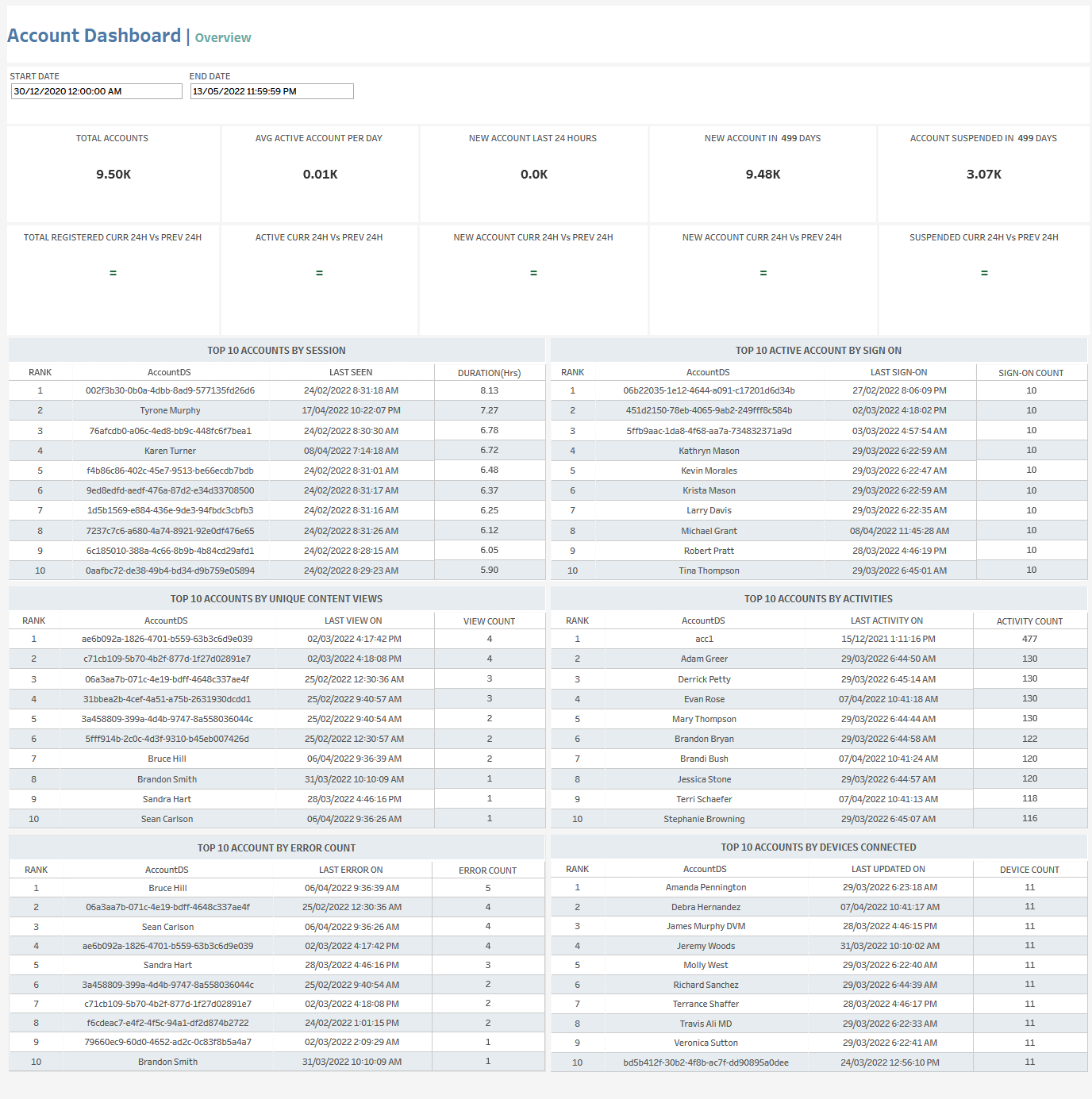
The Account Dashboard Overview tab lets you see a variety of account-related data for the selected time period, including:
-
Total number of accounts
-
Average number of active accounts per day
-
Number of new accounts (for the last last 24 hours and for the selected time period)
-
Number of account suspensions in the selected time period
-
Comparisons of the following between the current 24-hour-period and the previous 24-hour period:
-
Total registered accounts
-
Active accounts
-
New accounts
-
Suspended accounts
-
-
Top accounts by:
-
Session duration
-
Number of sign-ons
-
Number of unique content views
-
Number of activities
-
Number of errors
-
Number of connected devices
-
At the top of the page, you can:
-
Change the date range
In the overview section, for each tile, you can:
-
Hover over or click the tile to see exact numbers.
-
Click the tile and then click

to open the View Data window for the selected data category.
In this window, you can:-
See more detailed data, including (for some categories) a list of the accounts that comprise the total shown in the tile.
-
Change the sort order.
-
Show and hide fields.
-
Change the number of rows displayed.
-
Download the data.
-
In the top accounts sections, you can click on a row to open the Account Details tab.
Account Dashboard | Details
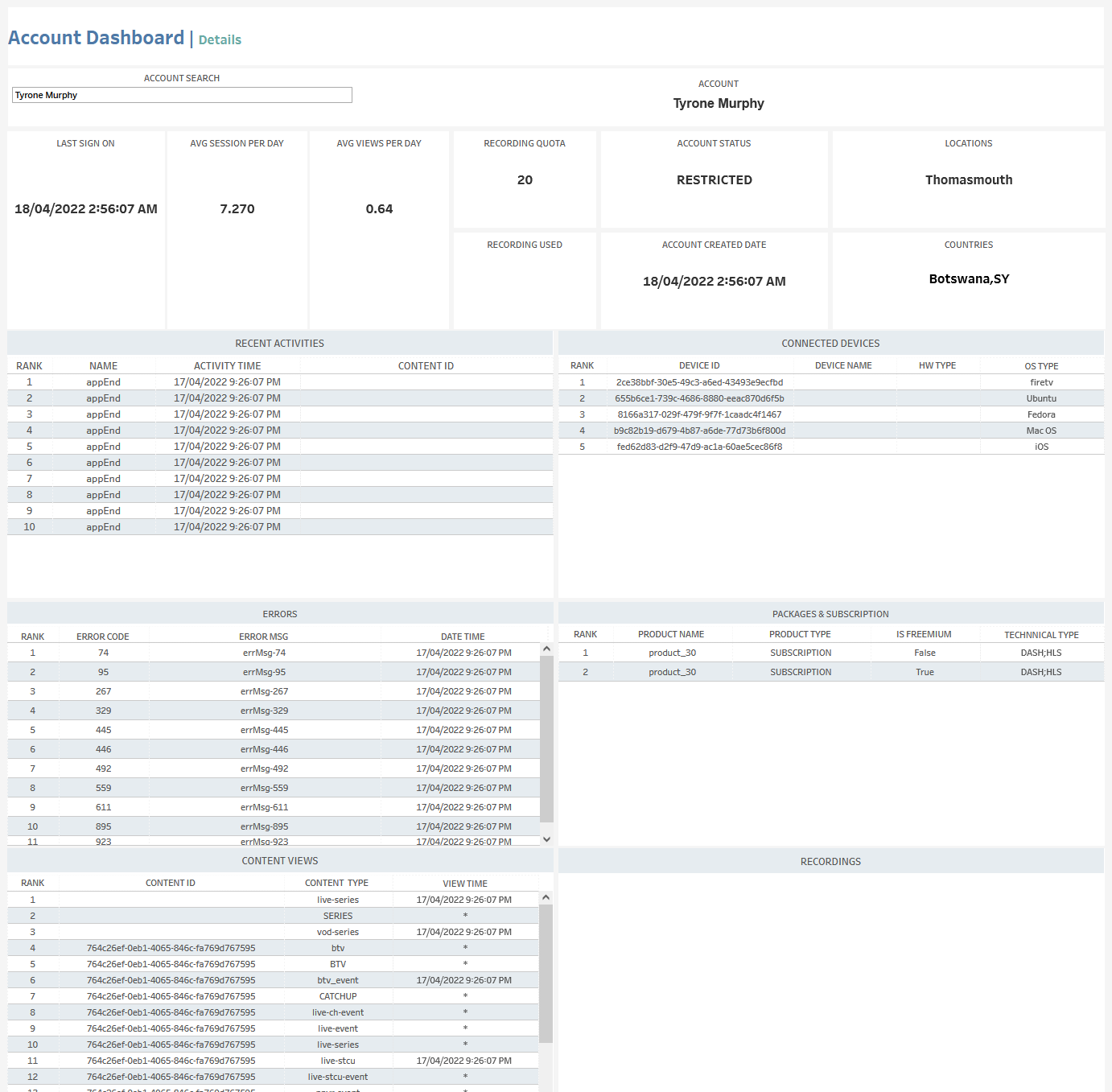
The Account Details tab shows detailed data for the selected account, including:
-
Last sign-on time
-
Average number of sessions per day
-
Average number of views per day
-
Recording quota size and usage
-
Account status
-
Account creation date
-
Location
-
Countries
-
Recent activities
-
Connected devices
-
Errors
-
Packages and subscriptions
-
Content views
-
Recordings
As in the Account Dashboard | Overview tab, you can click on any of these to open the View Data window, which shows more detailed data (see above).