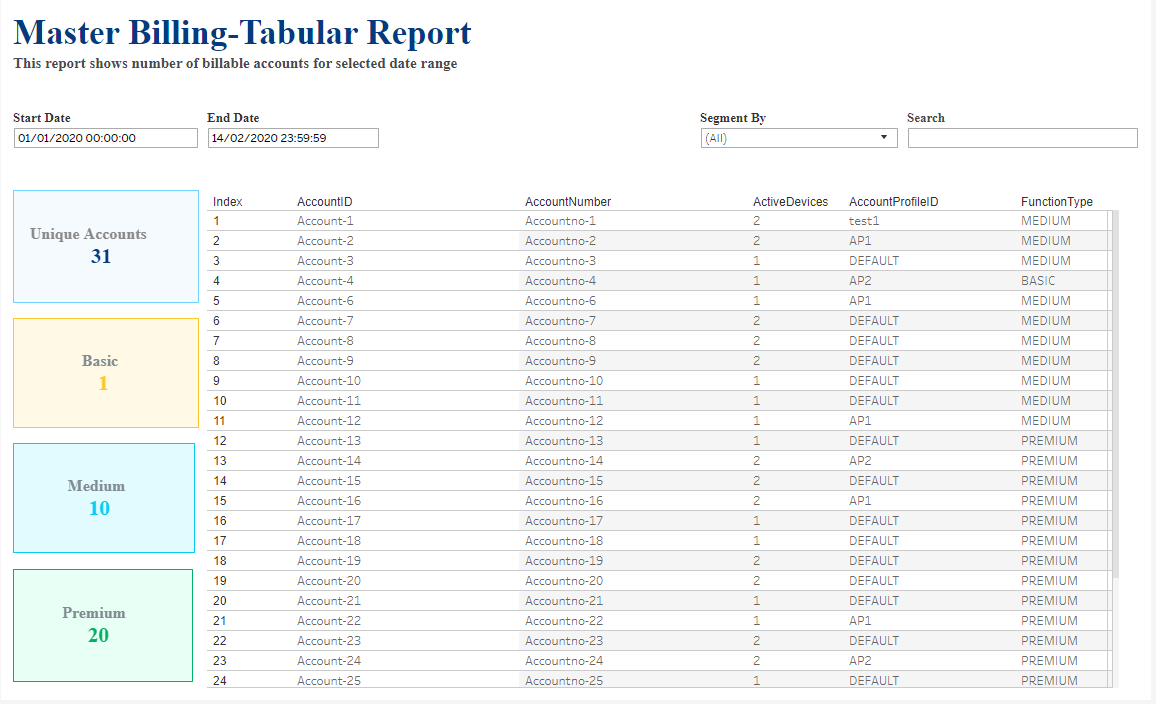
The master billing report shows the number of billable accounts across the selected date range.
In graphical view, you can:
-
Change the date range.
-
Segment the report by function type. Function type tells you what sort of subscriptions each account is/was subscribed to during the selected time period. These typically correspond to the different packages available to customers, for example:
-
(All)
-
Basic
-
Medium
-
Premium
-
-
Filter the report by typing in the Search box.
-
Compare the data for the selected date range with:
-
The directly preceding period
-
The same period one year ago
-
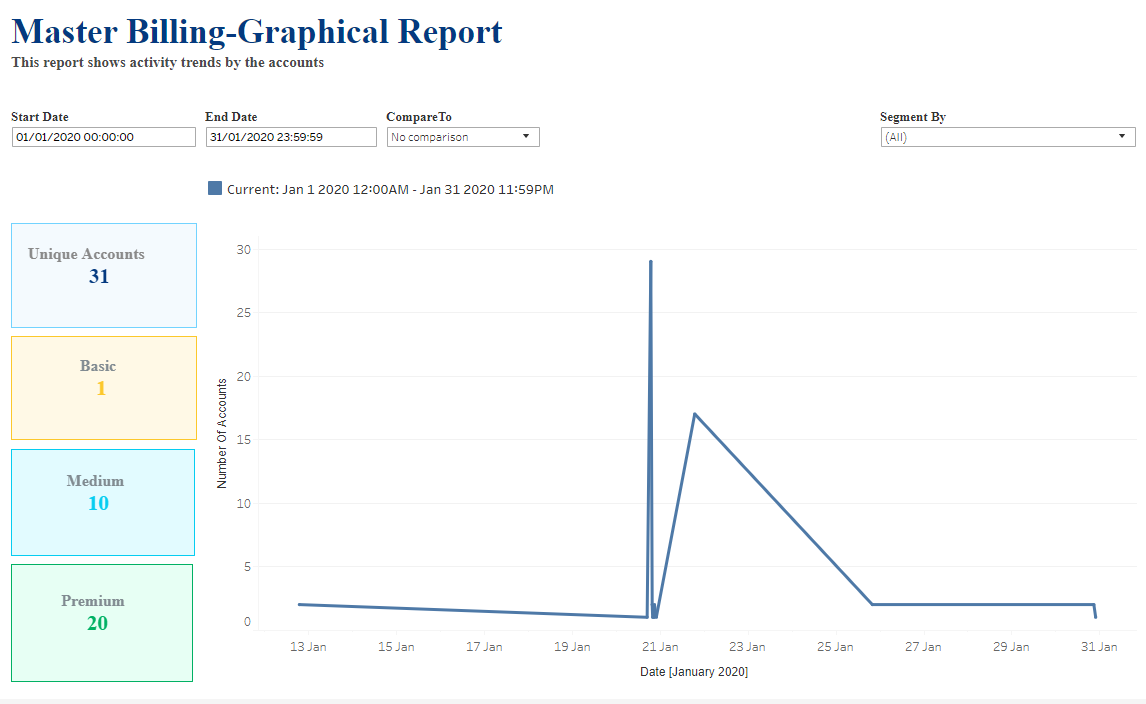
You can also view the same data as a table. In table view, you can:
-
Change the date range.
-
Sort the table by clicking on the sort icon in the column header.
-
Segment the report.
-
Compare the data.
-
Filter the report by typing in the Search box.