
Clicking a row on the Channels or Top 5 Channels tables displays the detailed information for that channel.

Summary
The top of the page displays a summary of the data.

Performance
The default view shows the performance of the channel across all platforms. For a description of these metrics, click the 
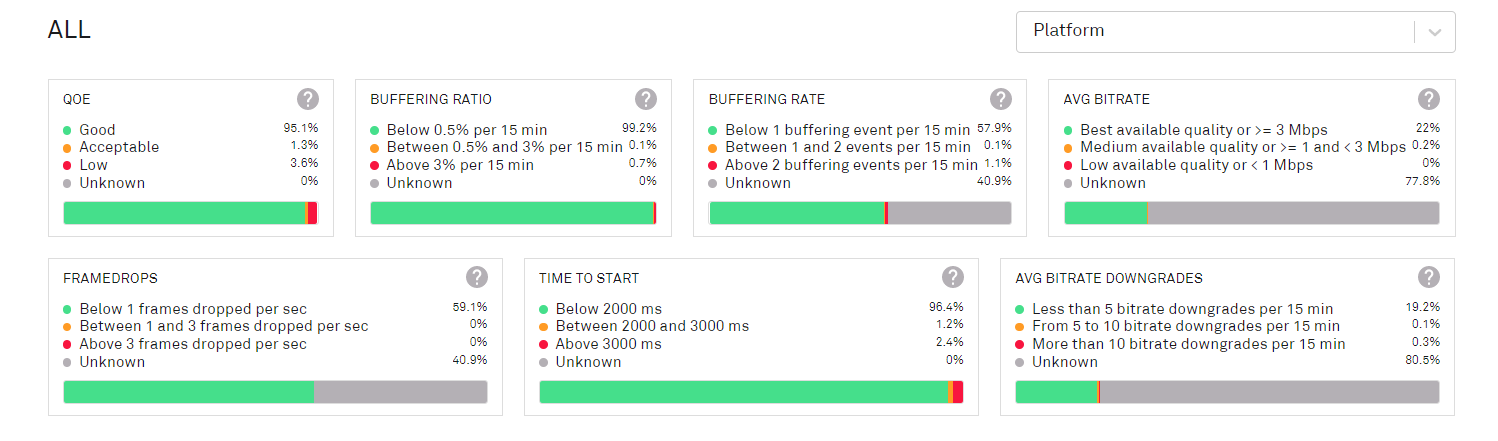
The data can be broken down by individual platform; more than one platform can be selected.
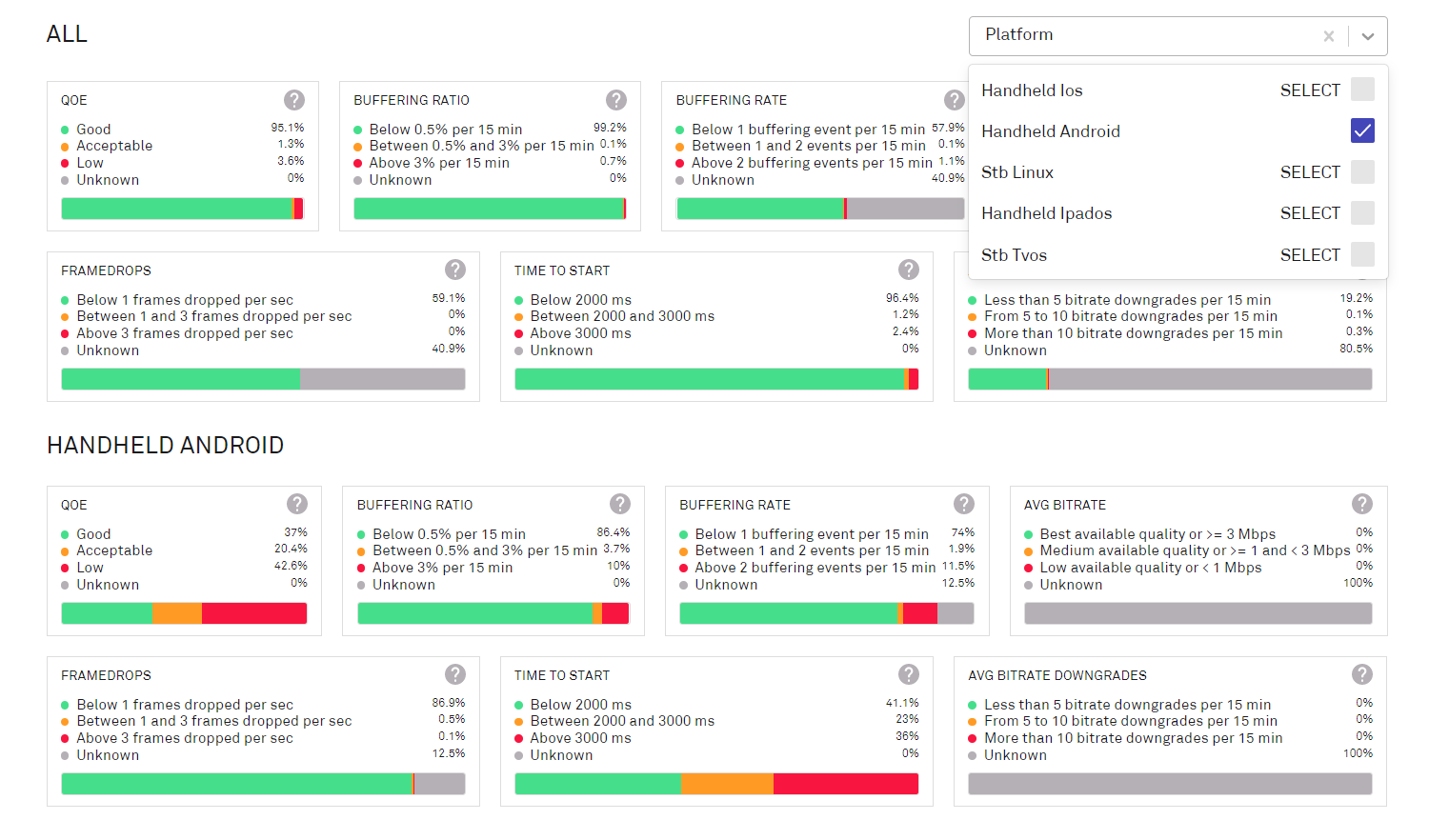
When platforms are selected, the Channel Live Audience, Distribution of Live TV minutes and Top 5 Programs details are removed from the page.
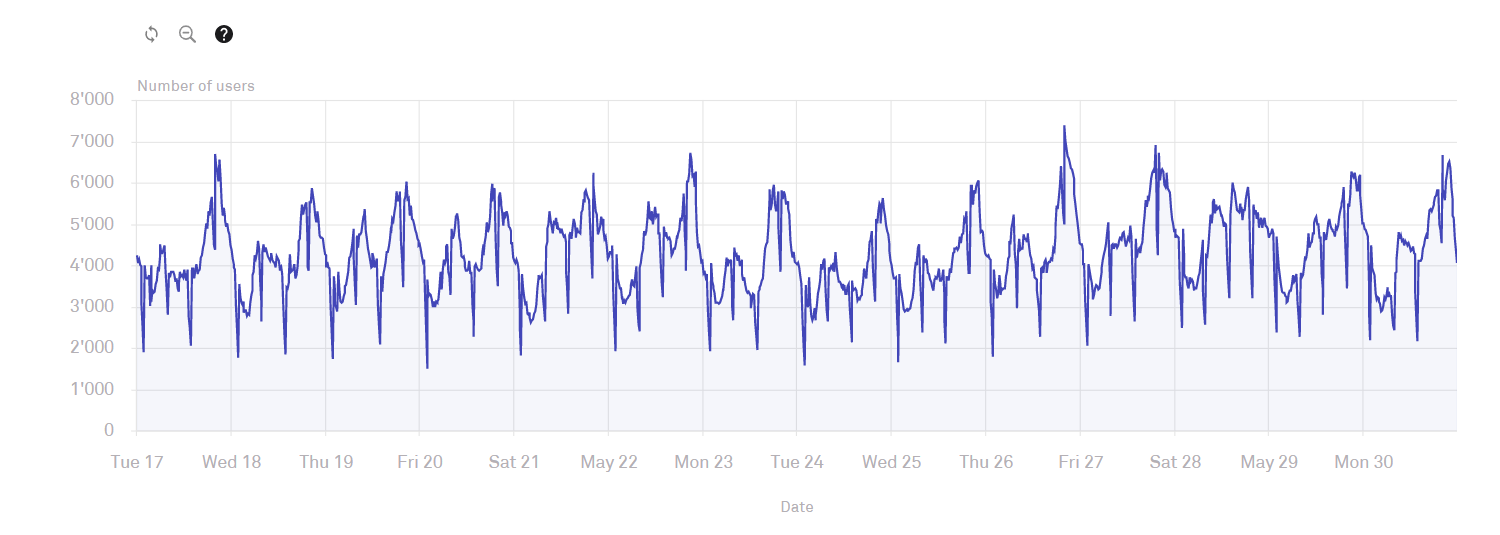
Channel Live audience
This chart shows the number of viewers of the TV channel.
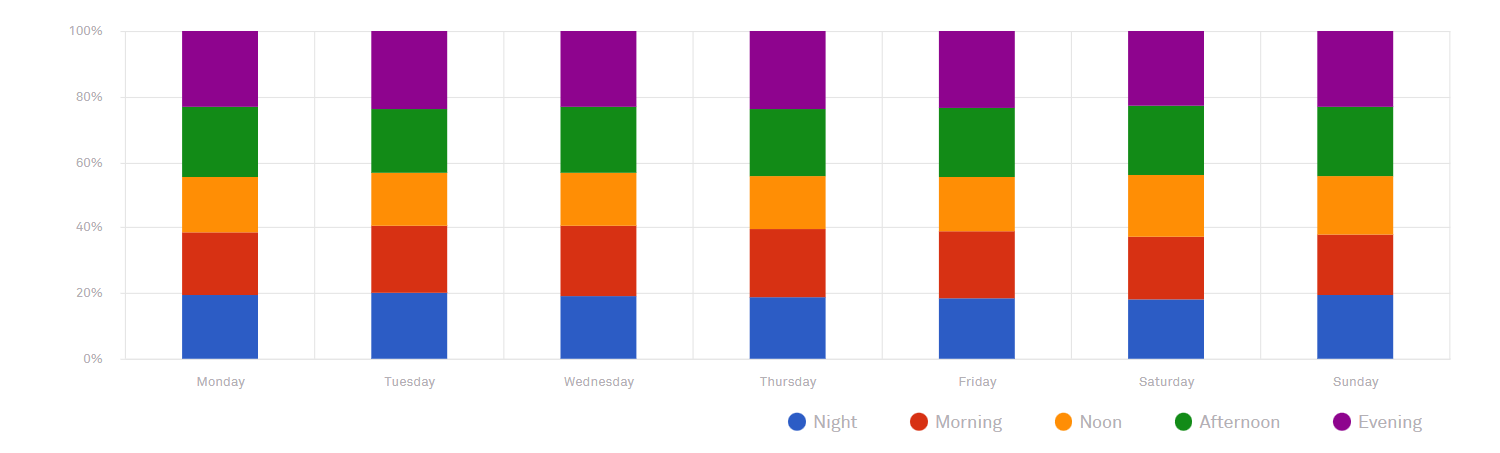
Distribution of Live TV minutes by daypart
This chart shows the distribution of viewers at different times of data in a week.
Top 5 Programs
This table shows the top five programs on the channel over the data period.
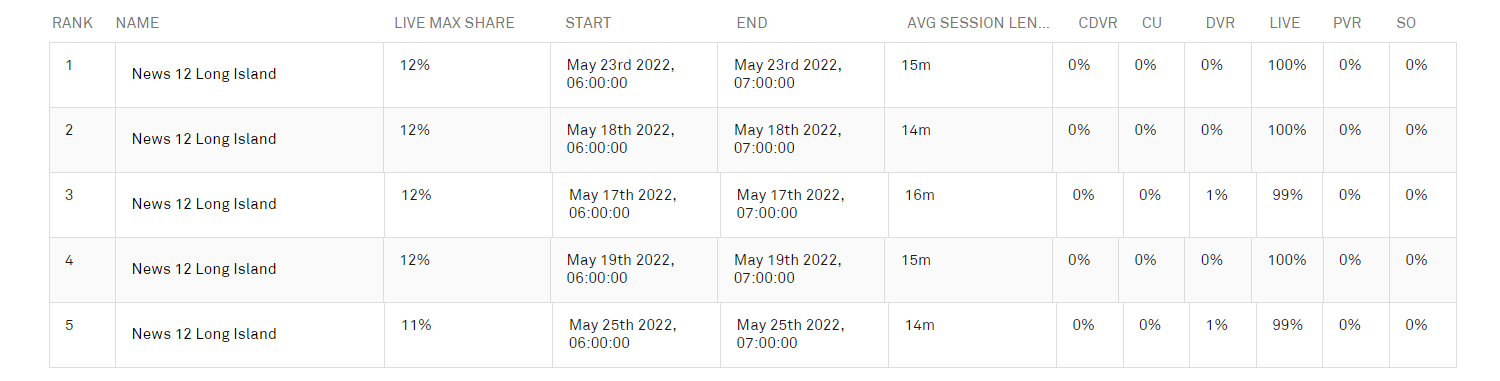
Clicking a program displays the detail for that program; see Programs.