
To view playback variant details for a channel:
-
Open the Channel Management app.
-
Select the required channel from the channel list.
-
Click Playback Variants in the sidebar and select the required channel. Alternatively, you can click on the required technical channel in the Overview diagram.
The Playback Variants page shows a list of playback variants for the channel, where applicable.
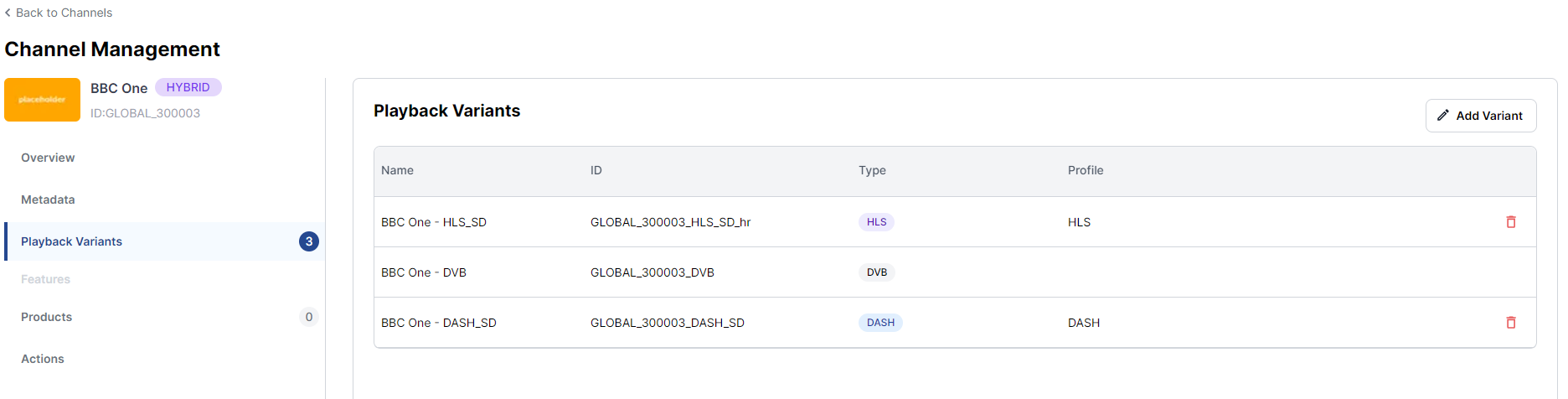
Click a playback variant in the list for a detailed view. You can add, edit or delete a playback variant.
See Create a new channel for detailed guidance.
Technical Metadata
The Technical Metadata tab shows the core technical information.
To edit the core information:
-
Click the Edit Core Information button.
-
Make the required changes.
-
Click the Save button.
Streaming
The Streaming tab shows the streaming information for the channel.
In edit mode, you can edit the URI and select a streaming profile from the dropdown list,
To edit the streaming information:
-
Click the Edit Streaming Information button.
-
Make the required changes.
-
Click the Save button.
Replay TV
The Replay TV tab shows the Replay TV information for the channel.
In edit mode, you can enable/disable the Replay TV features and select a Replay TV profile from the dropdown list.
To edit the Replay TV information:
-
Click the Edit Replay TV Information button.
-
Make the required changes.
-
Click the Save button.
Security & Restrictions
TBA