
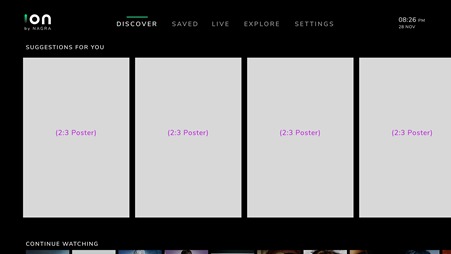
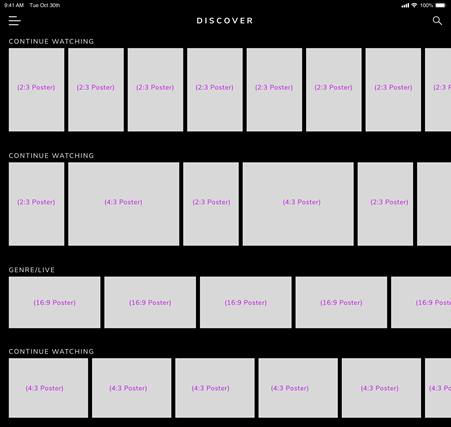
By default, OpenTV ION will use the value of Default Rail image Orientation to determine the orientation of the images on a rail. When Landscape is selected, images use a 16:9 aspect ratio; when Portrait is selected, a 2:3 aspect ratio is used. You can override these layouts by adding an additional ui_layout property.
To set an additional property:
-
Select the template for the DISCOVER screen and select the appropriate layout.
-
Click


-
Click Add Property and enter the relevant values shown in the sections below.
-
Click Save Rail.
-
In the confirmation dialog that is displayed, click Continue to save the rail.
ui_layout for all devices
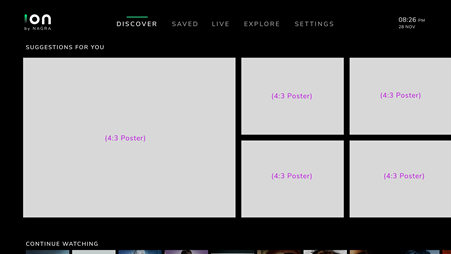
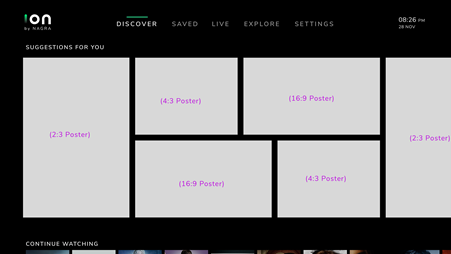
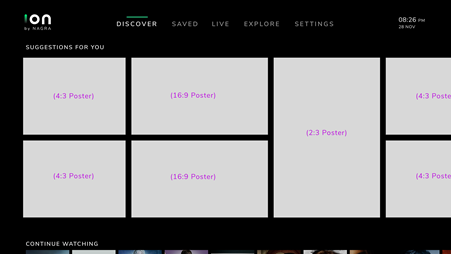
The following values for the ui_layout key apply to all OpenTV ION client devices. Two types of layout are available – a Magazine style and a Content Strip style.
Magazine style layout
The following values are supported:
|
Value |
Example layout |
|---|---|
|
|
|
|
|
|
|
|
|
|
|
Content Strip style layout
The following values are supported:
|
Value |
Example layout |
|---|---|
|
|
ui_layout for mobile devices only
The snap_carousal value creates a large poster-style rail with a single asset in focus.