
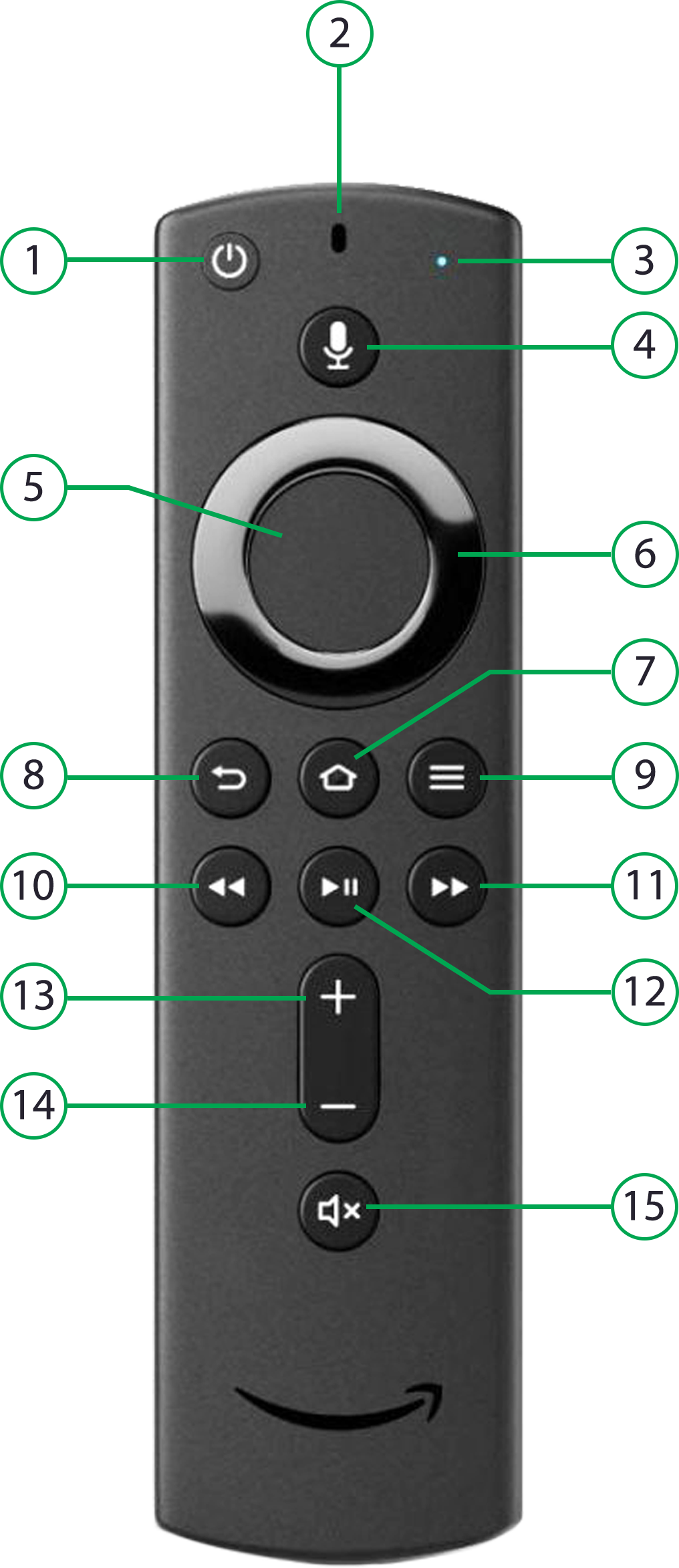
| 1 | Power |
| 2 | Microphone |
| 3 | Indicator light |
| 4 | Voice control |
| 5 |
Select
|
| 6 | Navigation
Press left for recently viewed channels. Press up or down for quick guide (EPG). |
| 7 | Home (FireTV) |
| 8 | Back |
| 9 | Menu (OpenTV ION App) |
| 10 | Rewind
Short press to skip back. Long press to rewind, then short press to increase rewind speed. |
| 11 | Fast Forward
Short press to skip forward. Long press to fast forward, then short press to increase fast forward speed. |
| 12 |
Play/Pause |
| 13 | Volume up |
| 14 | Volume down |
| 15 | Mute |