
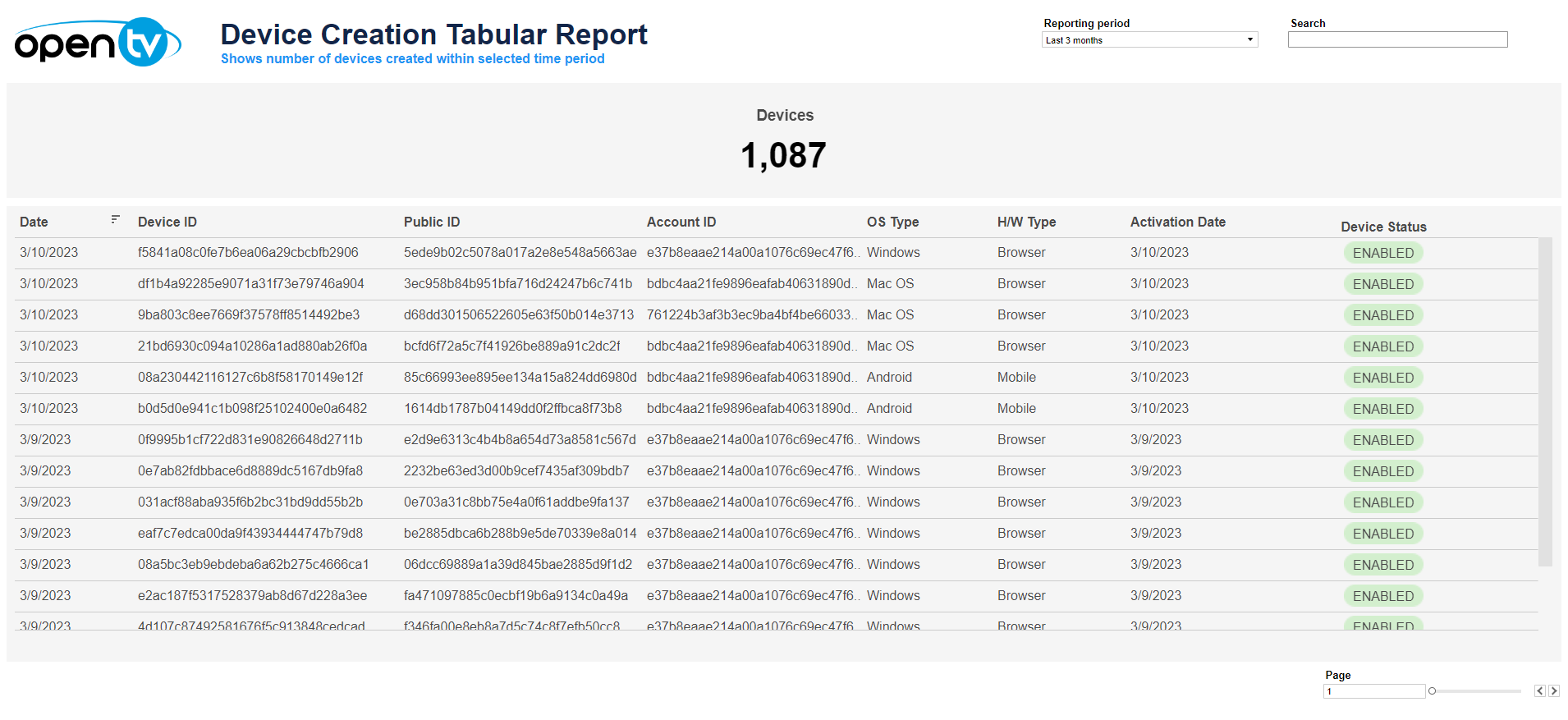
The Device Creation Tabular Report displays:
-
The total number of devices created (enabled or disabled) in the selected period
-
A list of these devices, including:The date the device was enabled/disabledThe device IDThe device's public IDThe ID of the account that the device is associated withThe device's OS typeIf no OS type can be found, a device type (OPEN or MANAGED) is assigned as the OS Type.The device's hardware typeIf no hardware type can be found, a device type (OPEN or MANAGED) is assigned as the OS Type.The activation dateThe device status
At the top of the page, you can:
-
Change the date range for the current data.
-
Search within the data
In the table itself, you can:
-
Sort the table by clicking on the sort icon in the column header.
-
Click on the data, then click

In this window, you can:See more detailed data, including (for some categories) a list of the accounts that comprise the total shown in the tile.Change the sort order.Show and hide fields.Change the number of rows displayed.Download the data.