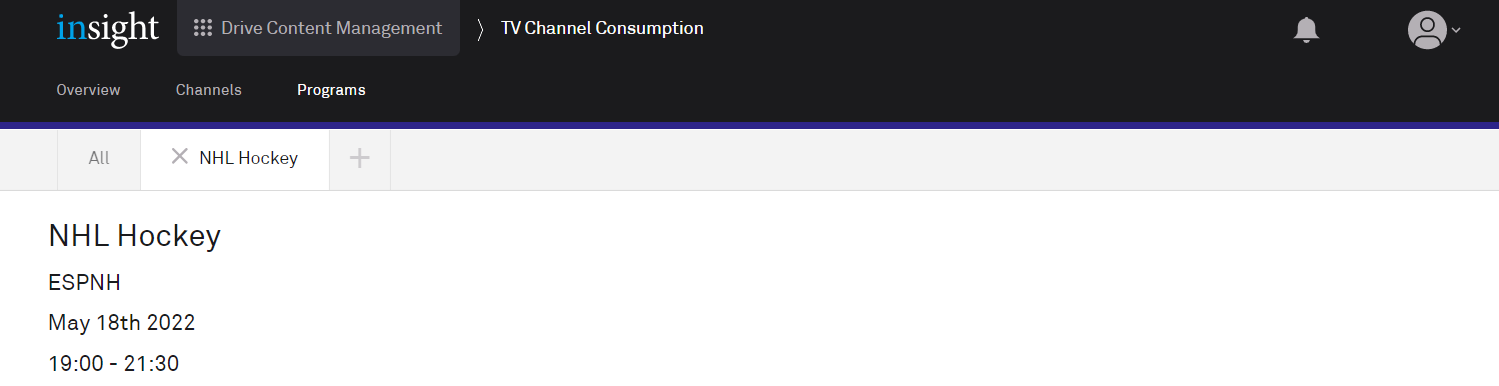
Clicking a row on the Programs or Top 5 Programs tables displays the detailed information for that program.
Summary
The top of the page displays a summary of the data.

Performance
The default view shows the performance of the program across all platforms. For a description of these metrics, click the 
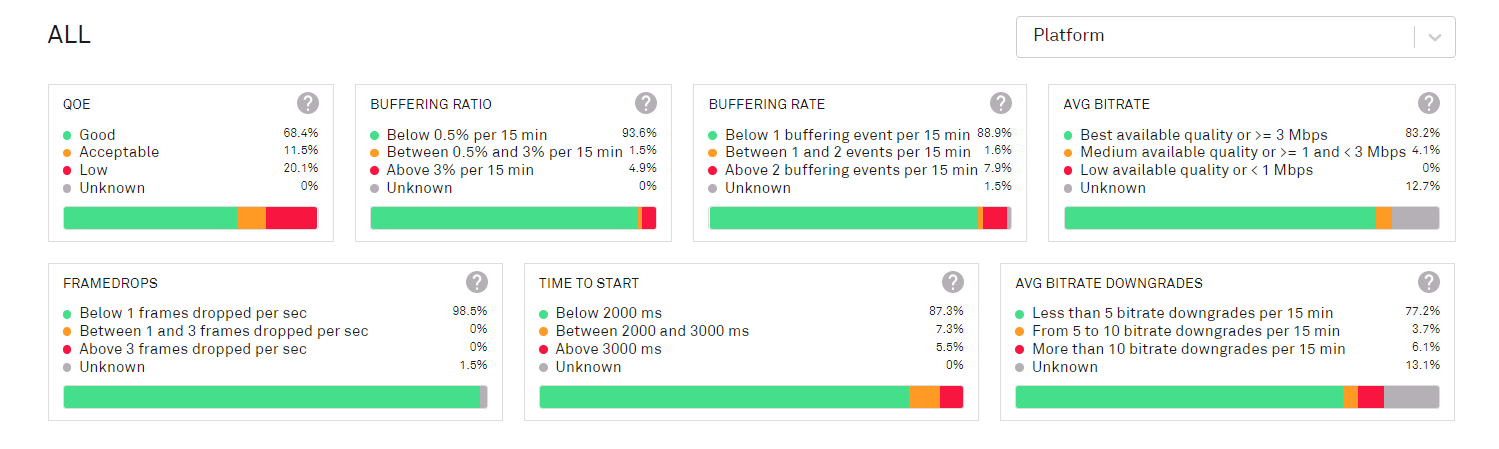
The data can be broken down by individual platform; more than one platform can be selected.
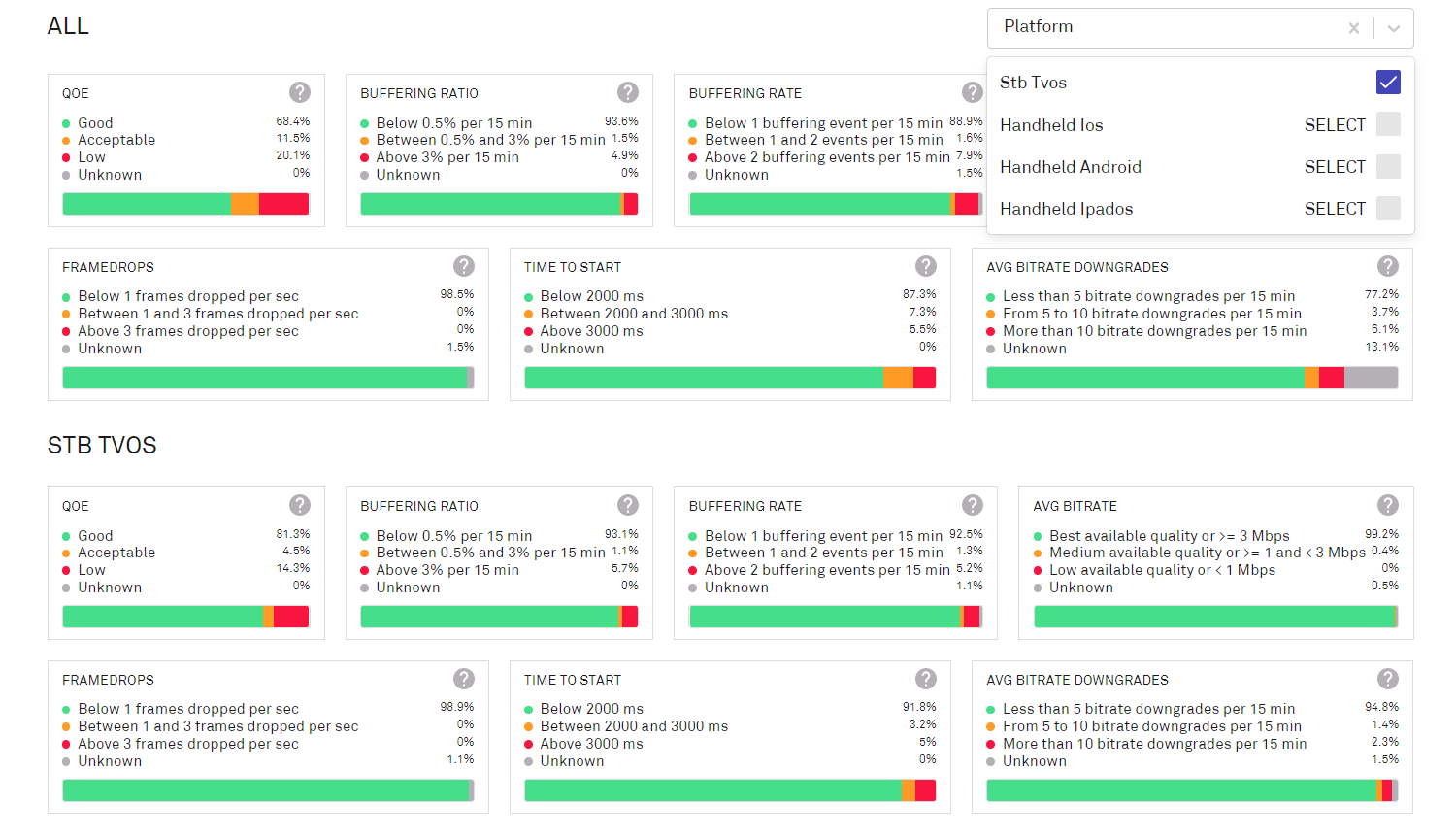
When platforms are selected, the Live Audience details are removed from the page.
Live audience
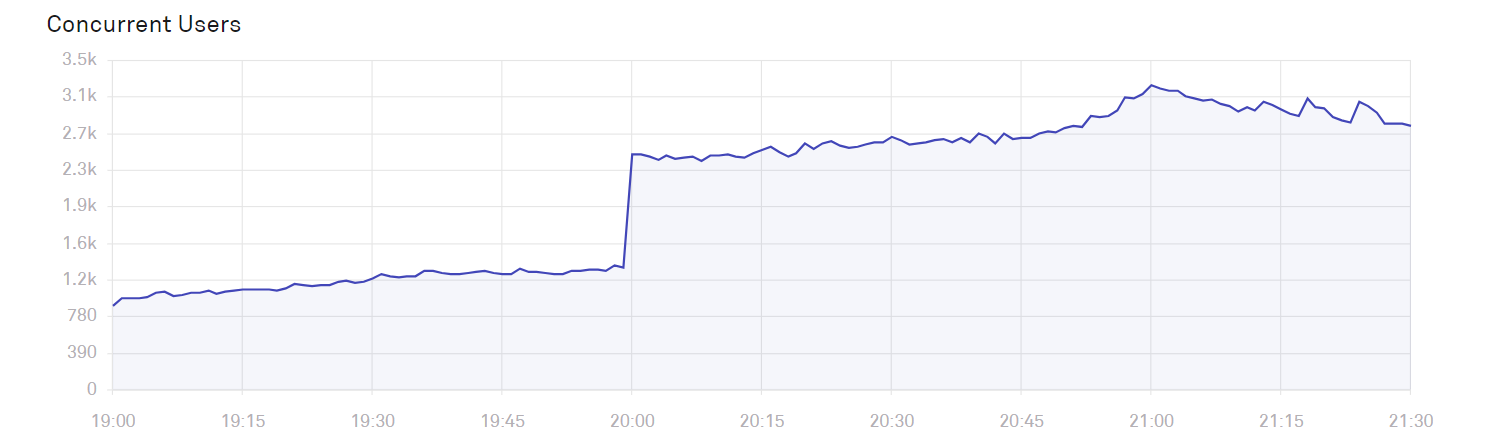
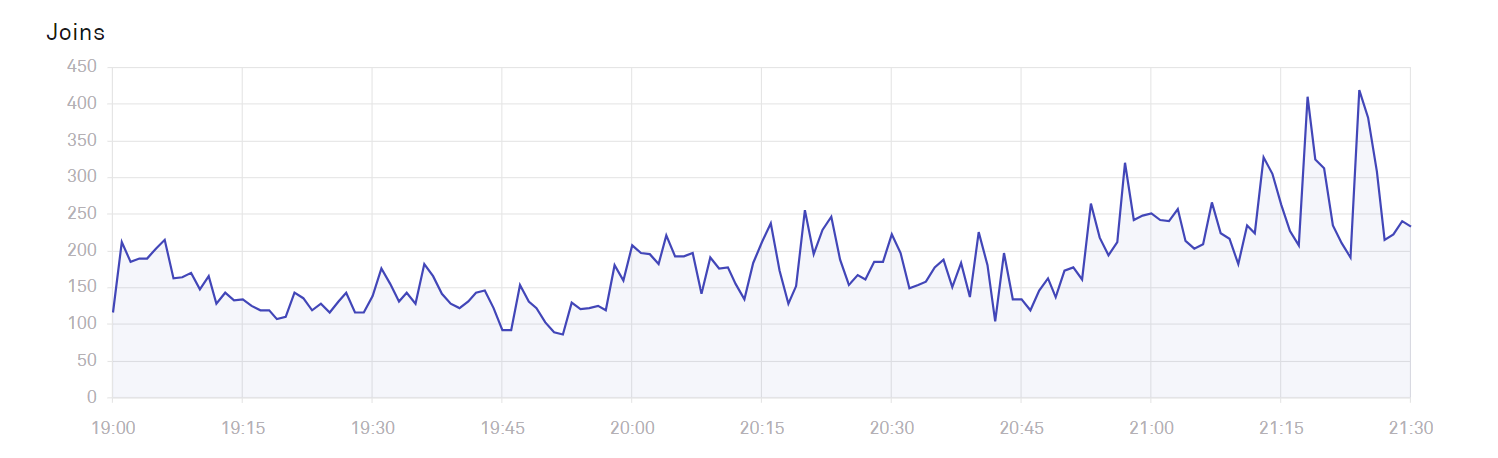
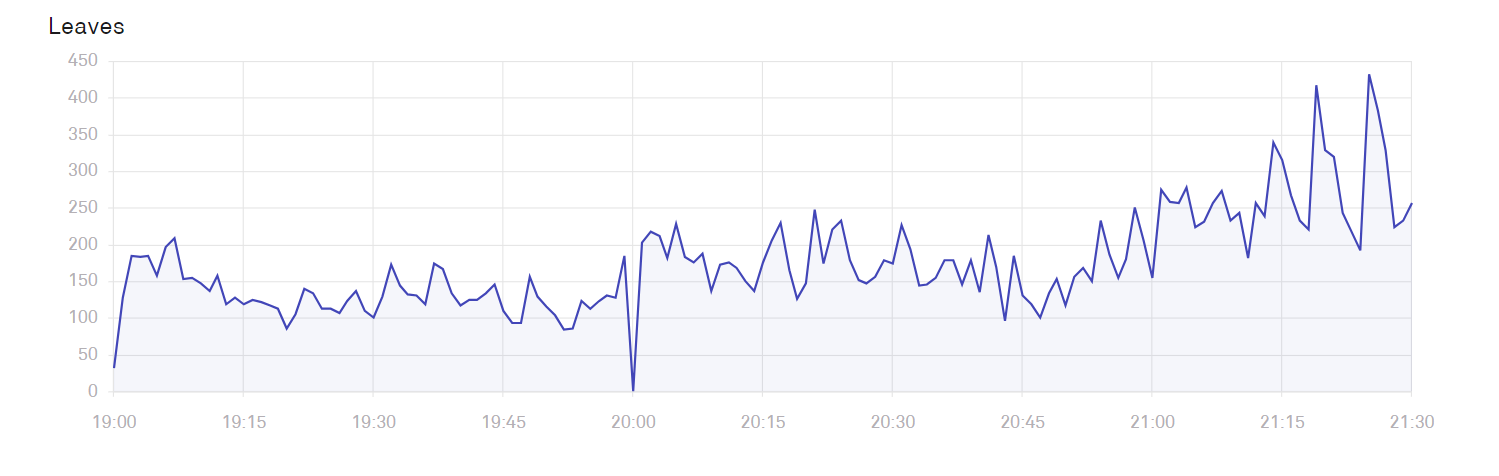
This chart shows the number of viewers of the program in terms of concurrent users, joiners and leavers.