
Content Consumption | Overview
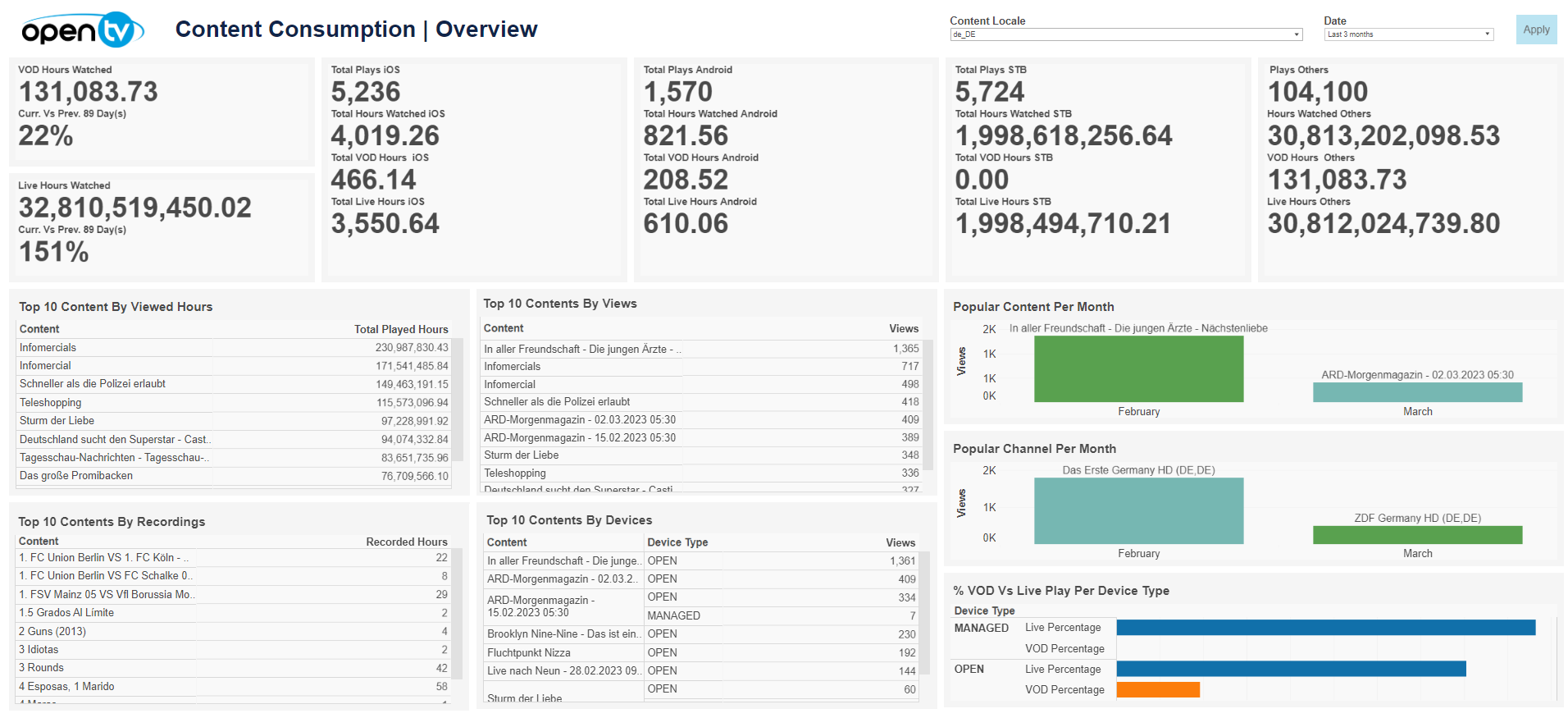
The Overview tab displays content-related information, including:
-
Hours watched for VOD and live
-
Total hours watched, VOD hours watched, and live hours watched per platform (iOS, Android, STB, and others)
-
Top 10 content by:Viewed hoursViewsRecordingsDevices
-
Popular content per month
-
Popular channel by month
-
VOD vs live play proportion by device type
Clicking on a row in one of the following Top 10 tables takes you to the appropriate detail tab:
-
Top 10 Content by Viewed hours – Content by Viewed Hours
-
Top 10 Content by Recordings – Content by Recordings
-
Top 10 Content by Views – Content by Number of Views
Hovering over any tile displays more detailed information
At the top of the page, you can:
-
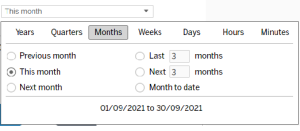
Change the date range:
-
Filter by locale
Content Device Consumption
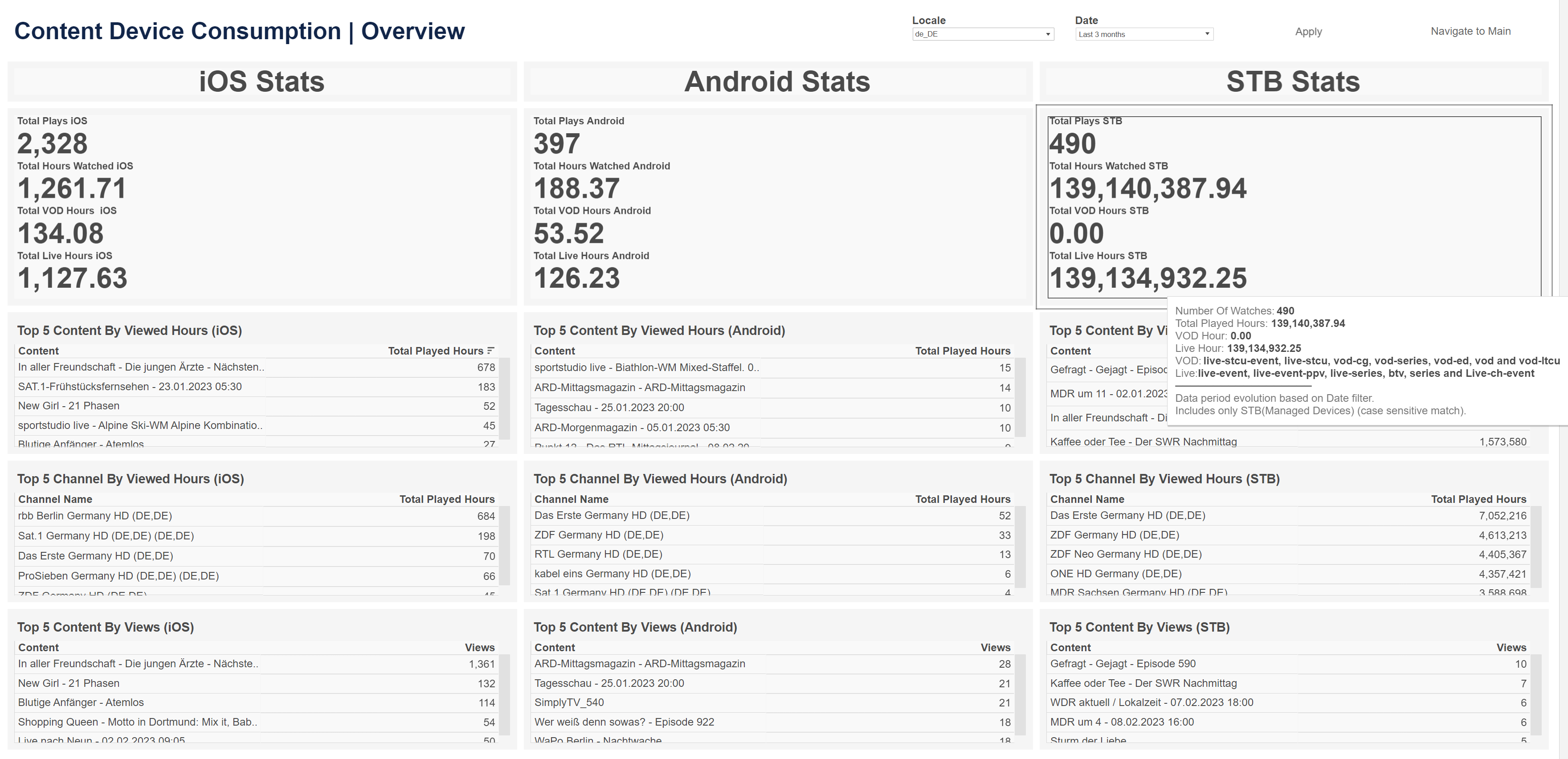
The Content Device Consumption tab displays content consumption information, broken down by platform, including:
-
Total number of plays
-
Total hours watched
-
Total VOD hours watched
-
Total live hours watched
-
Top five content by viewed hours
-
Top five channels by viewed hours
-
Top five content by number of views
At the top of the page, you can:
-
Change the date range
-
Filter by locale
Content by Viewed Hours
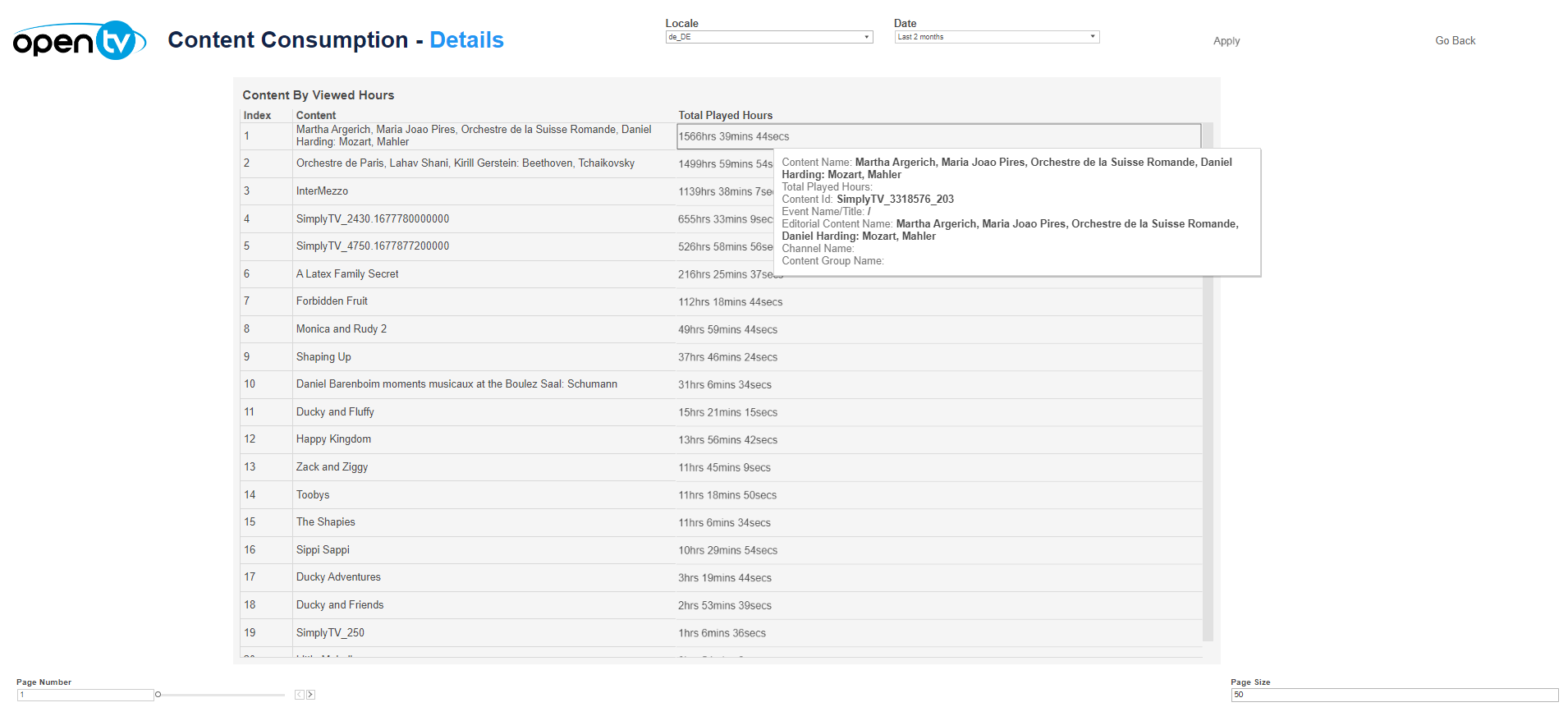
The Content by Viewed Hours tab displays a list of content, ordered by total played hours. For each content, it shows:
-
The index (rank)
-
The content name
-
The total number of played hours
At the top of the page, you can:
-
Change the date range
-
Filter by locale
Content by Recordings
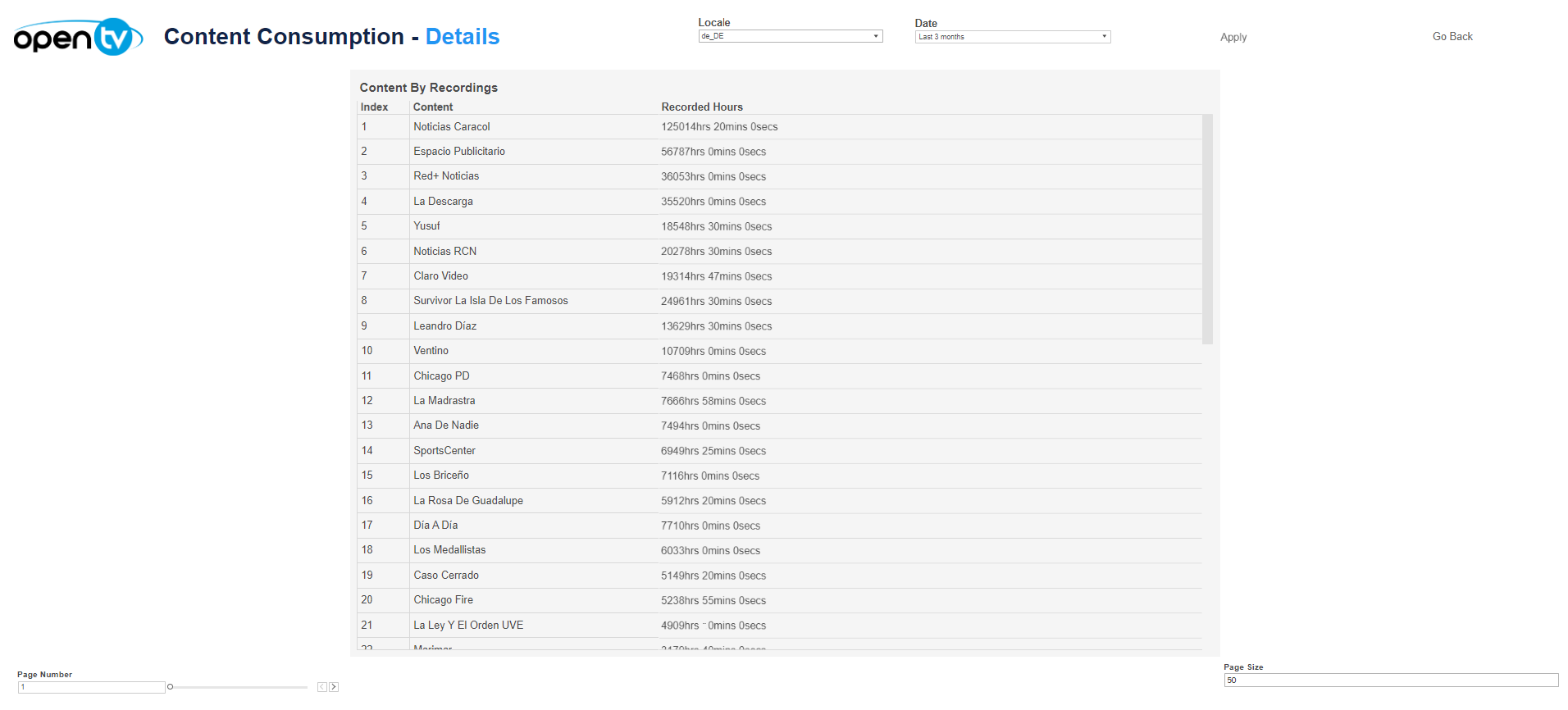
The Content by Recordings tab displays a list of content, ordered by number of recordings. For each content, it shows:
-
The index (rank)
-
The content name
-
The total number of recordings
At the top of the page, you can:
-
Change the date range
-
Filter by locale
Content by Number of Views
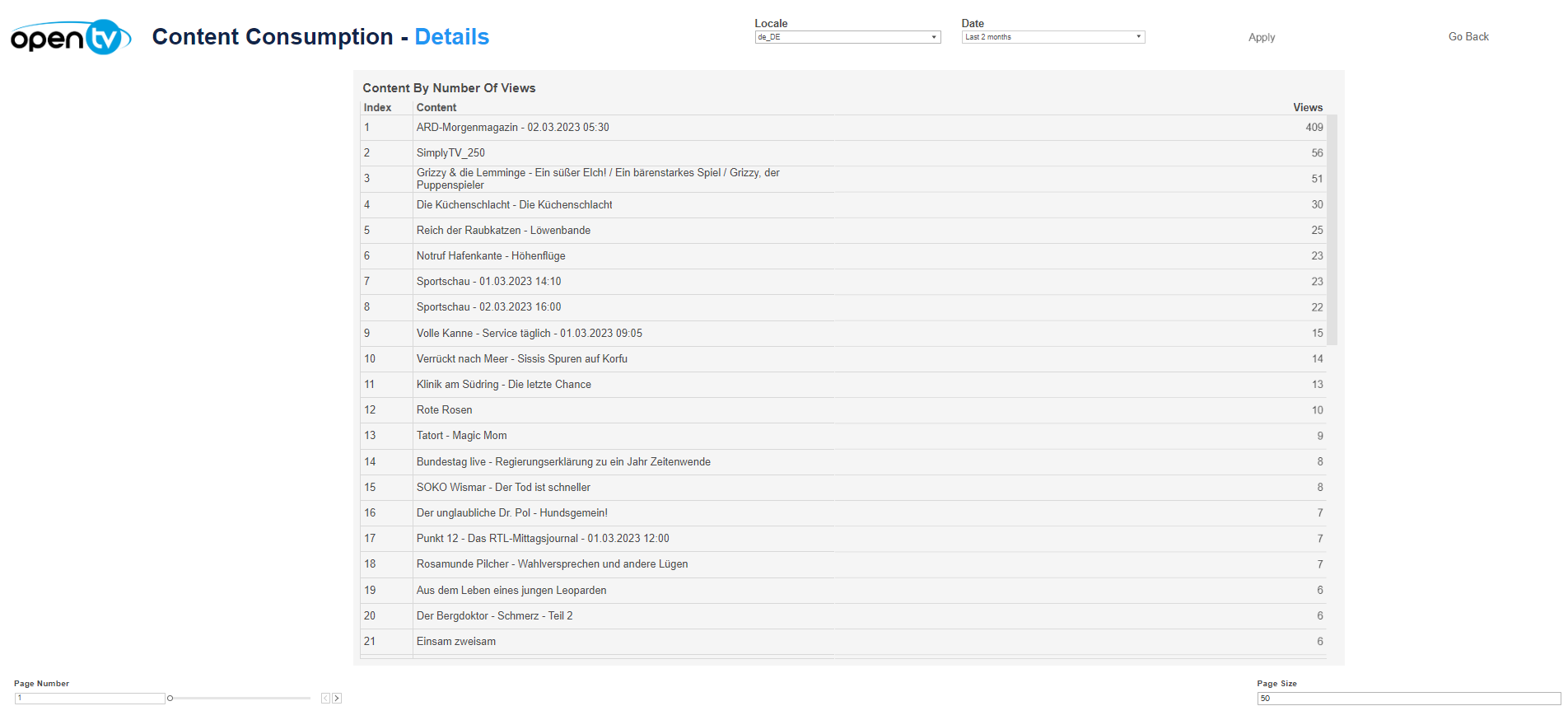
The Content by Number of Views tab displays a list of content, ordered by total number of views. For each content, it shows:
-
The index (rank)
-
The content name
-
The total number of views
At the top of the page, you can:
-
Change the date range
-
Filter by locale