
OpenTV ENTera & OpenTV Platform Documentation
26.26_Q2 25.52_Q4 25.26_Q2 25.12_Q1 24.50_Q4 24.38_Q3 24.26_Q2 23.50_Q4 23.24_Q2 23.12_Q1 22.50_Q4 22.38_Q3 22.24_Q2

Link existing trailers to a series

To link existing trailers to a series:

Click MANAGE TRAILERS.
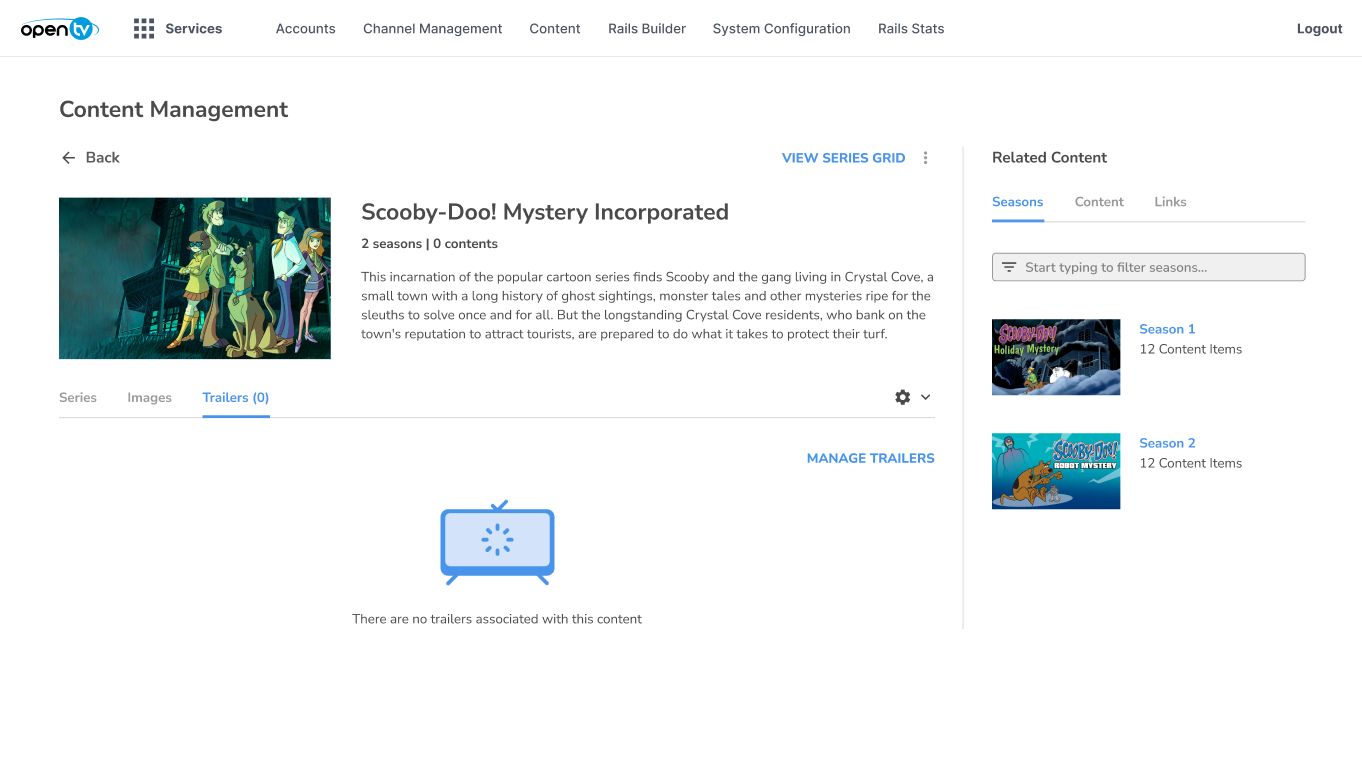
image-20260930-151727.png


Click the blue (plus) icon beside the required trailer.
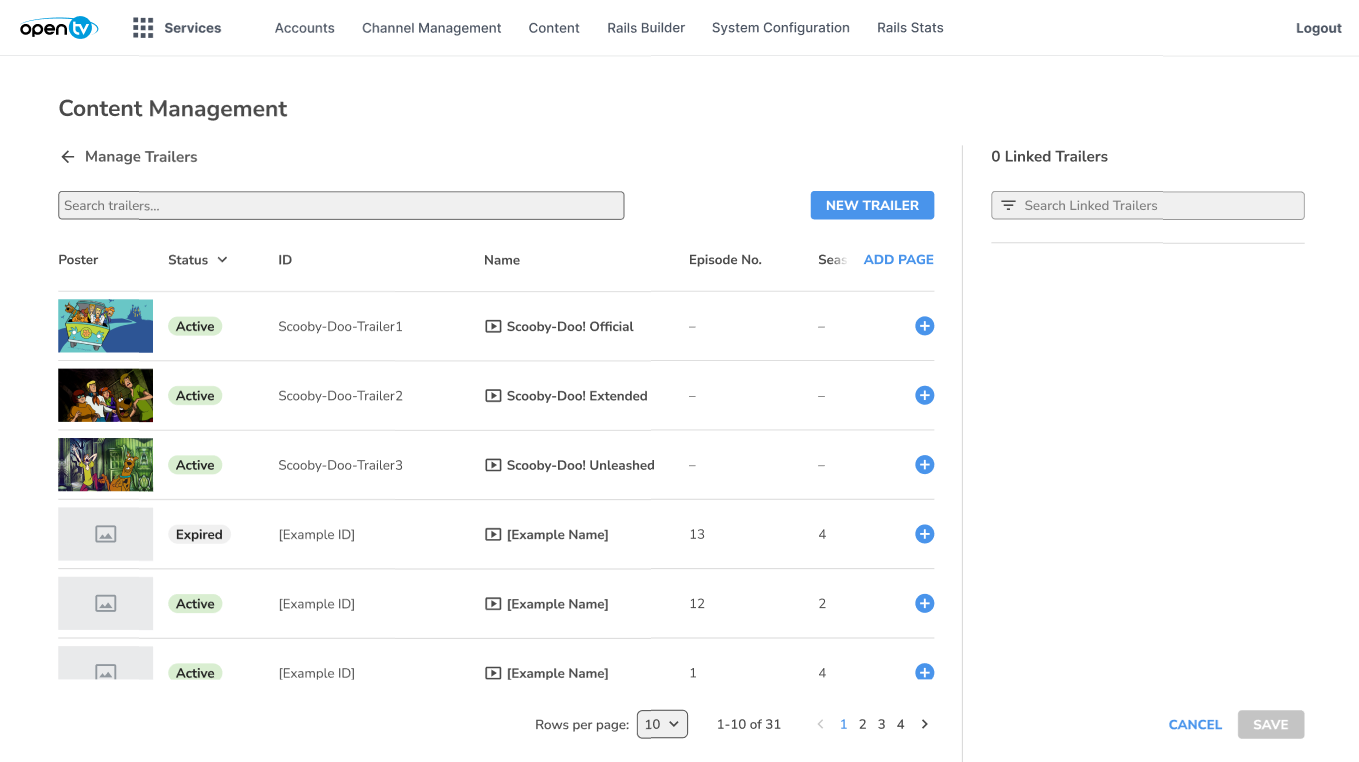
image-20260930-151819.png


The added trailer moves to the Linked Trailers list on the right.
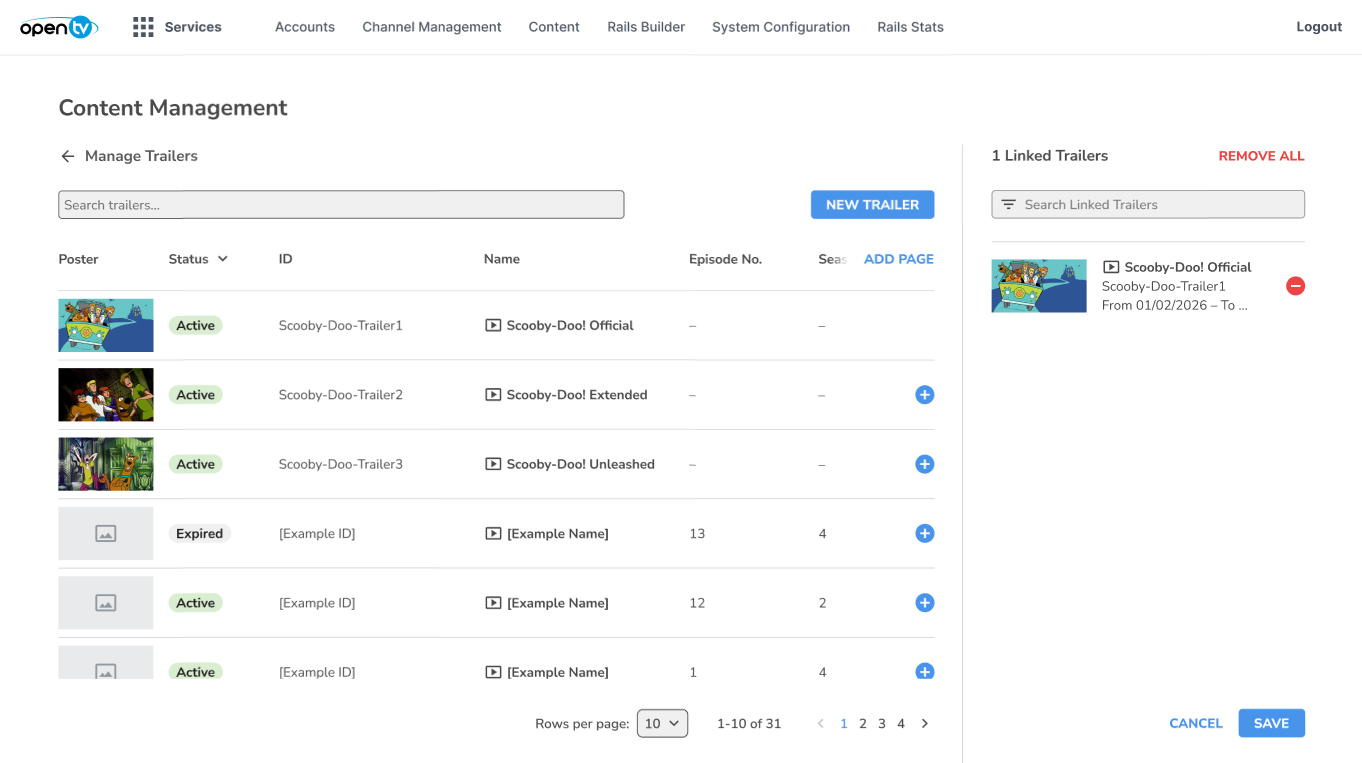
image-20260930-151855.png


To add more trailers, repeat the process.
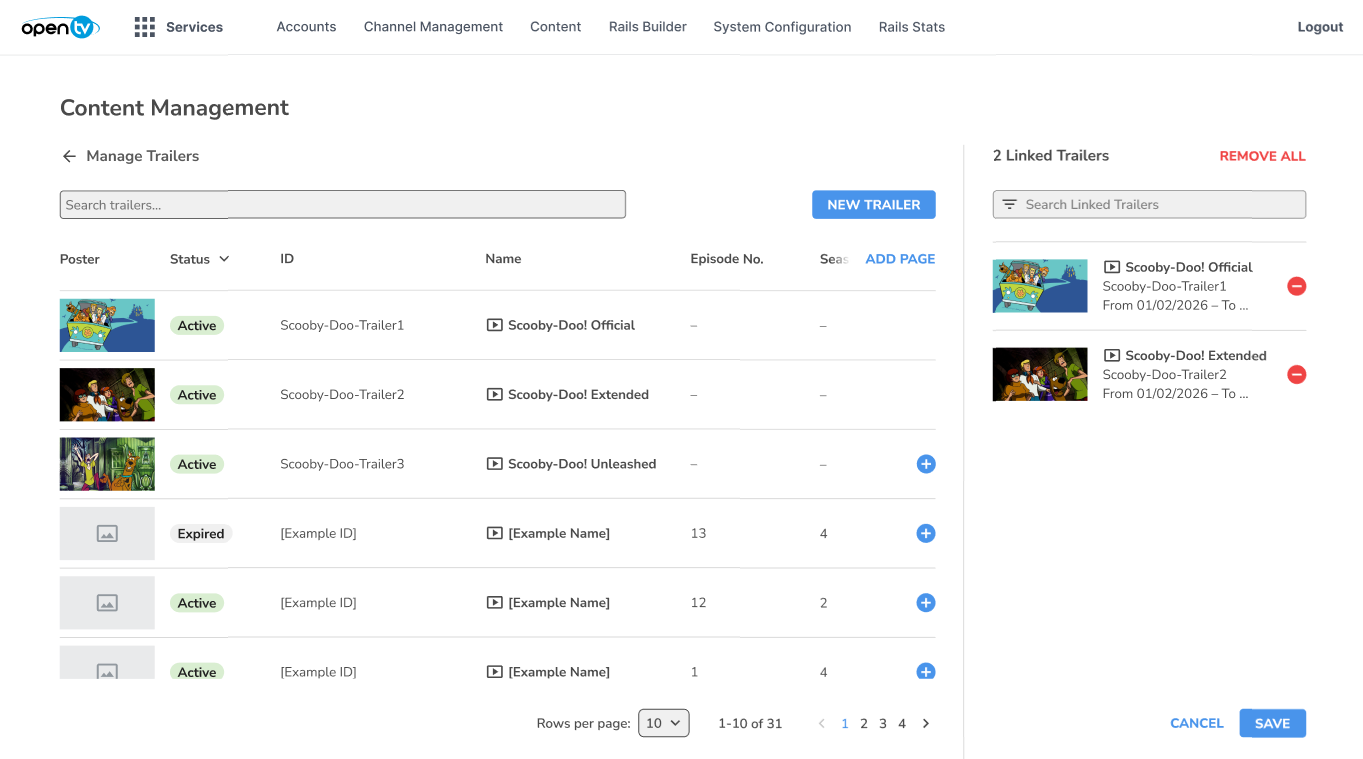
image-20260930-152001.png


When all required trailers have been added to the Linked Trailers list, click SAVE.
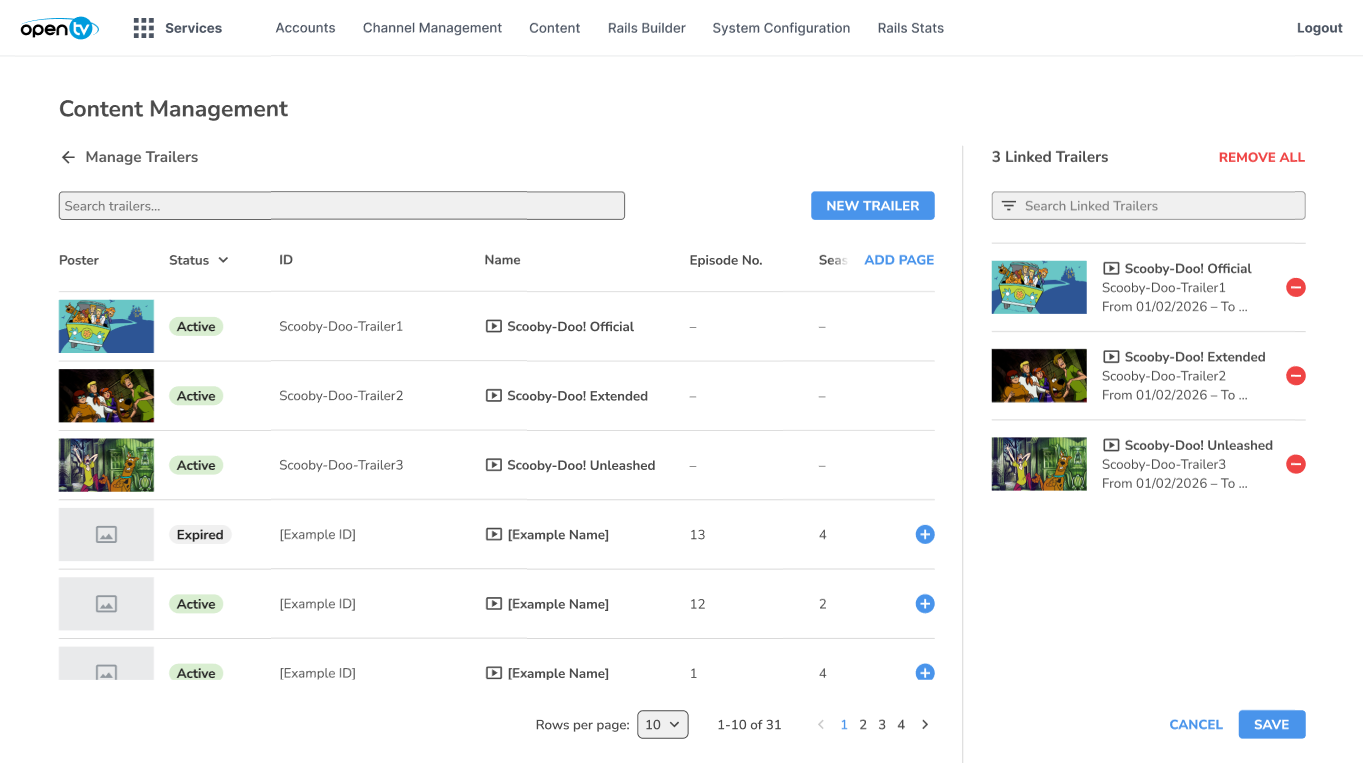
image-20260930-152044.png


The linked trailers are now visible in the Trailers tab for the series.
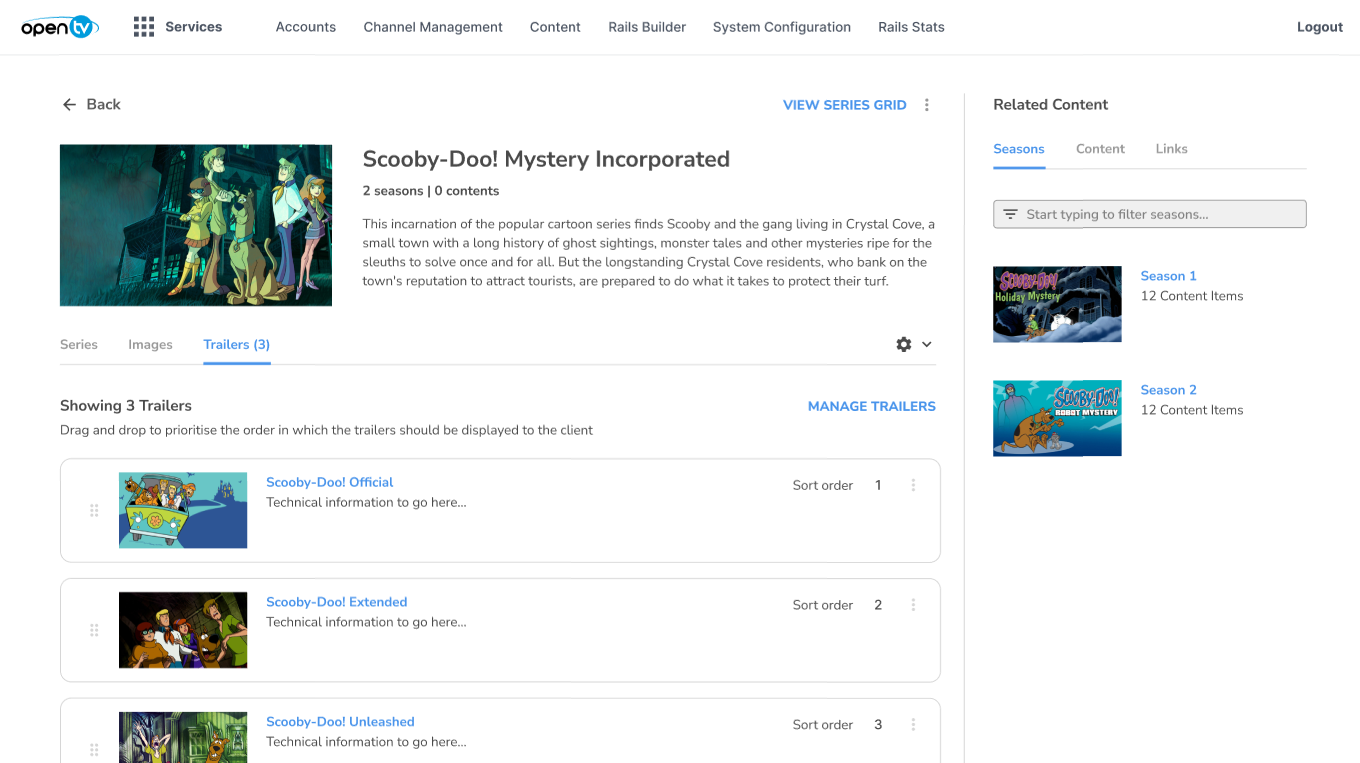
image-20260930-152149.png