OpenTV ENTera & OpenTV Platform Documentation
26.26_Q2 25.52_Q4 25.26_Q2 25.12_Q1 24.50_Q4 24.38_Q3 24.26_Q2 23.50_Q4 23.24_Q2 23.12_Q1 22.50_Q4 22.38_Q3 22.24_Q2

Unlink trailers from a series

To unlink trailers from a series:

On the Content Management screen, click MANAGE TRAILERS.
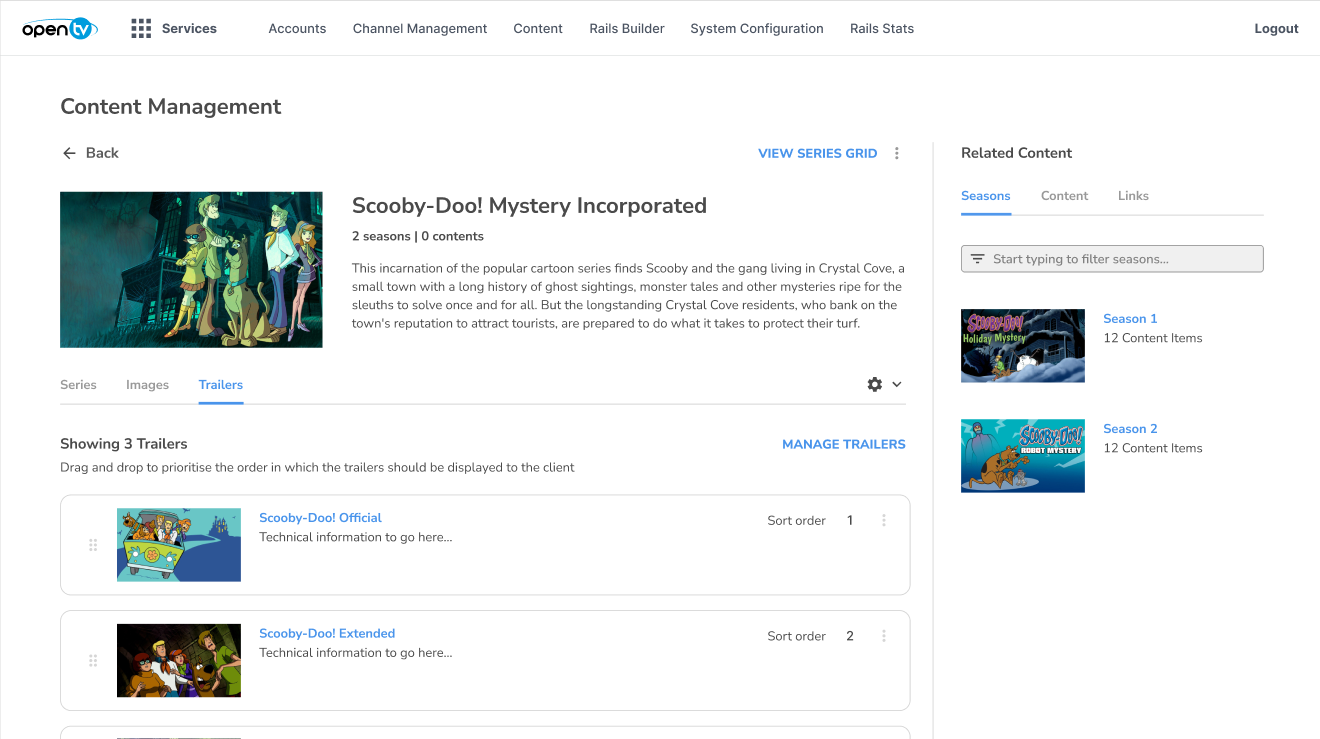
image-20260930-144944.png


In the Linked Trailers panel, click the red (minus) icon beside each trailer that you want to remove.

Alternatively, you can remove all trailers by clicking REMOVE ALL.
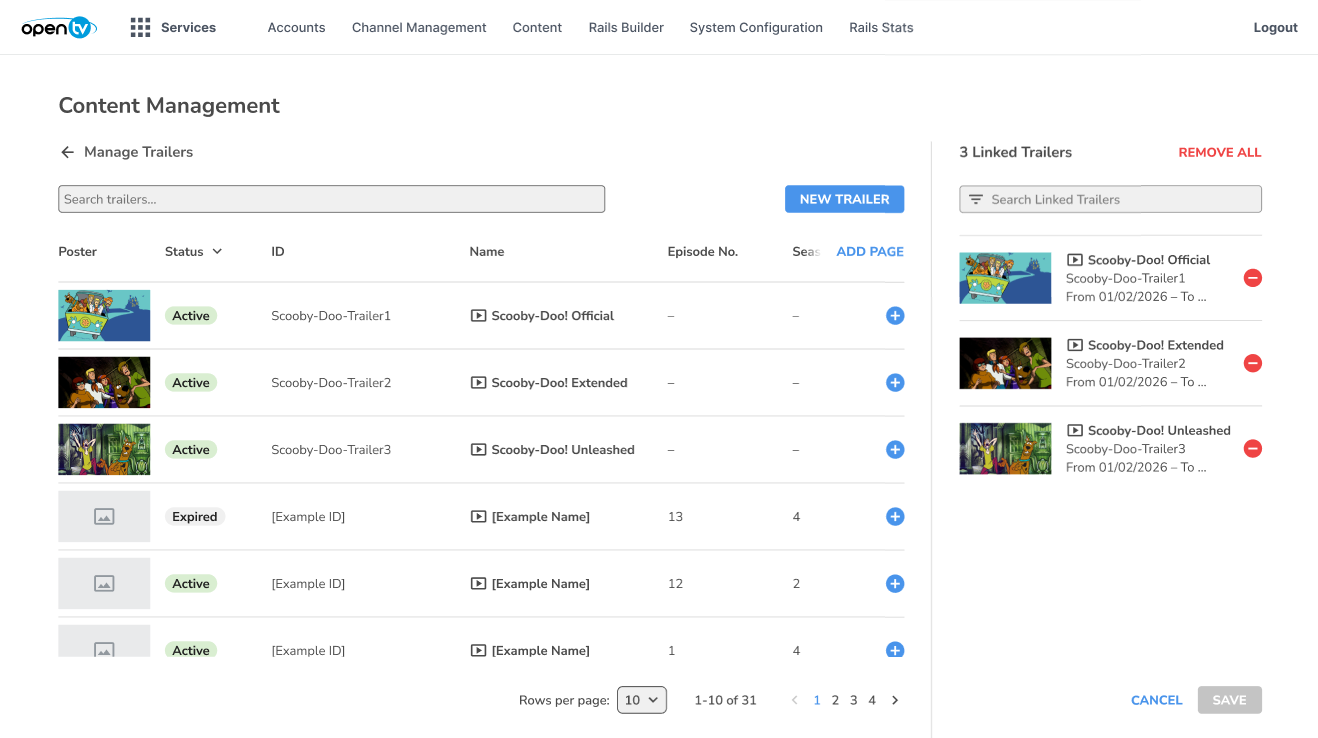
image-20260930-145158.png


Click SAVE.

image-20260930-145234.png


The trailers are no longer linked to the series.
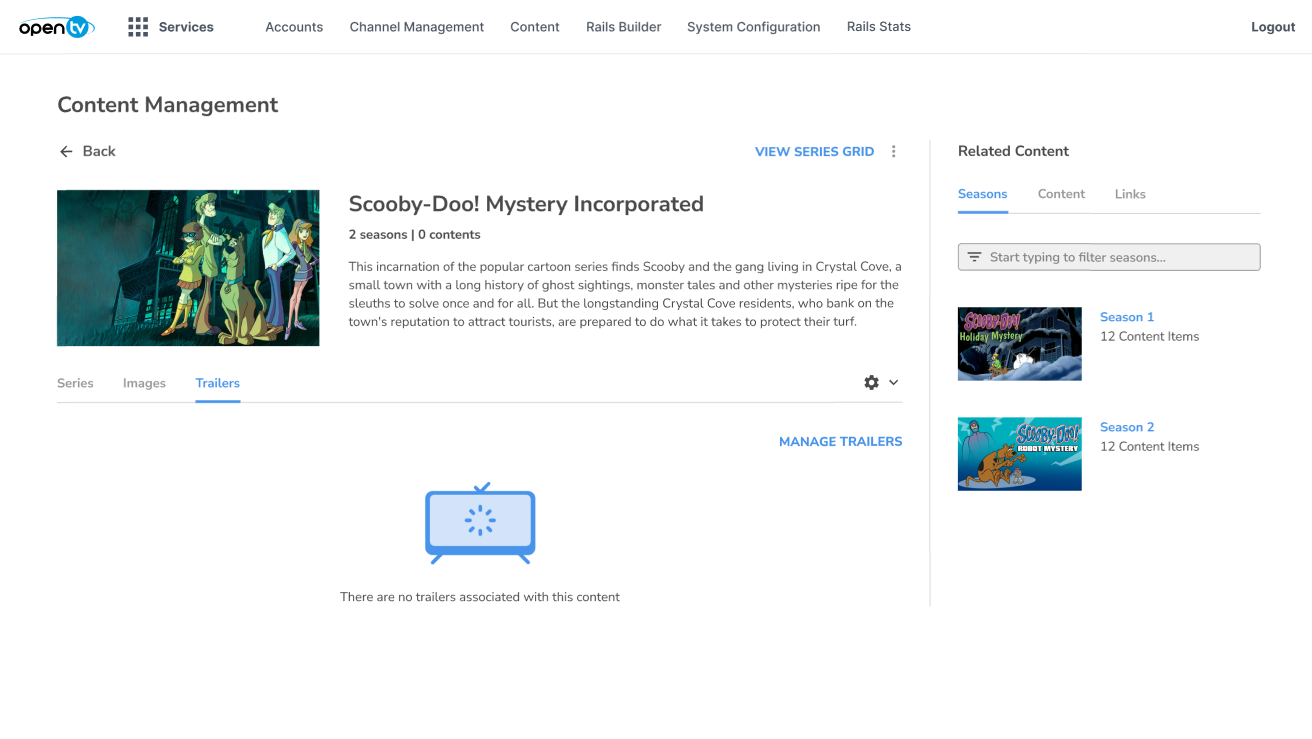
image-20260930-145323.png