
Introduction
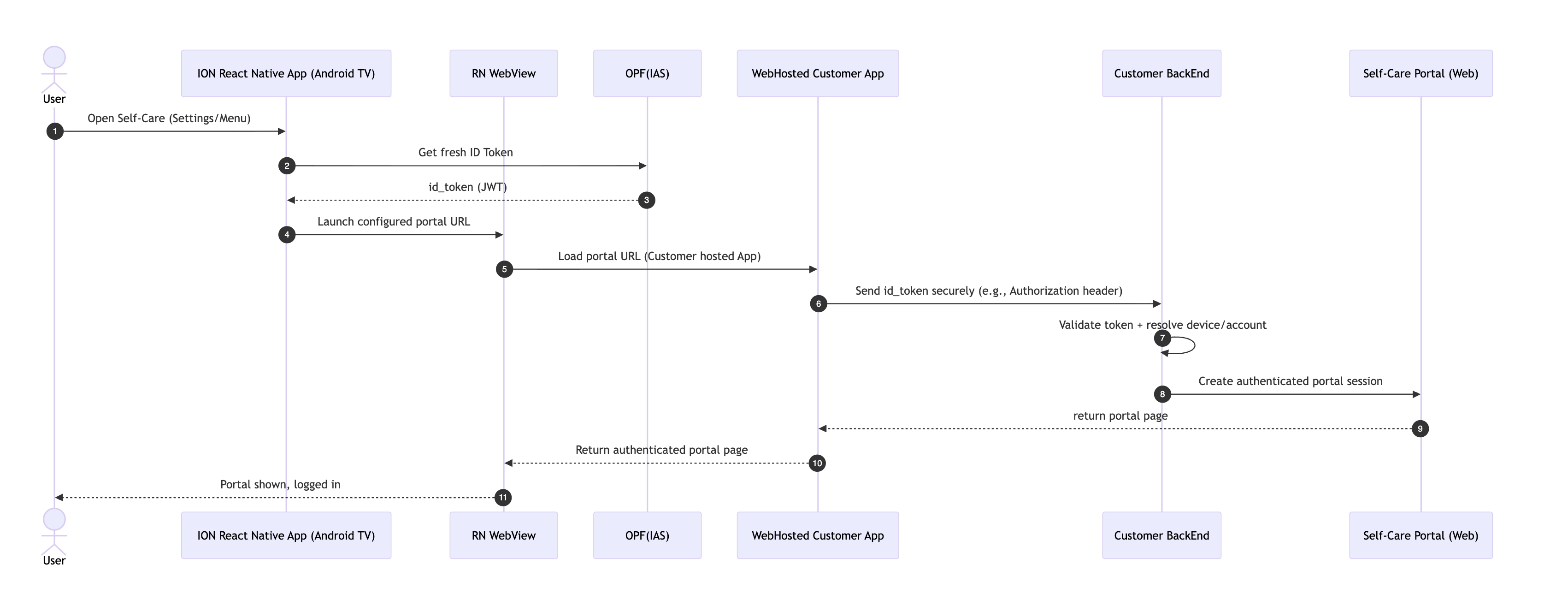
This document explains how the web application integrates with the TV application via WebView.
It covers authentication payloads and communication protocols.
Integration flow
-
TV app opens WebView.
-
TV app injects authentication data along with additional information.
-
Web page validates session.
Key navigation within WebView
The webpage should handle the user key navigation (TV remote) for navigating between the components and accessing them inside the WebView component.
Mandatory security requirements
-
Always use HTTPS
-
Never log auth tokens
-
Sanitize payloads
-
Token expiration handling
High-level design flow
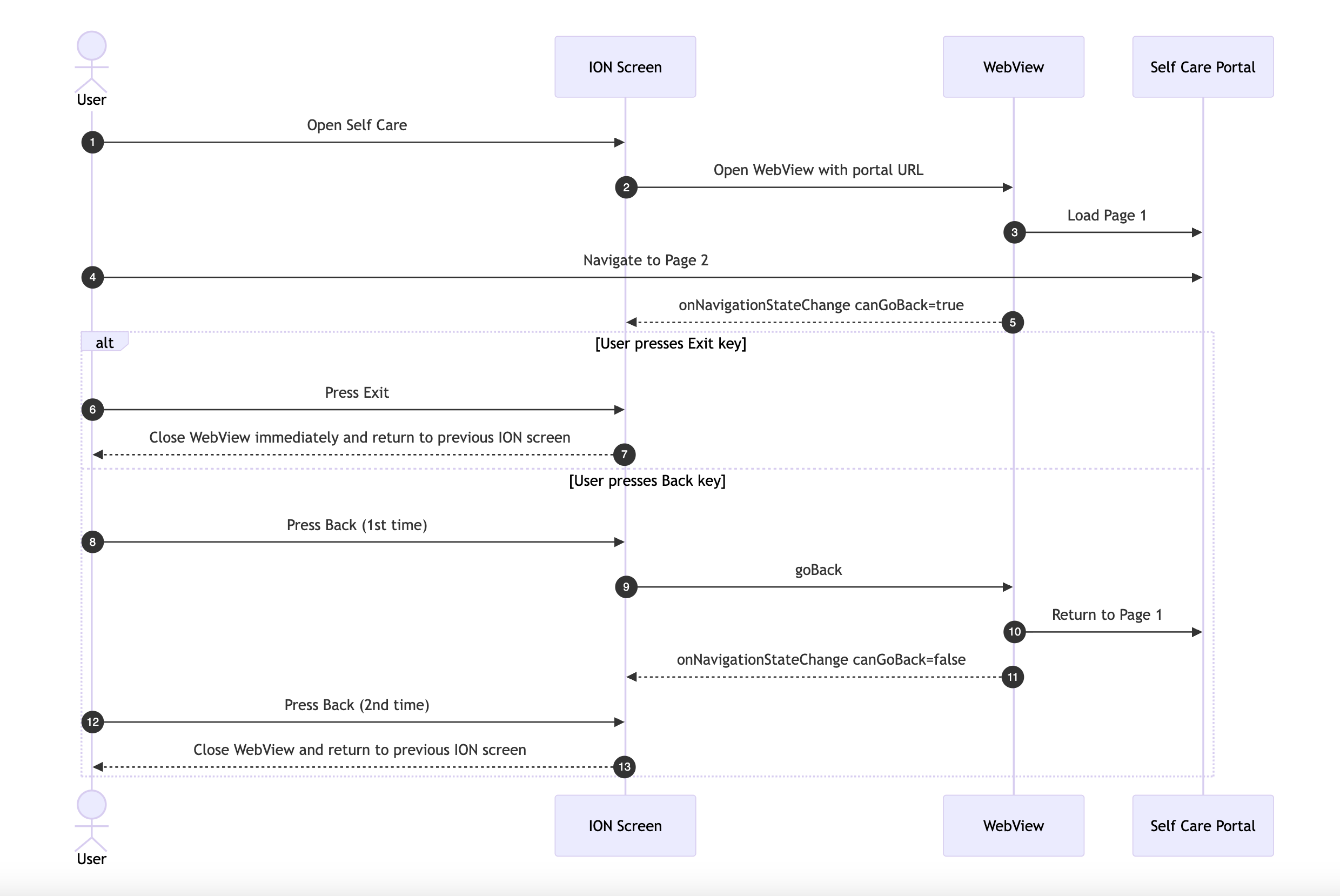
WebView back key handling
WebView security and cache properties from ION
|
Feature |
Affects Cookies |
Affects Cache |
Private Session |
Platform |
|---|---|---|---|---|
|
|
Clears all |
Clears all |
Yes |
Android / iOS |
|
|
No |
Disk only |
No |
Android / Limited iOS |
|
|
No |
Ignores HTTP cache |
No |
Android only |
|
|
Controls 3rd-party only |
No |
No |
Android / Limited iOS |
incognito
The incognito property creates a non-persistent WebView session.
Clears all cookies, cache, and localStorage when unmounted.
cacheEnabled
Disables WebView disk cache.
cacheMode="LOAD_NO_CACHE"
Ignores HTTP cache completely.
thirdPartyCookiesEnabled
Controls whether the WebView accepts third-party cookies (cookies set by a domain other than the main page).
Platform configuration changes
"selfCarePortal": {
    "enable": true,
    "portalUrl": "https://154.66.104.252:8095/iristvapp/index.html?boxId=30EB251A6FDF&template=iptv",
    "authenticationUrl": "",
    "sendIdTokenInQuery": true,
    "customHeaderIdToken": ["id_token"]
}
|
Configuration |
Description |
|---|---|
|
|
Shows the WebView only when enabled. |
|
|
URL to be loaded in the WebView |
|
|
URL used to retrieve the |
|
|
Determines how the |
|
|
Custom request header that carries the user's ID token for authentication |
sendIdTokenInQuery = true
The id_token is sent as a query parameter:
https://example.com?id_token=xyz
|
Parameter |
Description |
|---|---|
|
|
Authentication token used for authorization on the web page |
sendIdTokenInQuery = false
The id_token is sent in the request headers. The header used is defined by customHeaderIdToken:
"customHeaderIdToken": ["id_token"]
The value passed to customHeaderIdToken can be any valid string, and is forwarded to the WebView together with the id_token. For example:
{ "id_token": "Bearer id_token" }
If no value is passed to customHeaderIdToken, the token is not passed to the WebView.
Note: only the id_token header key is configurable.