
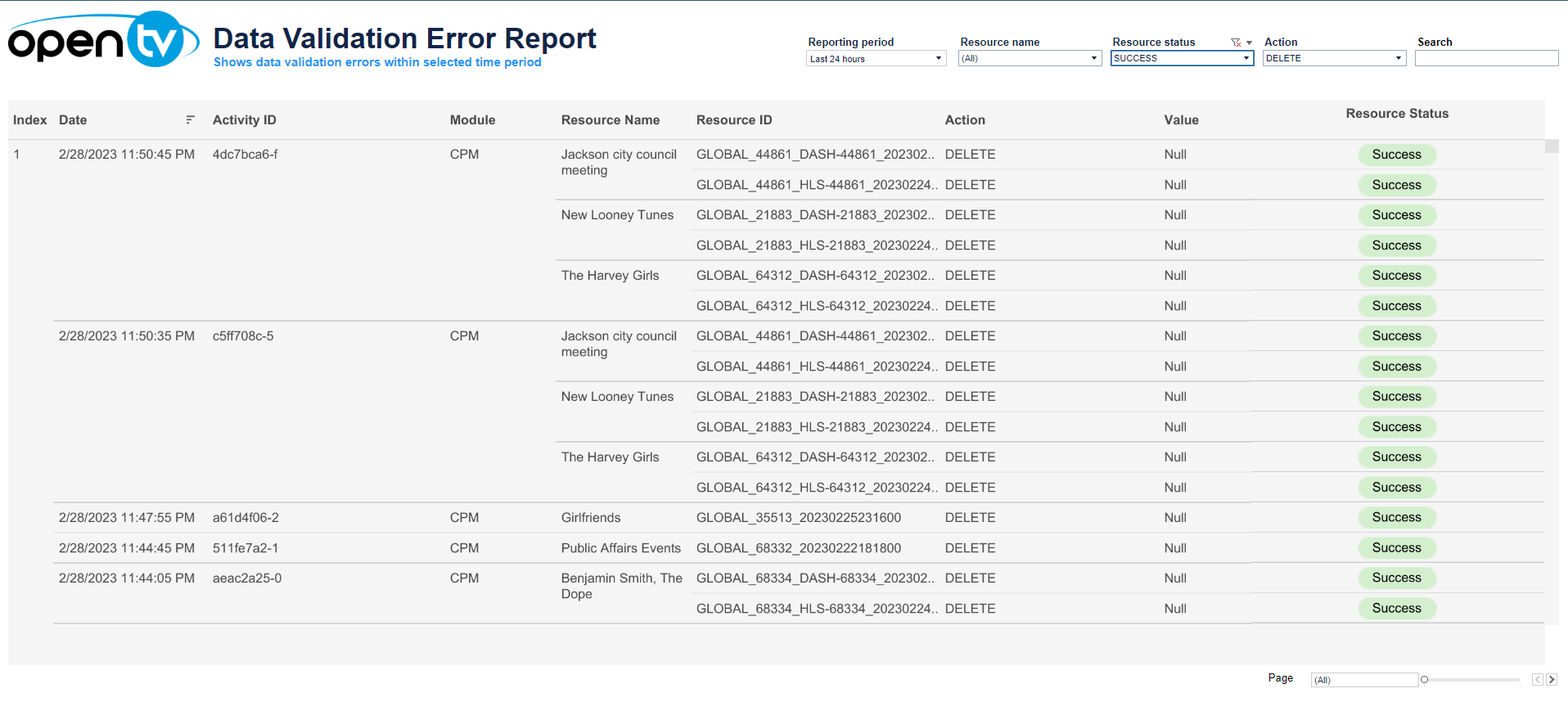
The data validation error report is a table that lists the validation issues (errors or warnings) that occurred during the specified date range for the selected filters. For each entry, it shows:
-
The date/time when the error occurred
-
The activity ID
-
The module in which the error occurred
-
The resource name, that is, the name of the entity for which the validation issue was detected
-
The resource ID
-
Action – the validation rule that was violated
-
Value
-
Resource status – Success, Warning, or Failure (error) (or null)
At the top of the page, you can:
-
Change the date range for the current data.
Note that data is only available for the last 30 days.
-
Filter by:Resource nameResource statusAction
-
Search within the data
In the table itself, you can:
-
Sort the table by clicking on the sort icon in the column header.
-
Click on the data, then click

In this window, you can:See more detailed data, including (for some categories) a list of the accounts that comprise the total shown in the tile.Change the sort order.Show and hide fields.Change the number of rows displayed.Download the data.