
The Nexguard library forensic watermarking tool embeds a unique, invisible serial number onto video/audio content.
Prerequisites
-
A Watermarking server to generate the watermarked surface. Associated with this:
-
Tenant Id - you may use TEST_TENANT during integration
-
Service endpoint URL
-
Secret key
-
API Key to authenticate with the service endpoint if required (optional)
-
-
A system to generate 24-bit Watermark IDs (contained within the token) to identify the user, session and device or both.
Initialisation
Instantiate and configure the OTVWatermark class by calling init(url:token:tenant:secret:) which provides all the configuration parameters.
Alternatively, for individual configuration, call init(secret:) followed by set(url:), set(token:) and set(tenant:). set(apiKey:) is also available if required.
Binding the player and view
The UIView and AVPlayerLayer must be bound together to allow the presentation of the watermark. Call bind(playerView:playerLayer:) passing references to your UIView and AVPlayerLayer.
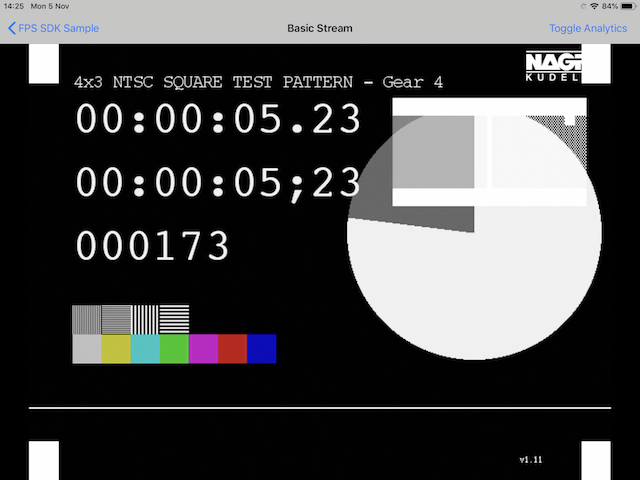
When using TEST_TENANT as the tenant, you should see a stub pattern displayed over your video.
Feedback loop
Create a delegate to handle messages and error events from the watermarking system:
-
OTVWatermarkDelegate
The callbacks to implement for this delegate are:
-
onWatermark(error: OTVWatermarkError, message: String) -
onWatermark(message: String)
Ensure the delegate for the OTVWatermark instance is set; for example:
watermark.delegate = self